
Hardware
I own this gear and use it every day.
How to put a gaming setup together
A gaming setup is the desk, the chair, and the screen in that order. Match the height and the depth before you match the lights.
Updated 10 min readYuval Eizik
- pc
- desk
This article has affiliate links. If you buy through them, I may earn a small commission at no cost to you. Prices move fast, so check the store for today's price before you buy.
Read the disclosure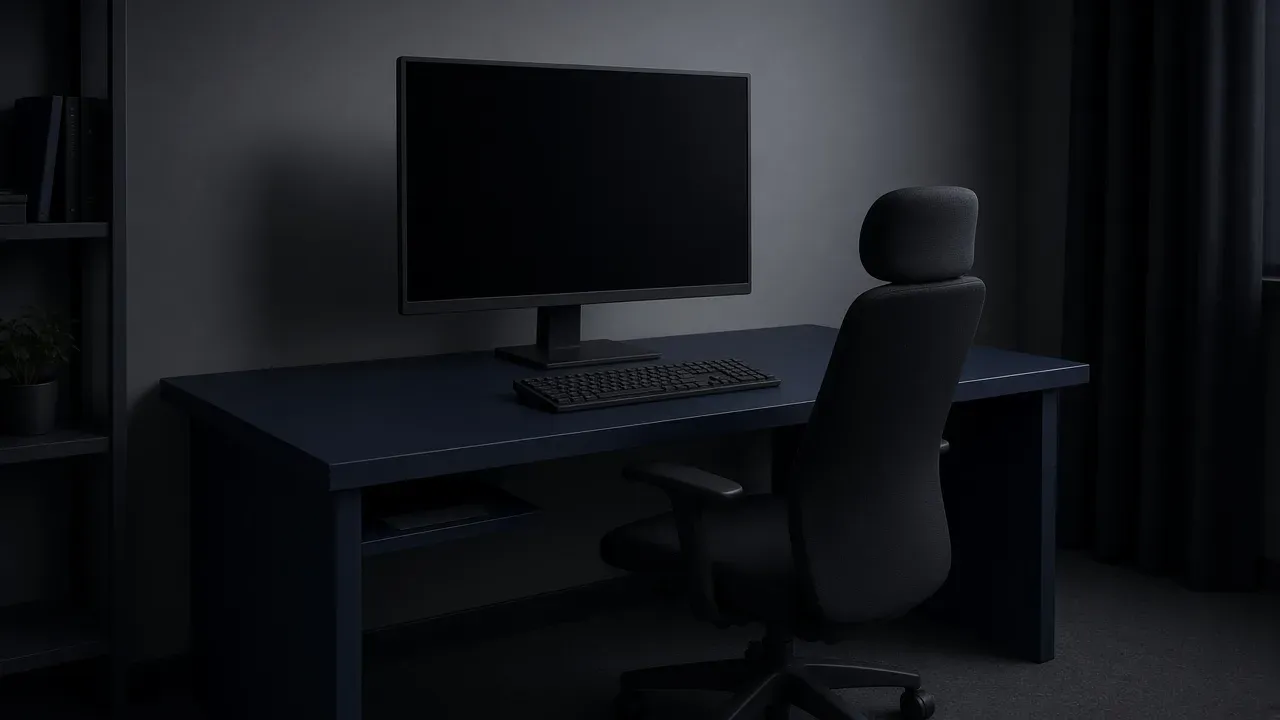
On this page
As an Amazon Associate I earn from qualifying purchases. I earn a small commission from Amazon links, at no cost to you. See disclosure.
Building a gaming setup? Forget RGB for a minute. A good setup is about four things: a desk that fits the room, a chair that holds the height that desk needs, a monitor near eye line, and a mouse with a clear lane beside the keyboard. Buy the one that is wrong. Leave the rest until it is.
I sit in front of two 27-inch screens: 1080p 240 Hz for Overwatch on Zarya, 1440p 155 Hz for everything that wants more pixels. The tower is a custom AMD Ryzen 9 9950X3D2, desktop RTX 5080 16 GB, 32 GB at 6000 MT/s, X870 GAMING X WIFI7, about 2 TB. The aiming mouse is a Logitech PRO 2 LIGHTSPEED at 1200 DPI, left-handed, after four years on a Razer Naga. WoW is a Naga Left-Handed. The cups I wear are a Razer BlackShark V2 HyperSpeed. This is a starting layout, not medical advice. If something already hurts, change the position and get a real opinion.
[ More monitor guides and the mouse guides.
What’s on my desk
- The aiming mouse: Logitech PRO 2 LIGHTSPEED. Official US $149.99, 80 g (Logitech support spec), HERO 2, LIGHTSPEED. Logitech G. PRO 2 on Amazon
- The headset I wear: Razer BlackShark V2 HyperSpeed. Official US $129.99 (Razer has also listed it at $99.99), 280 g, 50 mm TriForce Titanium, HyperSpeed 2.4 GHz + Bluetooth 5.2 + USB. I am happy with it. Razer. Amazon search for BlackShark V2 HyperSpeed
- A 27” 1440p 240 Hz panel: LG UltraGear 27GR83Q-B, official LG US $499.99, 1 ms GtG, height / tilt / pivot. The stand is the part that matters here. LG US. Amazon search for 27GR83Q-B
- The two screens I actually use: both 27-inch, one 1080p 240 Hz and one 1440p 155 Hz. The pairing is the useful part: one play screen ahead of me, one sharper screen I can turn to.
The short version: desk depth, chair height, eye line, mouse lane. Lights last.
What to fix first
A gaming setup is the desk, the chair, and the screen in an order. Fix the one that is wrong before you buy a matching set.
- Next
- The layout you have
- Skip
- A matching set
A setup is the position of the gear you own. Buy a part when one of these four is actually wrong.
The result is the next change, not a brand. If nothing on that list is wrong, you already have a setup. A new color does not make the session longer.
Work in this order, because each step uses the one before it. The desk decides how far the screen can sit. The chair decides whether your feet reach the floor at my setup. The screen decides whether your neck stays level. The mouse decides whether your shoulder reaches. A controller is not in that line. Match the pad to the machine when a game is happier in your hands. It does not lift the monitor.
| Do this first | Buy only if | |
|---|---|---|
| No desk that fits | Measure the wall, or the corner | A straight top, or an L whose wing has a job |
| The chair | Set your feet flat at my setup | The lever cannot hold that height |
| The screen | Top near eye line, about an arm away | The stand cannot reach that height |
| The mouse | Clear a rectangle beside the keyboard | The lane is clear and the mouse still feels wrong |
| A second screen | The play panel stays centered | You already turn to a real second job |
The chair, then the elbows
You cannot place a monitor until you know where your eyes sit.
Sit the way you play. Feet flat, or on a stable footrest if the chair is already as low as it goes. Thighs roughly level. The desk surface should let your elbows hang near a right angle without hiking the shoulders. Workplace pages print that elbow range as about 90–110 degrees. I will treat that as a check, not a diagnosis. If the lever cannot hold that height, the chair is the purchase. A racing shell that cannot hold it is still the wrong chair.
Armrests that shove the shoulders up are worse than no armrests. Drop them, or take them off, until the shoulders sit down. The mouse lane is a shoulder problem as much as a pad problem.
Where the monitor goes
Sit the way you actually play, then look straight ahead. The top of the screen should land near eye level, or a little below it. If you tilt your chin down to see the middle of the picture, the panel is too low, and an hour of that is the session. Raise the stand, or put a stable stack under a laptop, until your gaze is level. A larger monitor on the same low stand is the same chin.
Distance starts at about an arm’s length. Reach forward. The glass should be near your fingertips when you are sitting back, not when you are perched on the front of the seat. Common setup guides print 20–30 inches (about 50–75 cm) for a 24–27 inch panel. If you lean in to read the interface, bring the screen closer or make the interface larger. Leaning is the screen being in the wrong place. If the picture fills your vision and your eyes tire, push it back. The right distance is the one where you stop chasing it.
A small tilt back, ten to fifteen degrees in those same guides, keeps the glass from throwing the ceiling into your eyes. Tilting a low panel up to meet you is how you stare into a lamp.
A laptop fails this by design if you type on its keyboard. The screen is welded to the keys, so it sits too low and too close. Raise the laptop and use a separate keyboard when you can. The setup is the position, not a second computer.
Do this with the monitor you already own before you shop for another one. Which resolution to buy comes after this screen is at eye line and you still want a different picture. A curve, a higher refresh rate, and 4K do not move a panel that is staring at your chest. Ultrawide versus 16:9 is a width question after the height is right.
Two screens, one neck
I already run two. The play panel belongs in the center, top near eye line. The second panel belongs beside it, same height, turned in so a glance is a glance and not a held twist. A television on the wall above the play screen is a third job. It is not a substitute for the eye-line panel.
If you use both screens equally, sit between them. If you do not — and I do not, Overwatch is the 240 Hz one — the unused screen can go darker and farther. A matching pair is not the requirement. A matching height is.
How deep the desk has to be
Depth is the measurement from the front edge, where you sit, to the back edge. It has to hold two things at once: the keyboard between you and the monitor, and the monitor at about that arm’s length. Sit in your chair, reach an arm, and mark the spot. The glass belongs there. The stand, or whatever holds the panel, needs room behind or under that spot. If the top ends before the mark, the screen will hang off the back or live in your face.
A listing that only shows a styled photo has not told you this. Read the depth in centimeters. Common setup guides name 27–30 inches (about 68–76 cm) as a practical minimum, and one workplace page names 800 mm. Those are listing numbers, not a diagnosis. A top that is barely deeper than the keyboard fails, whether it is straight or an L. The wing of an L does not add depth to the side you face. If the room is a corner and the return will hold a second screen or a console you actually use, the L is the shape. If the wing would only collect cups, buy the straight desk against one wall.
The keyboard and mouse belong on the near strip, not halfway to the glass. Workplace pages print about 10–15 cm from the front edge so the forearms have a rest. I will use that as a place to start. UHJK is on the right. The PRO 2 is on the left. The lane I care about is the left rectangle. A full-size board does not steal that lane on my desk the way it steals it from a WASD player. More on keyboard and mouse placement.
The chair still has to roll under that top. A drawer or a thick frame where your knees go shortens the desk you thought you measured. Sit, or mark the knees on the floor, before you pay.
A standing desk is a height you can change, not a setup. If you stand, the eye line and the elbow line have to move with you. A monitor that was right sitting is too low standing. An arm earns its price there.
What can wait
Lights, a wrist rest, a cable tray, and a monitor arm are later. Routing the cords comes after the lane exists. A lamp beside the desk keeps that light out of the glass. None of them set the height, the depth, or the lane. An arm is worth it when the stand cannot reach eye line or the stand’s foot steals the depth you just measured. It is not the first purchase. A desk that wobbles is a separate fix once the position is already right.
If the screen is at eye line, the chair holds your feet flat, the keyboard leaves a lane, and the top is deep enough for your arm, the setup is done. Replace a part when that part is the one that failed the test. A matching set is a want. It is not the next step.
Where the PC sits, and what the cables do
The useful part is small. The PC needs air and a cable run that does not steal the mouse lane. On the floor beside the desk is fine if the intakes are not in carpet fluff. On the desk is fine if the box is not where the 240 Hz screen needs to stand.
Cables belong after the lane exists. Power, DisplayPort or HDMI for two screens, the LIGHTSPEED receiver, the Naga cable, the BlackShark HyperSpeed dongle. A tray or a few ties is enough; see cable routing. Do not buy a tray to hide a screen that is still staring at your chest.
The PRO 2 receiver wants a port near the mouse, not in a USB pile behind the tower. The Naga is wired. The BlackShark dongle is a third link. A powered hub is a later fix if the ports on the PC are all in the back and the desk is deep.
Light, heat, and the hour
A lamp that sits beside the desk, not behind the glass, keeps the 240 Hz panel from turning into a mirror (more on desk lighting). RGB in the case is decoration. A matching purple set is still decoration. Bias light behind the screen is a comfort some people like. It does not raise a rank.
Heat is the PC and the room. A closed cabinet around the tower is how a 5080 cooks. Leave the vents.
Workplace pages mention looking away from the screen on a timer. That isn’t medical advice, but if your eyes get tired, the panel may be too close, too bright, or too long a session. Push it back, dim it, or stand up. A larger monitor on the same low stand will not fix that.
Headset, pad, and the second job
The BlackShark V2 HyperSpeed lives off the play lane: a hook on the monitor, a stand to the side, or the top of the tower. It is wireless, so the dongle is the cable I actually have to place. How to use audio is the sound page. The goal here is just to keep the cups off the mouse rectangle.
The pad has to fit one turn after the keyboard is placed. The pad is that size. I aim at 1200 DPI on the left. A pad that ends under a short flick is a lift you did not plan. Do not buy a huge pad to make up for a desk that is too shallow for the glass.
Add a webcam, stream deck or second PC only when you need one. I also code on the 1440p screen. That is a second job, which is why the 1440p 155 Hz panel stays. It is not a reason for a third monitor.
If nothing in the pick box is wrong, stop. The next purchase is the part that failed, not a color.
Related: gear guides, What a 1440p 240 Hz monitor is for, Hardware, my setup.
Common questions
How do I set up a gaming desk?
Start with your chair height, then set the monitor so the top of the screen is at or slightly below eye level. Leave plenty of room for your mouse, and route cables off the desk surface.
How far should I sit from my monitor?
About an arm's length is a good starting point. If you have to lean in to read text or turn your head to see the corners, adjust the distance.
How should I set up two monitors for gaming?
Put the one you game on straight in front of you, and place the second one beside it at the same height, angled slightly toward you.
Keep reading
Hardware
How to route cables on a desk
Keep power and signal cords off the mouse lane and off your knees. One surge-rated strip reaches the wall.
October 19, 2026 · 11 min read
Hardware
How to light a desk without glare
Put a shaded lamp beside the desk, below eye line, aimed at the keys. Bias light belongs on the wall behind the panel. A bulb behind you is the reflection.
October 19, 2026 · 11 min read
Hardware
How to stop a desk from wobbling
Desk wobbling while you aim? Find what's moving, tighten or brace it, and get a steady mouse surface back in about 10 minutes.
October 19, 2026 · 10 min read
Hardware
L-shaped gaming desk (2026): is the corner worth it?
A 2026 L-desk guide with official IKEA BEKANT / IDÅSEN prices, Flexispot E7L specs, and a left-handed layout for two monitors and two mice.
October 19, 2026 · 6 min read