Hardware
How to choose a gaming mouse pad
Pick a gaming mouse pad by swipe size and surface. Cloth stops the mouse. Hard and glass glide. A pad that is too small makes every sensitivity feel slow.
Updated 4 min readYuval Eizik
- pc
- mouse
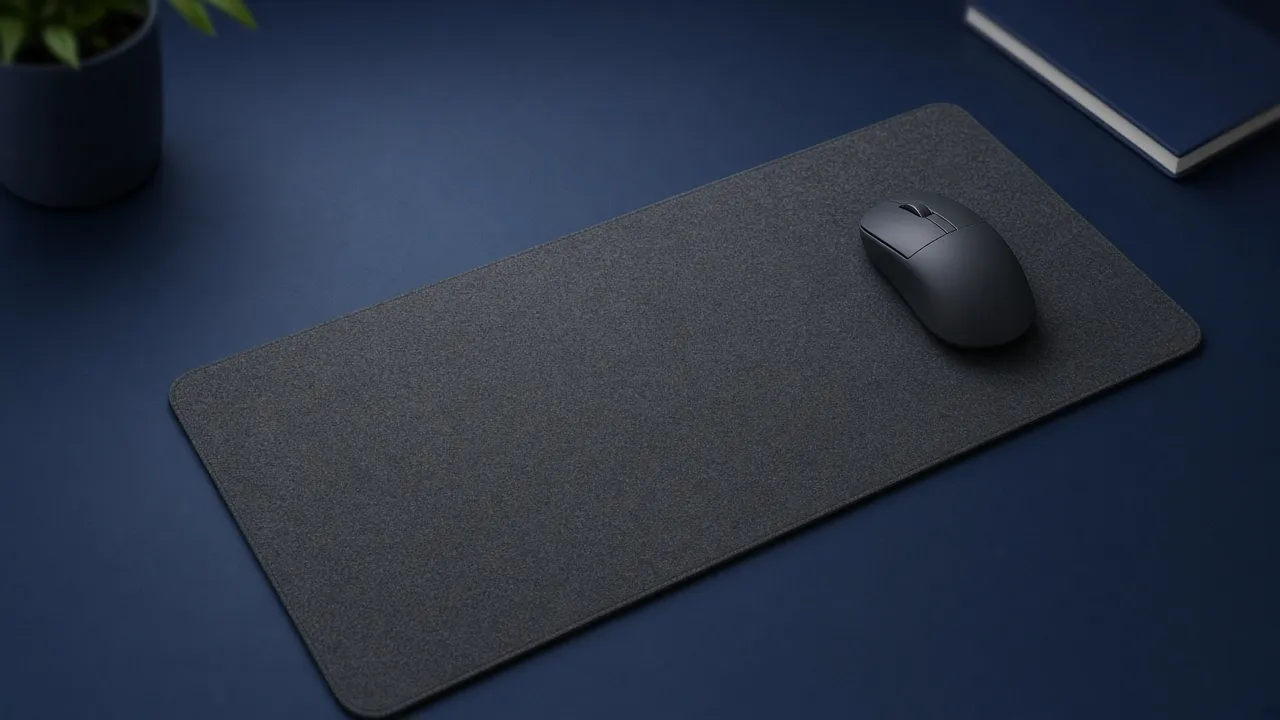
A gaming mouse pad is the surface the sensor reads and the place your arm stops. The best one is wide enough for the swipe you already use, on a cloth or a hard top that matches how you want the mouse to stop. A roundup that names one pad for every desk is guessing. Your sensitivity and your free space decide the size. The weave decides the feel.
Buy the mouse first if you do not have one that fits your hand. A new pad will not fix a hump that fights your grip. Once the mouse is the one you will keep, the pad is the next purchase.
Size is one full turn
Play the game you actually queue. Make the turn you need in a fight, from looking ahead to looking behind. Watch whether the mouse stays on the pad.
If you lift in the middle, two things can be true. The pad is shorter than the swipe. Or the sensitivity is lower than the space you have, which is a DPI and in-game setting, not a surface problem. Fix the one that is actually short. A huge pad does not help a wrist aimer, and a tiny pad does not become enough because the cloth is expensive.
Common classes, not a model you must copy:
| Class | About this wide | Who it fits |
|---|---|---|
| Small | 25 cm | Wrist aim, and a desk with no spare width |
| Medium | 35 to 45 cm | A mix of wrist and arm |
| Desk mat | 80 to 90 cm | Arm aim, with room under the keyboard too |
A desk mat is still a mouse pad. It is wide enough that the keyboard can sit on it and the mouse still has a lane. That only helps when the keyboard is not already in the way. If the board is full-size and the desk is narrow, move to a shorter keyboard or accept a medium pad and a higher sensitivity. Do not buy a mat that hangs off the desk and curls. A curled edge is a dead zone.
Depth matters less than width for most people, until your down-swipe falls off the near edge. If that happens, the pad is too shallow, not too slow.
Cloth stops, hard glides
Cloth is the usual gaming surface. The weave adds friction, so the mouse slows when you ease off. That stopping power is why FPS players start here. Cloth also comes in the big sizes. It wears. A shiny spot where your wrist sits is the pad getting slower in one place. That is when you clean it or replace it, not when you blame the sensor.
Hard pads are plastic, and some are glass. They glide faster and stop less, so your hand does the braking. They wipe clean, and dust on glass is obvious because the mouse feels scratchy until you wipe it. A large hard pad is rare. Rigid sheets get fragile as they get wide, so the fast surface is often the smaller one. If your aim needs a desk mat, you are buying cloth even if you wanted glass.
Speed cloth and control cloth are the two words on cloth listings. Speed is a tighter weave and a faster glide. Control is more texture and an easier stop. If the page only says “gaming,” it has not told you which one it is.
The mouse feet change this too. Worn feet feel muddy on cloth and scratchy on glass. If a pad you liked last month feels worse, look at the feet before you buy a second pad.
Thickness, edges, and lights
A few millimetres of foam under the cloth is comfort. It is not a rank. A very thick, very soft pad can squish when you plant your palm, and a sensor that was happy on a firm pad can hitch. If the cursor spins out only when you press down, try a firmer pad or ease the press. Do not sand the feet off the mouse to chase it.
A stitched edge keeps the cloth from fraying. It is also a ridge. If your wrist or the side of your hand rides that ridge every swipe, pick a pad whose edge is lower, or shift the pad so the swipe stays in the middle. The middle is where the surface is honest.
RGB under a pad does not change glide, tracking, or stopping. Buy it if you want the desk to glow. Do not pay extra for it as an aim feature.
Pick the pad from the swipe
The pad has to fit one full turn. A shorter bar is a smaller pad. The widths are relative, not a measurement of one model.
Use the result as a filter. Then put the pad flat, with the whole base on the desk. A pad that bridges a gap will rock, and the mouse will feel inconsistent for a reason that is not the weave.
How long it stays the same pad
Wipe cloth when it looks dark in the wrist spot. For a real clean, hand wash with lukewarm water and a drop of mild soap, keep the rubber back out of a long soak, and dry it flat. A dryer will warp that back. Glass and hard plastic want a damp cloth, more often, because a speck feels like grit.
Replace a cloth pad when one area is slower than the rest and washing does not bring it back. That slow spot is where you have been aiming. The rest of the pad was never the problem. Keep your DPI where it was for a few sessions on the new surface. The pad changed the friction. Give your hand time to notice that before you retune the mouse.
Common questions
What size gaming mouse pad do I need?
Big enough for one full turn without lifting the mouse. Wrist aim can use a small or medium pad, around 25 to 36 cm wide. Arm aim on a wide desk wants a desk mat, around 80 to 90 cm wide. If you lift in the middle of a turn, the pad is short or the sensitivity is lower than the space.
Should I get a cloth or a hard mouse pad?
Cloth if you want the mouse to stop. Hard plastic or glass if you want it to glide and you accept less stopping power. Start on cloth if you have not compared them. Hard pads are usually smaller, because a large rigid pad is fragile.
Is a desk mat better than a mouse pad?
A desk mat is a wide cloth pad that also sits under the keyboard. It is better when your arm needs the width. It is wasted space when you aim with your wrist and the desk is already crowded.
Does a mouse pad change DPI?
No. DPI is a setting in the mouse. The pad changes friction, so the same swipe can feel faster or slower. If you change pads, keep your DPI and sensitivity the same for a few sessions before you retune.
How do I clean a cloth gaming mouse pad?
Wipe it, or hand wash it with lukewarm water and a drop of mild soap. Do not soak the rubber back, and do not put it in a dryer. Dry it flat. A glass or hard pad only needs a damp cloth. Dust on glass is what makes it feel scratchy.
Do I need a thick gaming mouse pad?
Thickness is comfort, not aim. A few millimetres of cloth is the usual cushion. A very soft pad can feel mushy if you press down hard. If the cursor spins out when you plant your hand, the pad is too soft for that press, or the mouse feet are worn.
Keep reading
Hardware
When a 4K gaming monitor is worth it
A 4K gaming monitor is worth it when the PC already holds its refresh rate and the desk fits about 32 inches. Competitive games usually belong at 1440p.
October 19, 2026 · 5 min read
Hardware
Where a budget gaming PC should spend its money
A budget gaming PC should spend most of its money on a named graphics card for the resolution you play. A glass case and a huge processor do not add frames.
October 19, 2026 · 4 min read
Hardware
What the best gaming keyboard actually is
The best gaming keyboard is the layout your desk can hold and the switch your fingers accept. A 2026 chart names whatever is in stock. Extra money buys one feature you can point to.
October 19, 2026 · 4 min read