Hardware
When an L-shaped gaming desk is worth it
An L-shaped gaming desk is worth it when you have a corner and a real second surface. Put the monitor on the long side, and give the mouse the open side.
Updated 4 min readYuval Eizik
- pc
- desk
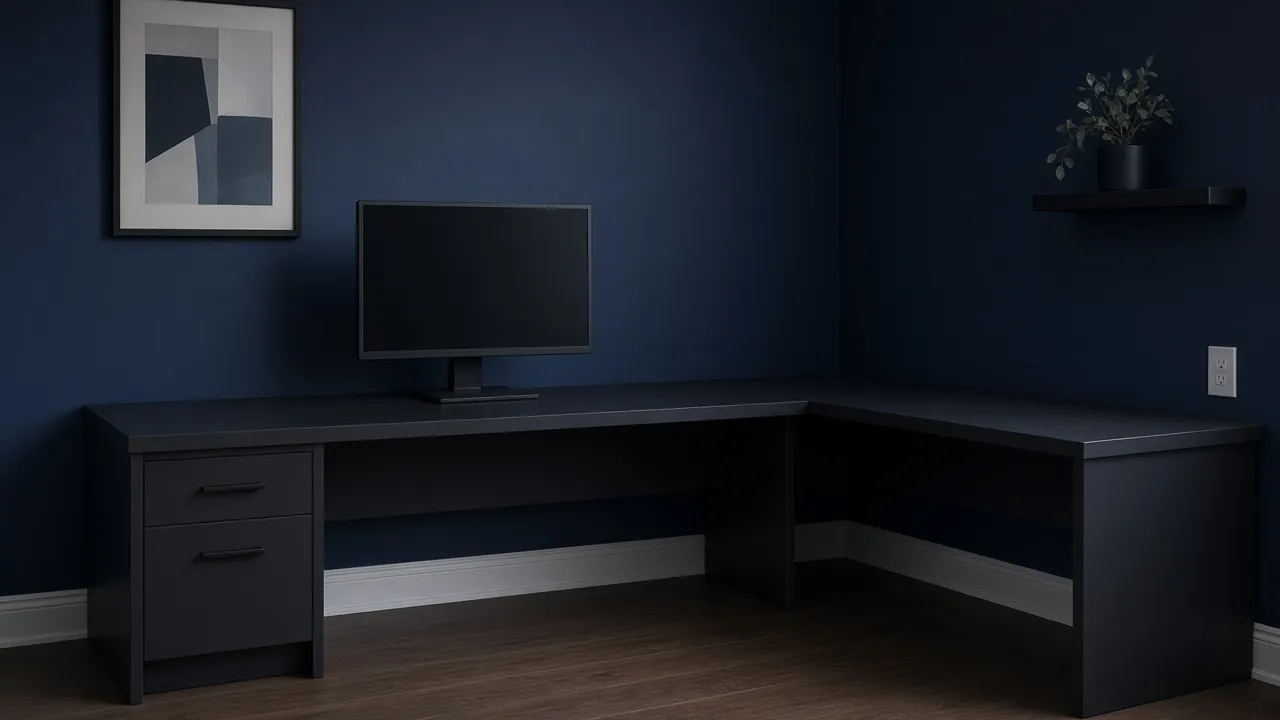
An L-shaped gaming desk is two tops that meet at a right angle. The long one is where you sit. The short one, the return, is a second surface in a corner you already have. The shape is worth buying when that return has a job: a second screen, a console, or work that should not live under your mouse.
It is a bad buy when you own one screen and a straight wall. The corner then steals legroom and gives you a shelf. A “gaming” label on the steel does not change that. How you sit at whichever desk you own is still the first problem. This page is only the shape.
Pick the shape from the corner you have
An L is two tops that meet in a corner. Buy it when the return has a job. Keep the monitor on the long side, in front of you.
- Buy
- An L
- Sit facing
- The long side
- The return
- On your left
Put the monitor on the long top, centered on your chair, not in the corner. The return is for the second thing. Your mouse keeps the open side.
The result is a layout, not a brand. Two L desks with the same sticker can differ in depth, in which side the return is fixed to, and in whether a pedestal blocks your knees. Read those before the color.
If the room has no corner, do not invent one. An L floated on a straight wall puts the return in the walkway. A straight desk against that wall keeps the chair’s space and still holds a monitor at eye line.
If you have a corner and nothing to put on the wing, you will not sit at the wing. You will drop cables and a cup there. That is a shelf. Buy the straight top until a second screen or a second job shows up.
The monitor does not go in the corner
The corner is where the two tops meet. It is also where people park the screen, because the stand fits and the cables are short. You then spend the session with your nose aimed at a kink and your neck turned a few degrees for hours. Put the monitor on the long top, centered on the chair, about an arm’s length away. The top of the screen stays near eye line, same as on any other desk.
The return holds the thing you look at sometimes. A second monitor belongs there if you turn the chair to use it, then turn back. It does not belong as the main picture you play on, unless you are willing to sit square to that wing and treat the long side as the return instead. One of the two runs is the seat. The other is the side trip. Living in the kink is how the mouse hits a leg and the shoulders stay shrugged.
Give the mouse the open side
The mouse needs a clear rectangle next to the keyboard, on the hand that holds it. On a right-handed desk, that rectangle is to the right, so the return should be on your left. On a left-handed desk, mirror it. The return on the mouse side is how the swipe dies in the corner.
The pad still has to match the swipe after the keyboard is out of that lane. An L does not create width the return already ate. If the long side is too short for the keyboard and a full swipe, the shape was the wrong way around, or the desk is too small. Measure the long side against the keyboard you own plus the pad, not against the product photo.
Depth is the other measurement people skip. The monitor has to sit back far enough that you are not leaning in, and the keyboard has to sit between you and that monitor. If the listed depth is only a keyboard deep, the screen will hang off the back or live in your face. Reject that top whether it is an L or a straight desk. A wing does not add depth to the main run.
What the listing has to say
Ignore the word gaming until the page states these:
- Which side the return is on, and whether you can flip it. A fixed right return is the wrong desk for a right-handed mouse.
- The depth and the length of the long side, in centimeters, not only a lifestyle photo.
- Where the legs and the drawers are. A pedestal under the corner blocks the chair from turning. You should be able to roll from the main seat toward the return without hitting a knee on a box.
- A place for cables. An L has a longer path, and the corner is where the slack collects. A grommet or a tray is useful. A desk with no path means the cables live on the floor in front of the chair.
- The height, or a range if it adjusts. A fixed height that is wrong for your chair is the same problem as on a straight desk. The shape will not lower it.
Sit in the orientation you will use before you pay, even if that is only a tape measure on the floor. Mark the long side, mark the return, and put a chair in the spot. If your knees meet a wall, a leg, or the other wing, the corner is smaller than the listing felt.
A monitor arm can still help once the shape is right, because a stand in the middle of the long side eats the depth you just measured. Buy the arm after the desk fits, not as a way to rescue a shallow top. If the straight desk you have is already deep enough, at eye line, with room for the mouse, an L is a want for a second surface. It is not a fix for a session that hurts.
Common questions
Is an L-shaped gaming desk worth it?
Yes when the room has a corner and the short side will hold a second screen, a console, or work you actually do. One screen on a straight wall is a straight desk. The L does not make the chair or the monitor better by itself.
Where should the monitor go on an L-shaped desk?
On the long side, centered in front of the chair. The corner is the worst place for it, because you sit twisted. The short side is for the second thing, not for the screen you look at for hours.
Which way should an L-shaped desk face a right-handed player?
Put the return on your left, so the mouse has open desk to your right. A left-handed mouse wants the return on the right. The keyboard and the mouse stay on the long side together.
How deep does a gaming desk need to be?
Deep enough for the monitor at about an arm's length, with the keyboard between you and the screen. A shallow top forces the screen into your face or off the back edge. An L shape does not fix a top that is too shallow.
What is wrong with sitting in the corner of an L desk?
Your neck stays turned, the mouse runs out of lane, and a drawer or a leg in the corner blocks the chair. Face one run of the desk. Use the other run by turning the chair on purpose, not by living in the kink.
Does an L-shaped desk replace a good chair position?
No. Eye line, a mouse you do not have to reach for, and a break are still the layout. Buy the shape after that layout fits the room, not instead of it.
Keep reading
Hardware
When a 4K gaming monitor is worth it
A 4K gaming monitor is worth it when the PC already holds its refresh rate and the desk fits about 32 inches. Competitive games usually belong at 1440p.
October 19, 2026 · 5 min read
Hardware
Where a budget gaming PC should spend its money
A budget gaming PC should spend most of its money on a named graphics card for the resolution you play. A glass case and a huge processor do not add frames.
October 19, 2026 · 4 min read
Hardware
What the best gaming keyboard actually is
The best gaming keyboard is the layout your desk can hold and the switch your fingers accept. A 2026 chart names whatever is in stock. Extra money buys one feature you can point to.
October 19, 2026 · 4 min read