Hardware
How to choose a gaming controller
Choose a gaming controller by the machine that has to read it. On a PC that is usually an Xbox layout. On a PlayStation it is a DualSense. A wire at the desk is not a downgrade.
Updated 4 min readYuval Eizik
- pc
- controller
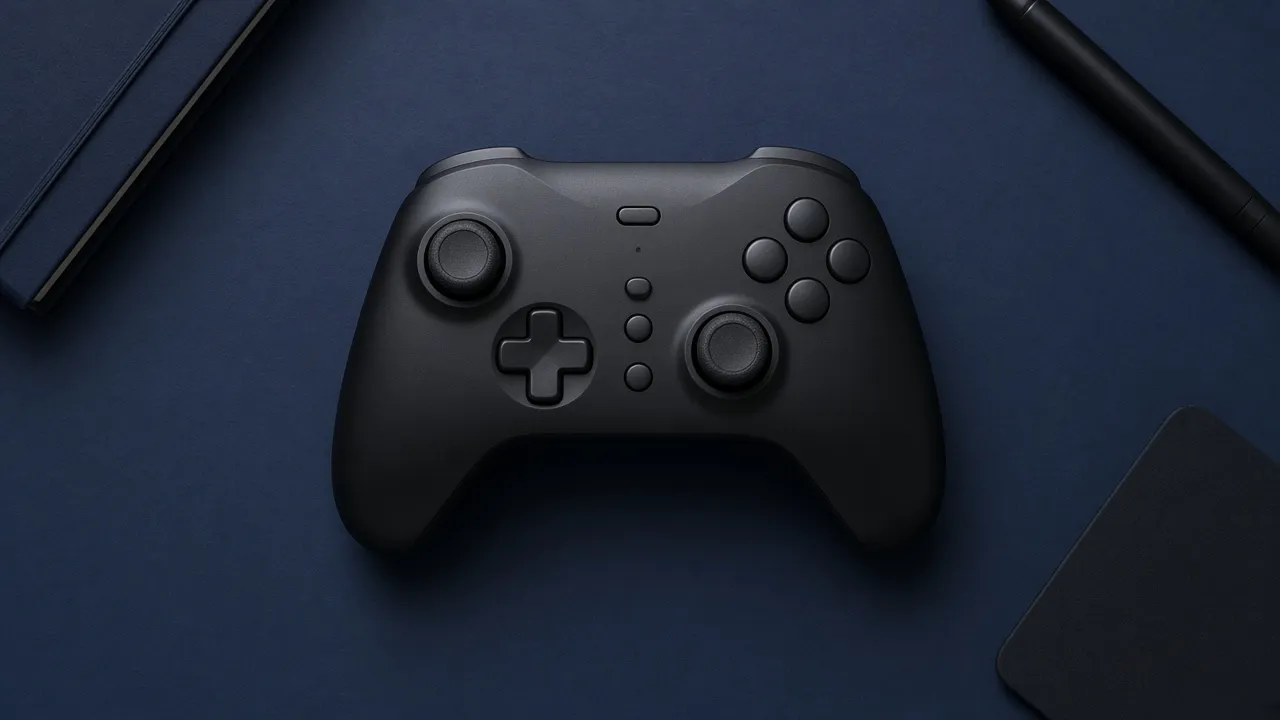
A gaming controller is the pad a game already knows how to read. The best one is not the shell with the most colors. It is the layout that machine expects, on a connection that stays put for the session, in a size your hands do not fight.
On a PC, that layout is usually the Xbox one. Windows games that use XInput, Microsoft’s controller API, draw those buttons and those sticks. On a PlayStation, the native pad is a DualSense, or another pad whose box names the console. On an Xbox, it is an Xbox pad. A third-party shell the game cannot see is a worse controller than a plain one the game already speaks.
The desk is a separate problem. A pad does not fix a screen that is too low. It replaces a keyboard and mouse for the games you would rather hold.
Pick the pad from the machine
Buy the pad the machine already understands. A shell the game cannot read is a worse controller.
- Pad
- Xbox layout
- Connection
- USB
- Sticks
- Standard sticks
A wire at the desk has no battery to die. Windows games that use XInput draw the Xbox buttons.
The result is a filter, not a model. Hands differ, and a return window matters more than a review score. Prices move. The layout the machine expects does not.
On a PC at a desk, plug in USB and play. There is no battery to die in a boss fight. From the couch, a current Xbox pad can use Bluetooth or the Xbox wireless adapter. An older Xbox One pad may not have Bluetooth at all. If the listing does not say Bluetooth, do not assume the couch works. When a wireless link stutters, the same pad on the cable is the test. If the cable is smooth, the radio was the problem, not your hands.
A DualSense on PC is a real option, and Sony documents it for Windows 10 and 11 over USB-C or Bluetooth. The catch is features and prompts. Sony says haptic feedback on PC needs the USB cable, and adaptive triggers show up only in games that support them. A lot of PC games still paint Xbox buttons on the screen. Steam can translate a PlayStation pad if you enable that support. Outside Steam, check the game’s own controller list. Do not install a random mapper from a search box to force it.
On an Xbox, buy an Xbox pad. A DualSense is not the pad that console reads. On a PlayStation, buy a DualSense or a pad the box names for that console. Adaptive triggers and the detailed haptics are a PlayStation feature in games that use them. An Xbox pad will not grow those triggers because you wished it would.
On a Switch, buy a pad the listing names for Switch. A full-size controller is the one for a long session. The little side controllers are a Switch feature, not a reason to skip a pad your hands can stay on. An Xbox or PlayStation pad does not become a Switch pad unless the listing says the pair works.
If you play on two machines, expect two pads unless one box names both. An Xbox pad covers an Xbox and a PC. A DualSense covers a PlayStation and a PC, with the prompt caveat above. Neither is the native pad of the other console.
Drift, paddles, and the cable
Stick drift is the stick reporting a direction while your thumb is off it. The usual cause in a plain pad is a worn sensor under the stick. Hall effect and TMR sticks sense position with a magnet instead of that wearing contact. They are the part to look for when you are replacing a pad that drifted. They are not a reason to replace a pad that is still accurate. A listing that says anti-drift, and never says Hall effect or TMR, has given you a slogan.
Back buttons, or paddles, sit under your fingers so a face button does not pull your thumb off the stick. Buy them when you already feel that loss in a game you play. They are a different shell, often a pro-priced one, and they do not improve the radio or the sticks. If you have never missed the thumb, the plain pad is the whole product.
Size is the part a spec sheet cannot settle. A pad that cramps a large hand, or floats in a small one, is the wrong pad even when the layout is right. Use the return window in the first session. Grips that screw on are a fit experiment, not a new controller.
Battery life on the box is the maker’s claim, at a rumble setting they chose. Recheck it. A pad that plays while it charges, by USB, covers a dead battery. A pad that must be empty and docked before you can play again is a worse couch pad than the number of hours suggests.
What the listing has to say
Ignore the word gaming until the page states these:
- The machines, by name. PC, Xbox, PlayStation, Switch. A photo of all four is not a compatibility list.
- The layout. Xbox sticks and buttons, or PlayStation. If you need the on-screen prompts to match, this is the line that matters.
- The connection you will use. USB, Bluetooth, Xbox wireless, or the Switch pair. Bluetooth has to be printed, not implied.
- Hall effect or TMR, if drift is why you are here. Otherwise you can skip the sensor essay.
- Whether back buttons exist, and whether you can reach them without shifting your grip.
- The return window. Hands know in an hour.
RGB on the pad does not change the input. Software that sets a color is a one-time visit. Extra profiles and macro keys are for a pad you already like, not a reason to pick a layout the game will not show. If the controller you have is accurate, comfortable, and already the layout on screen, keep it.
Common questions
What gaming controller should I buy for a PC?
An Xbox-layout pad on USB if you sit at a desk. Windows games that use XInput draw those buttons, so the prompts match. From the couch, use Bluetooth or the Xbox wireless adapter, and keep a USB cable for when the link drops. A PlayStation pad works in many Steam games, and the on-screen buttons may still look like an Xbox pad.
Do I need a wireless gaming controller?
Only if you leave the desk. A USB cable has no battery and no pairing step. Wireless is for the couch. On a current Xbox pad that is Bluetooth or the Xbox wireless adapter. On a DualSense, Bluetooth does the buttons, and Sony says the PC haptics need the USB cable.
Can I use a PlayStation controller on an Xbox, or the other way around?
Not as the native pad. An Xbox reads an Xbox controller. A PlayStation reads a DualSense or a pad the box names for PlayStation. A PC can take either, with the prompt caveat on the PlayStation pad. One controller does not natively play both consoles.
What is controller drift?
The stick reports movement when your thumb is still. If you are replacing a pad for that reason, the new listing has to name Hall effect or TMR sticks. A line that only says anti-drift has not named the part.
Are back buttons worth it?
Only if your thumb has to leave the stick to press a face button and you dislike that. Back paddles are a different shell and usually cost more. They do not make the sticks or the connection better.
Does a DualSense work on PC?
Yes. Sony documents USB-C and Bluetooth for Windows 10 and 11. Haptic feedback on PC requires the USB cable, and adaptive triggers work in games that support them. The headset jack on PC also wants the cable. Update the pad in the PlayStation Accessories app if a feature is missing.
Keep reading
Hardware
When a 4K gaming monitor is worth it
A 4K gaming monitor is worth it when the PC already holds its refresh rate and the desk fits about 32 inches. Competitive games usually belong at 1440p.
October 19, 2026 · 5 min read
Hardware
Where a budget gaming PC should spend its money
A budget gaming PC should spend most of its money on a named graphics card for the resolution you play. A glass case and a huge processor do not add frames.
October 19, 2026 · 4 min read
Hardware
What the best gaming keyboard actually is
The best gaming keyboard is the layout your desk can hold and the switch your fingers accept. A 2026 chart names whatever is in stock. Extra money buys one feature you can point to.
October 19, 2026 · 4 min read