
Hardware
Based on the makers’ specs and my own testing where I say so.
How to light a desk without glare
Put a shaded lamp beside the desk, below eye line, aimed at the keys. Bias light belongs on the wall behind the panel. A bulb behind you is the reflection.
Updated 11 min readYuval Eizik
- pc
- desk
This article has affiliate links. If you buy through them, I may earn a small commission at no cost to you. Prices move fast, so check the store for today's price before you buy.
Read the disclosure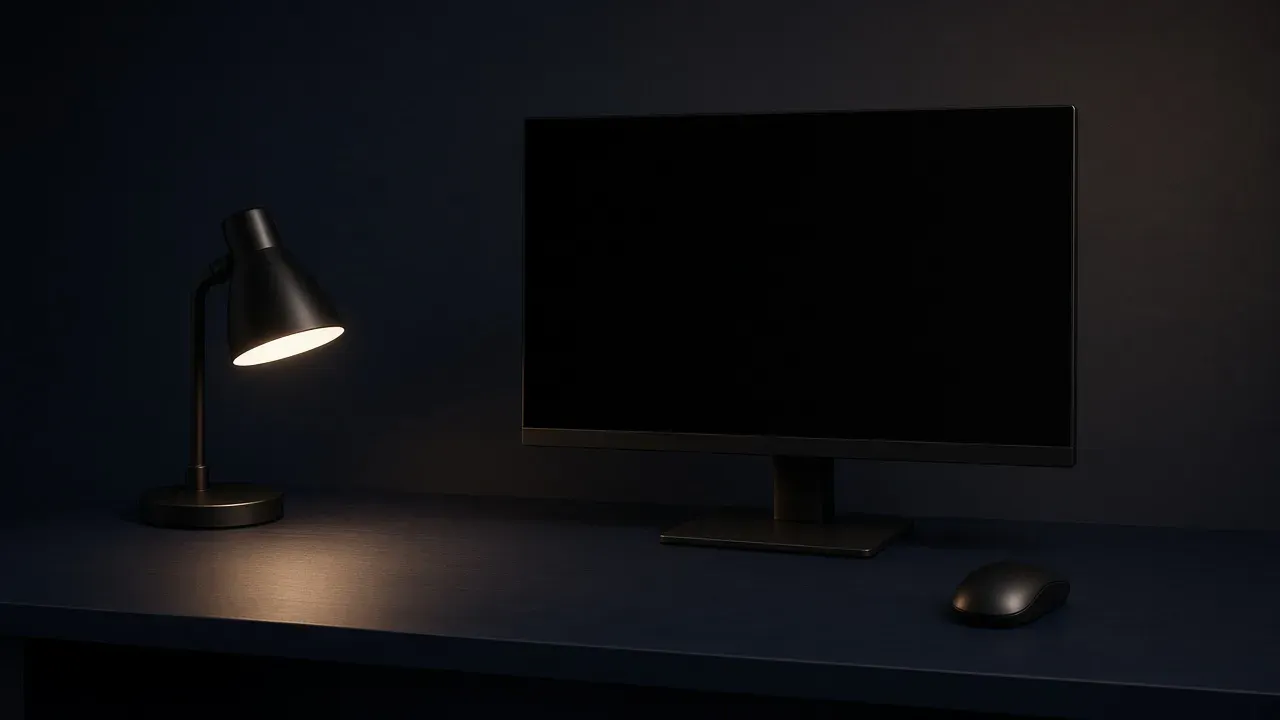
On this page
As an Amazon Associate I earn from qualifying purchases. I earn a small commission from Amazon links, at no cost to you. See disclosure.
Squinting past a reflection mid-match? That’s glare: light landing in the glass, or in your eyes, so the picture is harder to see. It is not a monitor setting. A bulb behind your chair shows up in the panel because the panel faces you. Move the light. Do not buy a brighter screen to beat a lamp that is in the wrong place.
I play left-handed on UHJK, on a 1080p 240 Hz and a 1440p 155 Hz monitor. A gaming setup is height and depth. Get the screen near eye line first, then this guide helps you decide where the lamp goes. More gear guides.
The tips below draw on maker pages and THX’s small-room setup note. Check the current listing before you buy anything.
Lights worth a look
- Task plus wall, clips on the panel: BenQ ScreenBar Halo. Official US spec: dual-color LED, Ra ≥ 95, center 800 lux at 45 cm, 63 × 40 cm coverage at 500 lux, USB 5 V / 1.3 A, 6.5 W max. Flat frames 0.7–6 cm, curved 1.6–3.8 cm. BenQ’s Halo page lists 2700K–6500K, three modes (front, back, both), and auto-dimming toward 500 lux, the office level BenQ cites from ANSI. BenQ Halo spec. Amazon search for ScreenBar Halo
- Task plus RGB, clips on the panel: ASUS ROG Aura Monitor Light Bar ALB01. Official: Screen Light, Aura RGB, or Combined; 2700K–6500K; clamp for flat 9–55 mm and curved 6–30 mm. ASUS says the beam is asymmetrical so desk light is brighter and on-screen reflections stay down, tested internally at 45 cm, max brightness, 5000K. Certifications listed: IEC 62471, IEC 62778, IEEE 1789. ASUS ALB01. Amazon search for ROG ALB01
- Wall-only bias, sits behind the display: Philips Hue Play light bar, single pack 7820130U7. Official US shop $109.99 when I opened the page. 2000–6500K, 500 lm at 4000K (490 lm at 2700K), 6.6 W. Philips says it is meant for backlighting and includes mounts for the back of a display. A Hue Bridge is required for full app control. Philips Hue Play. Amazon search for Hue Play light bar
The short version: shade the task light, aim it at the keys, put bias on the wall. A bulb you can name in the glass is still in the wrong place.
What to check first
Glare is a bulb or a window landing in the glass, or in your eyes. The lamp belongs beside the desk, aimed at the keys.
- What this means
- The light is in the picture
A window or lamp behind you lands in the glass. Close the curtain, or move the lamp to the side and aim it at the keys. Do not tip the panel to hide it.
Sit in the chair you play in and look at the middle of the screen. If you can name the lamp, the window, or the ceiling in that picture, that source moves. If the desktop is so dark that you lean in to find the keys, you need light on the desk, still kept out of the glass.
| Behind you | Above you | Beside you | Behind the panel | |
|---|---|---|---|---|
| Where it lands | In the glass | In the top of the glass, or in your eyes | On the keys, if it is aimed down | On the wall, if it faces away from you |
| The job | None, while it is in the picture | Room light, only with a shade you cannot see | Task light for the keyboard | Bias light, so the room is not black |
| The move | To the side, or a curtain | A shade, or turn it off | Lower it if the bulb still shows | Aim it at the wall, not the bezel |
| Leave it | Never, while it is in the picture | Only when the glass is clear | When the keys are lit and the glass is clear | When the wall is soft and the glass is still clean |
What glare actually is
BenQ’s glare page splits the problem into three kinds, and it’s a handy way to think about it. Direct glare is a bulb or a window in your eyes. Reflected glare is that same light bouncing off the glass, the desk, or a glossy page. Contrast glare is a bright picture sitting in a black room, so your eyes keep jumping between the two.
The International Commission on Illumination definition BenQ quotes is the same idea in one sentence: glare is an unsuitable spread of brightness, or an extreme contrast, that makes details harder to see. You do not need that sentence to fix a lamp. You need to name which of the three you have.
OSHA’s workstation note, as BenQ cites it, is also short: shield the lamp, point task light away from your eyes, and do not let it reflect on the screen. High contrast between light and dark areas around a computer can add fatigue. That is the case for a shaded side lamp and a soft wall light, not for a bare bulb over the chair.
A dark room does not automatically create a reflection. It can still create contrast glare. BenQ says that outright. The cure for that one is bias light on the wall, not a brighter OSD.
Beside the desk, aimed at the keys
The lamp sits on the side that is not the mouse. A lamp on the mouse side steals the lane the same way a cable does. The cable route keeps cords off that same rectangle. A light does not fix a cord, and a cord does not fix a reflection.
The shade hides the bulb from your eyes. The beam hits the keyboard, not the panel. If you can see the bulb by looking straight ahead, it is too high. Drop it until the shade cuts it off, then point what is left at the keys.
Below eye line is the test. Eye line is where the top of the panel already is. A lamp at that height is another bright spot next to the picture, and it still reflects if it is in front of the glass. Lower is better. The desk is the target, not the wall behind the monitor and not your face.
A left-handed player flips the side. I do. The rule does not change. The mouse keeps the empty rectangle. The lamp takes the other one. On my desk that is the right side, because the PRO 2 and the Naga Left-Handed live on the left. UHJK stays between them. A base that creeps into the pad is a lamp in the wrong place, even if the glass is clear.
A monitor light bar is a lamp that uses the top of the panel as the stand. The job is still the same: light the keys, miss the glass. Halo’s front mode and ALB01’s Screen Light mode are that desk half. If the beam still shows in the picture, tilt it toward the keys. The clip is not a free pass. Halo wants a flat frame 0.7–6 cm thick. ALB01 wants 9–55 mm. Measure before you order.
Behind the monitor is for the wall
A light behind the panel, aimed at the wall, is there so the room is not black around a bright picture. That is bias lighting. BenQ’s word for the problem it solves is contrast glare. Your eyes stop jumping between a lit screen and a dark surround. The light must miss the glass. A strip stuck to the back of the monitor, facing the wall, does this. A strip on the front lip, or under the front edge shining up into your face, is the glare you were trying to avoid.
This light does not replace the desk lamp. The wall can be softly lit and the keyboard can still be a dark rectangle you hunch toward. Add the side lamp, or the front mode on a bar, when that happens. Turn the wall light down if you can see it as a bright rim inside the screen, or if it spills around the bezel onto the picture.
Flanders Scientific’s reference-room note is the monitor-maker page that prints a surround number: about 5 cd/m², citing SMPTE ST 2080-3 and BT.2100, with a neutral (D65) high-CRI bias so the wall does not tint the picture. Reading light there is capped at 100 lx. I do not run a color suite, and The useful part is the direction: soft, neutral, on the wall, not on the glass.
Hue Play is the consumer bar that is honest about being a backlight. Philips mounts it on the back of a display and sells 2000–6500K white plus color. If you use it as bias, pick a white and keep it low enough that you cannot name the bar in a dark scene. Color wash is a want. If it faces you, it is glare with a hue.
Halo’s back mode and ALB01’s Aura RGB mode are the same job when they point at the wall. Combined mode is both jobs at once. Halo’s page says the front light dims a little when both are on. You can still fail that by aiming the rear LEDs at the bezel.
Color temperature is a white, not a rank
2700K is the warm end on both bars above. 6500K is the cool, daylight end. Hue Play starts at 2000K and still tops out at 6500K. None of those numbers adds frames. Pick a white you can sit in and leave it for the session. Chasing Kelvin mid-fight is a menu, not a fix.
CRI is how honestly the lamp renders colors on the desk. Halo prints Ra ≥ 95. That does not make the beam miss the glass. A high-CRI bulb in your eyes is still direct glare.
Halo’s auto-dimmer tries to hold about 500 lux on the desk. BenQ cites ANSI office lighting for that target. A play session does not have to hit 500. If the keys are readable without a lean, and the glass is clear, you are done.
Windows, THX, and the chair you already have
Daytime adds the window. Close the curtain, or sit so the window is to your side and the sun is not on the glass. A window behind the monitor is the opposite problem. The panel becomes a dark shape against a bright wall, and you raise the brightness to see it. A curtain on that window, or a wall that is not in direct sun, lets the screen stay at a comfortable level.
THX’s small-office note is the official page I will stick to for placement, not for a branded bulb. For a PC monitor, THX prints a 28 inch viewing distance on the THX Certified Razer Raptor 27 example, and a seating line within 15 degrees above the center of the screen. They also tell you to put the panel on an articulated monitor arm. Their living-room glare note is the same test: close the blinds, then look from the seat for reflections or sun on the display. THX Bright Room is a picture mode for a lit room. It is not a lamp. Their other distance rule is diagonal inches divided by 0.835. A lamp in the glass is still in the glass at 28 inches.
Do not tip the panel down to hide a ceiling light. The top of the screen belongs near eye line. A tilt that hides the lamp also points the picture at the desk, and you drop your chin for the whole session. Shade the lamp, or switch it off while you play.
Two screens make the job wider. I keep my main 1080p 240 Hz screen straight ahead and the second one off-axis. BenQ’s glare page says a dual-monitor desk has more glass and a gap a single bar can miss. Light the keys on the play side first. The second panel can share the wall wash. Monitor desk size is whether both panels even fit.
What not to turn up
The monitor brightness is not the cure. Raising it makes the reflection fight a brighter picture, and the dark parts of the scene get washed out with it. Move the lamp or the curtain first. Then set the screen so the picture looks right in the room you actually have. A dark scene should stay dark. If it only looks right when the room light is off, the room light is still in the glass.
A matte panel softens a sharp reflection. It does not move the bulb. A bright source in front of the glass can still wash the picture, matte or not. Fix the position either way. The coating is a property of the panel you already own. It is not a substitute for where the lamp sits.
Keyboard backlight is a legend light, not a room light. It can save a lean on a dark desk. It cannot take a window out of the glass.
Check it from the chair
Turn the room to the way you play. Sit back. Look at a dark part of the picture and see whether the lamp or the window is sitting in that dark area. Then look at the keyboard without leaning. If the legends disappear, the side lamp is too dim or aimed past the keys. Point it down until the keys are readable and the glass is still clear. Those two checks are the whole setting.
Do this after the top is still. A rocking desk makes the reflection move around. Stop the shake first. Then name the light that is left in the glass.
What a lamp does not fix
It does not add frames. It does not lift a short stand to eye line. It does not make a shallow top deep enough for your arm. It does not stop the desk from rocking.
Leave the lighting alone when you cannot see a bulb or a window in the screen, the bulb is not in your eyes, and you can read the keyboard without leaning in. Change it when one of those three fails. A matching set of colored strips is a want. It is not the next step.
Shade the task light, aim it at the keys, put bias on the wall. If you can still name a bulb in the glass, move that bulb. More gear guides.
Common questions
How do you light a desk without glare on the monitor?
Put a shaded lamp beside your desk, below eye level, aimed at the keyboard. Lights behind you or bare bulbs overhead reflect in the screen. For extra comfort, add bias lighting on the wall behind the monitor.
Where should I put my desk lamp?
On the side opposite your mouse, low enough that you can't see the bulb, pointed at your keyboard. Avoid placing it behind your chair, since that's where screen reflections come from.
What is bias lighting?
It's a soft light behind your monitor that shines on the wall, not the screen. It stops the screen from being a bright rectangle in a dark room, which makes it easier on your eyes. Neutral white around 6500K is the usual choice.
Does a light behind the monitor help your eyes?
Yes. It lights the wall so your eyes don't keep adjusting between a bright screen and a dark room. It won't light your keyboard, though, so pair it with a side lamp if you need to see the keys.
Is it bad to game in a dark room?
It's not harmful, but it can make the screen feel harsher. A bright screen in a dark room creates strong contrast that tires your eyes. Soft light behind the monitor and a small lamp on your desk is more comfortable.
Should I turn up my monitor brightness to beat glare?
No. Higher brightness washes out dark scenes and still won't fully cover reflections. Move the lamp or close the curtains first, then set brightness to what looks clear.
What color temperature is best for desk lighting?
Anything between 2700K and 6500K works, so pick what feels comfortable. Cooler white (around 6500K) feels like daylight, and warmer white (around 2700K) is cozier for evenings. Many light bars, like the BenQ ScreenBar Halo, let you adjust it.
Do RGB lights cause monitor glare?
They do if they face you or sit on the front of the monitor. Put RGB strips behind the monitor pointing at the wall instead, so you get the glow without reflections.
Is a monitor light bar better than a desk lamp?
It's often more convenient, since it takes no desk space and aims light down at your keyboard without hitting the screen. A shaded desk lamp works just as well if you keep the bulb out of the screen's reflection.
Keep reading
Hardware
How to route cables on a desk
Keep power and signal cords off the mouse lane and off your knees. One surge-rated strip reaches the wall.
October 19, 2026 · 11 min read
Hardware
How to stop a desk from wobbling
Desk wobbling while you aim? Find what's moving, tighten or brace it, and get a steady mouse surface back in about 10 minutes.
October 19, 2026 · 10 min read
Hardware
How to put a gaming setup together
A gaming setup is the desk, the chair, and the screen in that order. Match the height and the depth before you match the lights.
October 19, 2026 · 10 min read
Hardware
L-shaped gaming desk (2026): is the corner worth it?
A 2026 L-desk guide with official IKEA BEKANT / IDÅSEN prices, Flexispot E7L specs, and a left-handed layout for two monitors and two mice.
October 19, 2026 · 6 min read