
Hardware
Based on the makers’ specs and my own testing where I say so.
Monitor arm (2026): Ergotron LX specs, VESA 75/100, and when the stand is enough
Do you need a monitor arm? When it's worth it, what to check (weight, VESA, desk), and the arm I'd buy.
Updated 4 min readYuval Eizik
- pc
- monitor
This article has affiliate links. If you buy through them, I may earn a small commission at no cost to you. Prices move fast, so check the store for today's price before you buy.
Read the disclosure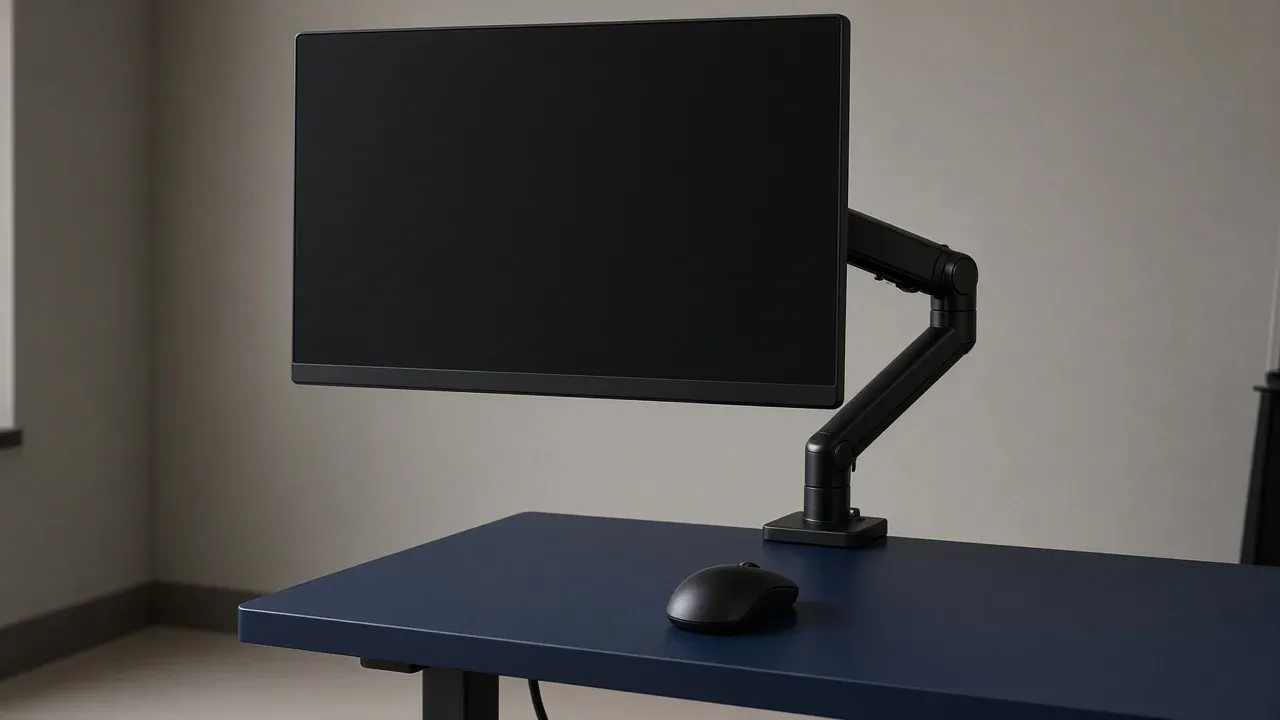
On this page
As an Amazon Associate I earn from qualifying purchases. I earn a small commission from Amazon links, at no cost to you. See disclosure.
Do you really need a monitor arm? Buy one when the stand cannot hit eye line or its foot steals pad. The one I’d look at first is the Ergotron LX desk monitor arm: 7–25 lb, VESA 75×75 and 100×100 mm, 13 inches of lift, 25 inches of extension, 75° tilt, 360° pan/rotation, clamp + grommet on the common SKU, 10-year warranty. Part examples from Ergotron’s sheet: 45-241-224 (matte black), 45-241-026 (polished aluminum/black). I play on 1080p 240 Hz and 1440p 155 Hz.
It usually goes for around $200 on Amazon.
Quick picks
- Single arm: Ergotron LX. 7–25 lb, ≤34” typical, 13” lift, ≤25” reach, 10-year warranty, 10,000-cycle motion test. Ergotron LX on Amazon · Ergotron desk mounts
- Two panels: two single arms, or a dual kit Ergotron sells as an accessory (their LX sheet points at an extension/collar kit). I run two screens. Two singles are easier to height-match than one bar that shares a joint.
- Skip: an unbranded $35 spring that lists “up to 27 inches” and no kilogram range. Gas springs have a minimum weight. A light 24-inch panel on a 7 lb minimum arm will not stay down.
The short version: weigh the panel without the stand, match VESA, match the desk edge. More monitor guides.
Comparison table
| Check | Ergotron LX (official sheet) | Why it matters |
|---|---|---|
| Weight | 7–25 lb (3.2–11.3 kg) | Panel only, no stand |
| VESA | 75×75 and 100×100 mm | Wrong square = no mount |
| Lift | 13 in (33 cm) | Eye line, not a taller desk |
| Reach | ≤ 25 in (64 cm) | Push back when you stand |
| Tilt / pan / rotation | 75° / 360° / 360° | Portrait is a rotation, not a new panel |
| Desk | Clamp and/or grommet (SKU-dependent) | Measure thickness first |
| Warranty | 10 years | Springs fail; this is the expensive line |
When the stand is enough
The stand that came in the box already does two jobs: height and a stable foot. Keep it when:
- The top of the panel is near eye line at your chair height
- The foot does not shove the keyboard into your ribs
- You have pad room on the left (I mouse left-handed at 1200 DPI)
An arm does not invent a deeper desk. Monitor desk size and L-desk come first.
Dual 1080p + 1440p
Play panel centered: my 1080p 240 Hz for Overwatch. Second panel off-axis: 1440p 155 Hz. Same height if you can. Mixed Hertz is fine. Mixed scaling is the annoying part.
A wobble at 240 Hz feels worse than the same wobble at 155 Hz. Three-leg desks and a rear clamp on a thick plank help more than a “gaming” arm with a thin C-clamp. IKEA BEKANT is 25⅝–33½” and 31½” deep — measure the rear edge before you assume a two-piece clamp will grab.
Weight, VESA, the desk
- Take the stand off. Weigh the panel. If you cannot weigh it, use the maker’s panel-only spec, not the boxed kit.
- Measure the VESA square. 75 and 100 are different plates. LX does both.
- Measure desk thickness and whether it has a rounded back edge the clamp can’t grip.
- Route the DisplayPort / HDMI under the arm. Leave slack for tilt.
OLED / heavy 32-inch 4K panels can sit near the 25 lb ceiling. Ergotron notes reduced vertical travel above 20 lb. Read that before you buy a 32-inch QD-OLED and a single LX.
Cable slack and the 5080 ports
Leave enough DisplayPort / HDMI slack for full tilt and a 90° portrait rotate. A taut cable is how you pull a port when you bump the arm. The desktop 5080 has three DisplayPort and one HDMI. Plug the 240 Hz play panel into the port that can do its Hertz. The arm does not change that rule.
Route under the arm, then into a tray or the BEKANT-style cable net. Nothing across the left-hand pad. Desk cable routing.
Two arms on one rear edge can fight each other. Stagger the clamps, or put one on a grommet if the desk has a hole. A single dual-monitor bar looks clean and shares a joint — when one side droops, both sides move. I prefer two singles for a 1080p + 1440p pair.
What I would skip
- No minimum weight on a spring arm
- “Up to 32 inches” with no kilogram number
- A clamp that only lists “most desks” and no thickness range
- Marketplace copies of an LX photo at $40. The 10-year warranty is the product.
What the listing has to print
- Weight range (min and max)
- VESA sizes
- Clamp thickness range and/or grommet
- Lift and reach in inches
- Warranty
- Exact part number (45-241-224 is not a generic “LX”)
Then set the monitor Hertz. The arm does not add frames.
Common questions
Do I need a monitor arm?
Only if your stand can't put the top of the screen near eye level, or its base takes up desk space you need for your keyboard and mouse.
How much weight can a monitor arm hold?
Each arm lists a weight range. The Ergotron LX, for example, holds 7 to 25 lb. Weigh your monitor without its stand and make sure it falls inside that range.
Will a monitor arm fit my monitor?
Only if your monitor has VESA mounting holes, usually 75×75 or 100×100 mm, and its weight and size fit the arm's limits.
Clamp or grommet: how should I mount a monitor arm?
A clamp grips the back edge of your desk and is the easiest option. A grommet mount bolts through a hole in the desk and is sturdier on thin or glass-edged tops.
Keep reading
Hardware
What a 1440p 240 Hz monitor is for
A 1440p 240 Hz monitor is 2560 by 1440 and can start up to 240 pictures a second, usually at 27 inches.
October 20, 2026 · 9 min read
Hardware
What a 360 Hz gaming monitor shows
A 360 Hz monitor can start a picture about every 2.8 milliseconds. That is about 1.4 milliseconds after 240. You see it only while the counter sits near 360.
October 20, 2026 · 10 min read
Hardware
What an FPS monitor has to match
An FPS monitor is the Hertz the PC can fill, at a size that fits your desk, with a pixel that can finish and VRR that can follow.
October 20, 2026 · 10 min read
Hardware
What a Mini-LED gaming monitor is doing
A Mini-LED gaming monitor is still an LCD. The backlight is split into zones that are larger than a pixel, so a small bright mark on black can wear a halo.
October 20, 2026 · 10 min read