
Hardware
Based on the makers’ specs and my own testing where I say so.
What a USB gaming microphone is
A USB gaming microphone is a desk capsule with the converter in the body. You still hear the game in a headset. The room decides dynamic or condenser.
Updated 10 min readYuval Eizik
- pc
- headset
This article has affiliate links. If you buy through them, I may earn a small commission at no cost to you. Prices move fast, so check the store for today's price before you buy.
Read the disclosure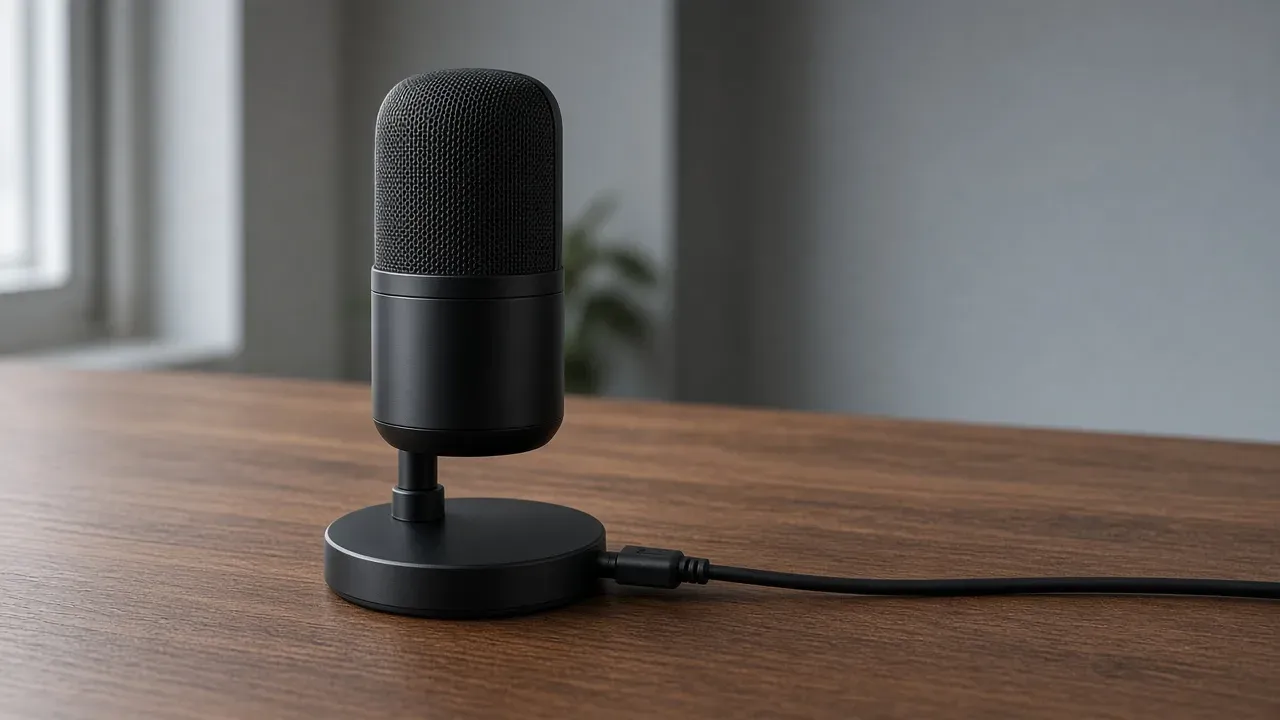
On this page
As an Amazon Associate I earn from qualifying purchases. I earn a small commission from Amazon links, at no cost to you. See disclosure.
Tired of teammates saying you sound muffled? A USB gaming microphone might be the fix. It’s a capsule that sits on your desk. The converter sits in the body, and a USB cable meets the computer. You still hear the game in a headset or in headphones. The call uses this capsule only when that device is the input.
I hear Overwatch and WoW in a headset. For full picks, see the best gaming headsets. A headset microphone is the boom on the cups, or a capsule hiding in them. A desk mic is the other place to put one. More headset guides.
The specs below come from manufacturer pages, so check the current listing before you buy.
The room decides first
The room while you play
A dynamic capsule hears less of the keys and the fan, and it wants to sit close to your mouth. A condenser will put that air in the call unless you move it in and turn the gain down.
The slider is the room you play in, not a model. Make the two clips there: one of you talking, one while you type, with the fan as it runs. Listen on another device. Sarah Jacobsson Purewal, in Tom’s Hardware’s gaming-microphone guide last updated 6 October 2026, treats the standalone mic as its own job. The headset mic is busy being part of the headset. A spare USB port is the usual way in.
USB mics worth a look
- USB condenser, cardioid, Wave Link: Elgato Wave:3 MK.2. Official US shop $169.99. Elgato’s 18 August 2026 spec sheet: 16 mm condenser, cardioid, 24-bit / 48 kHz, 70 Hz–20 kHz, USB-C, 3.5 mm headphone jack, desk stand and 5/8-inch plus 3/8-inch adapters in the box. Windows 11 or newer, macOS 14.2 or newer. The shop page adds Auto Gain, tap-to-mute, onboard DSP, and Wave Link. Elgato Wave:3. Amazon search for Wave:3 MK.2
- USB-C and XLR dynamic, cardioid: Shure MV7+ (SKU MV7+-K). Shure’s Holiday 2025 deals page listed the black MV7+ at $299 regular. The product page itself doesn’t show a price. Shure’s user guide: dynamic moving-coil, unidirectional cardioid, 24-bit / 48 kHz over USB (16-bit / 44.1 kHz on iOS only), 50 Hz–16 kHz, USB-C and passive XLR, 3.5 mm headphone jack, 0 to +36 dB gain, diecast aluminum, 573.5 g, 3 m USB-C cable, 5/8-inch-27 yoke. MOTIV Mix DSP includes Auto Level, Digital Popper Stopper, real-time Denoiser, tone, reverb, compressor, limiter, and a high-pass filter. Game line: PS5. Not compatible with Xbox. The stand is an optional accessory, not in the box. Shure MV7+. MV7+ user guide. Amazon search for MV7+
- USB condenser, four patterns, stand in the box: HyperX QuadCast 2. Official US MSRP $149.99. HyperX US: three 14 mm electret condenser capsules, cardioid / omnidirectional / bidirectional / stereo, 20 Hz–20 kHz, 24-bit / 96 kHz, USB-C, 3.5 mm headphone output, tap-to-mute, multifunction knob, detachable shock mount, desktop stand. Lists PC, Mac, PS4, PS5, Nintendo Switch, Steam Deck. Software: HyperX NGENUITY. HyperX QuadCast 2. Amazon search for QuadCast 2
The short version: USB holds the converter. The room picks dynamic or condenser. Point the grille at your mouth, then select that device as the input.
What the listing is actually saying
| Wave:3 MK.2 | MV7+ | QuadCast 2 | |
|---|---|---|---|
| Capsule | 16 mm condenser | Dynamic, moving coil | Three 14 mm electret condensers |
| Pattern | Cardioid | Cardioid | Cardioid, omni, bidirectional, stereo |
| Plug | USB-C | USB-C and XLR | USB-C |
| USB conversion | 24-bit / 48 kHz | 24-bit / 48 kHz | 24-bit / 96 kHz |
| Headphone jack | 3.5 mm | 3.5 mm | 3.5 mm |
| Stand in the box | Yes, plus thread adapters | No. Optional desktop base | Yes, plus detachable shock mount |
| Official shop / list | $169.99 Elgato | $299 Shure holiday list | $149.99 HyperX MSRP |
| Named consoles | Computer. Listing does not name a console | PS5. Not Xbox | PS4, PS5, Switch, Steam Deck |
USB, XLR, or the boom you already wear
Shure’s USB-microphone note says a USB mic holds a converter that turns the analog capsule into digital data before the cable reaches the computer. You do not download a special driver for the usual class-compliant path. The same note says that convenience costs flexibility: the converter is married to that capsule. An analog XLR microphone sends the raw signal to a separate interface or mixer, so you can change the capsule without changing the box.
That is the whole USB-versus-XLR split. USB is one plug. XLR is two products. The MV7+ is the hybrid here: USB-C for the computer today, a passive XLR output for a later interface. Shure’s guide is explicit that the XLR path ignores the MOTIV software settings. The DSP lives on the USB side.
A headset boom is a third product. The capsule sits by your mouth and rides the cups. You already wear it to hear the game. Purewal’s opener is the useful one: the headset mic is busy being part of the headset. Keep the boom when the second clip is already clean. Buy the desk capsule when you want it off your face, or when the headset mic lives in the cup and the room is what the call hears. Gaming earbuds put the capsule by the ear. That is the cup-mic problem in a smaller product.
A DAC only plays outward. It does not become the input. Do not buy one to replace a boom.
Which capsule hears the room
Rode’s guide on dynamic versus condenser microphones for gaming and streaming is the maker page I will stick to. A dynamic capsule is a diaphragm on a coil in a magnetic field. Lower sensitivity is why it wants you close, about 2 to 6 inches, or 5 to 15 cm, where the voice can lead a fan, a keyboard, and a click. The same guide says a condenser uses a lighter diaphragm next to a charged backplate, hears more detail, and can sit farther, about 4 to 8 inches, or 10 to 20 cm. It also hears more of the room. Rode’s line: one type is not necessarily better than the other for gaming and streaming.
The Wave:3 MK.2 and the QuadCast 2 are condensers. The MV7+ is a dynamic. If the keyboard and the fans are already loud in the headset, the dynamic is the listing that matches that room. If the room is quiet, a condenser can stay. Those spans are a working position from Rode, not a law that survives every desk. The clips decide. Talk, then type.
A condenser parked across the desk, with the gain up to make up for the distance, turns the keys up with your voice. Move it in, then lower the gain, before a noise filter. MOTIV Mix on the MV7+ and Wave Link on the Wave:3 can run a denoiser. A filter that clips the ends of words is too strong. Ease it until the words stay whole. The software does not move the grille.
Where the grille points
Shure’s June 2026 polar-pattern page is the official picture. Omnidirectional is equally sensitive from every angle and hears the room. Cardioid is most sensitive at the front (0 degrees) and least sensitive at the rear (180 degrees). Shure says a cardioid picks up about one-third as much ambient sound as an omni. Bidirectional, or figure-of-eight, hears both the front and the back, which is two people on one mic. The QuadCast 2 also lists stereo, a pair of capsules for a wider image. That is a recording pattern, not a quieter keyboard.
Cardioid helps when the face of the capsule points at your mouth. It does not erase a fan on the side. Omnidirectional hears the desk. Read which side actually speaks. An end-address mic hears from the end. A side-address mic hears from the mesh on the side. The Wave:3 family is the side-address shape. The MV7+ is the broadcast-style end. Point the working face, not the logo.
A boom arm holds that aim and lifts the body off the desk, so typing does not thump the stand. A desk stand can pass those thumps straight into the capsule. The QuadCast 2 ships a detachable shock mount for that reason. The Wave:3 MK.2 ships a stand and thread adapters. The MV7+ ships a yoke and a 5/8-inch thread; Shure sells the desktop base separately. You buy the arm when the stand is the problem.
Plosives, the pops on P and B, show up when you talk straight into the grille from very close. Angle it a little, or use the filter in the box. The Wave:3 page lists an internal pop filter. The MV7+ guide lists a foam windscreen and a Digital Popper Stopper in MOTIV Mix. The filter does not rescue a grille that faces the keyboard.
Unidirectional mics also add bass as you get closer. Shure’s SM58 guide calls that proximity effect: about 6 to 10 dB more bass below 100 Hz at a quarter inch. The MV7+ is a close dynamic. Sit in the Rode span, not on the grille.
The plug is the whole interface
USB needs no second device. On a PC, choose this microphone as the input. Microsoft’s microphone page is Start, Settings, System, Sound, then under Input pick the USB mic. Leave the headset as the output if that is how you hear the game. A game can keep its own input list. Set the same choice there. If you hear the match and the call is still the boom, the desk mic is plugged in and not selected. Headset setup is that same Sound page for the cups.
Microsoft’s privacy page is the other silent-mic trap. Settings, Privacy & security, Microphone: Microphone access on, then let apps use it. A muted body, a game still on the boom, and a denied permission all sound the same on the other end.
A headphone jack on the mic, when the listing has one, lets you hear the capsule before the game mixes it. All three named mics print a 3.5 mm jack. Headphones, or the headset cups, keep speaker sound out of the grille. A mute you can see belongs on the body. Wave:3 taps the top. MV7+ taps the LED panel. QuadCast 2 taps the top. Shure’s guide says mute does not persist through a power cycle. Unplug and the mic comes back live.
Bit depth and sample rate are the conversion numbers, not a rank. Wave:3 MK.2 is 24-bit / 48 kHz. MV7+ is 24-bit / 48 kHz on USB. QuadCast 2 prints 24-bit / 96 kHz. A higher pair is more numbers per second. It does not move the grille, and it does not quiet a room.
Software that stays on the USB side
Wave Link, MOTIV Mix, and NGENUITY are apps that sit on the USB path. Elgato’s Wave:3 page treats Wave Link as the mixer for the mic plus other PC sounds. Shure’s MV7+ guide treats MOTIV Mix as gain, tone, denoise, and the LED panel. HyperX treats NGENUITY as lighting and mic tuning. None of those apps replace Windows input selection. None of them replace the second clip.
The MV7+ XLR output is the exception that proves the rule. Plug that analog end into an interface and the MOTIV processing stays behind. You are then on the interface page, with a gain knob and, if the capsule asks for it, phantom power. A dynamic like the MV7+ does not want that 48 V switch. Shure prints phantom-power protection. Turn the switch off anyway.
Consoles are a line on the listing
A USB microphone that never names your machine is a PC microphone. HyperX’s QuadCast 2 page names PS4, PS5, Switch, and Steam Deck. Shure’s MV7+ guide names PS5 and says it is not compatible with Xbox. Elgato’s Wave:3 MK.2 spec sheet names Windows 11 and macOS 14.2.
A headset boom into a controller jack is still the simpler console path. The desk mic has to show up in the console’s input list.
What the listing has to show
Ignore the word gaming until the page shows these:
- USB, in that word. A listing that only says wireless is often a headset. XLR means another box, unless the same body also prints USB.
- Dynamic or condenser.
- The pattern, and which side hears.
- A mute you can see.
- A headphone jack, if you want the capsule on its own.
- A stand in the box, or a thread for an arm you already mean to use.
- The consoles, if you play on one.
- The return window. The first clips are the test.
Prices move. No model stays the USB gaming microphone. A boom that already puts your mouth first, with a clean second clip, does not have to be replaced by a desk. I keep the headset for the match. I would only add a desk capsule if I wanted that voice off the cups, and I would match the capsule to the room before I matched it to a stream overlay. More headset guides.
Common questions
What is a USB gaming microphone?
It's a desk microphone that plugs straight into your PC over USB, with no extra gear needed. You still listen through headphones. Just select it as your input in Windows and in your game or chat app.
Do I need an audio interface for a USB mic?
No. A USB mic has the converter built in, so it plugs straight into your PC. Only XLR microphones need an audio interface or mixer.
Is a USB mic better than a headset mic?
Usually, yes. A USB mic generally sounds clearer and more natural than a headset boom. A good boom mic is still fine for team chat, so upgrade if your teammates complain or you want to stream.
Should I get a dynamic or condenser USB mic for gaming?
A dynamic mic if your room is noisy or you have a loud keyboard, since it picks up less background sound. A condenser if your room is quiet and you want more detail. Dynamics work best about 2 to 6 inches from your mouth.
Does a cardioid mic block keyboard noise?
It helps. Cardioid mics pick up mostly from the front and much less from behind, about a third of the room sound an omnidirectional mic hears. Point it at your mouth and away from your keyboard.
How far should my mic be from my mouth?
About 2 to 6 inches for a dynamic mic and 4 to 8 inches for a condenser. Do a test recording while typing to find what sounds best in your room.
Do USB microphones work on PS5 or Xbox?
Some work on PS5, but most don't work on Xbox. The Shure MV7+ supports PS5 but not Xbox, and the HyperX QuadCast 2 works on PS4, PS5, Switch and Steam Deck. Check the listing before buying.
How do I set a USB mic as my input in Windows?
Go to Start, Settings, System, Sound, and choose the USB mic under Input. Keep your headset as the output. Also select the mic in your game or chat app, since some have their own settings.
What is the best USB gaming microphone?
It depends on your room and budget. Look for a mic type that suits your room, a cardioid pattern, and good reviews for voice clarity. Do a test recording to make sure your voice is louder than your keyboard.
Keep reading
Hardware
What a gaming audio interface is
A gaming audio interface is the box that converts an XLR microphone into a computer input and plays the computer back through headphones.
October 20, 2026 · 10 min read
Hardware
What a headset for FPS games has to do
An FPS headset is the connection the machine accepts and cups you can wear. The game already places the step in stereo.
October 20, 2026 · 10 min read
Hardware
What an IEM for gaming has to do
Are in-ear monitors good for gaming? Here's when they beat a headset. The plug has to carry the mic if you talk.
October 20, 2026 · 11 min read
Hardware
What a noise cancelling gaming headset has to do
Is a noise cancelling gaming headset worth it? When ANC helps, when it adds hiss, and three good picks.
October 20, 2026 · 9 min read