
Hardware
Based on the makers’ specs and my own testing where I say so.
What a gaming audio interface is
A gaming audio interface is the box that converts an XLR microphone into a computer input and plays the computer back through headphones.
Updated 10 min readYuval Eizik
- pc
- headset
This article has affiliate links. If you buy through them, I may earn a small commission at no cost to you. Prices move fast, so check the store for today's price before you buy.
Read the disclosure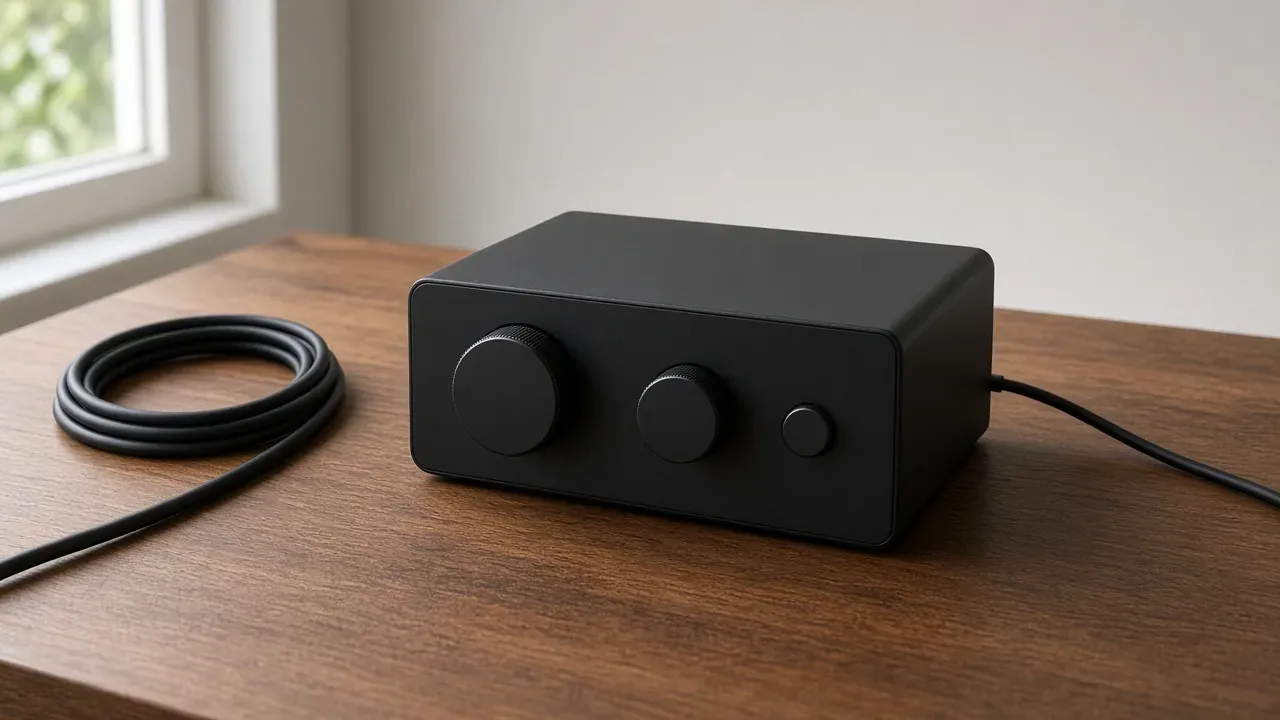
On this page
As an Amazon Associate I earn from qualifying purchases. I earn a small commission from Amazon links, at no cost to you. See disclosure.
Thinking about upgrading to an XLR mic? Then you’ll need a gaming audio interface: the box an XLR microphone plugs into. The headphones plug out of the same box. Focusrite’s “What is an audio interface?” page puts it in one sentence: the box gets audio into the computer from a microphone or an instrument, and back out to speakers or headphones.
I use a wireless BlackShark V2 HyperSpeed, so I don’t need an interface. For full picks, see the best gaming headsets. This guide covers the box between an analog microphone and the computer. A USB microphone already holds that converter. A DAC only plays outward. More headset guides.
Do you even need one?
The converter is already in the microphone. You only need an interface for an XLR mic, or to put game and voice on separate knobs.
A USB microphone holds its own converter. A headset boom already shares a connection with the cups. The box earns the desk when the microphone is XLR, or when a stream needs separate knobs.
Interfaces worth a look
- Studio 2-in / 2-out, two preamps: Focusrite Scarlett 2i2 (4th Generation). Official US shop $224.99. Focusrite US: two mic preamps, 69 dB gain range, 48 V phantom power, Auto Gain, Clip Safe, two Air modes, loopback, USB-C, USB 2.0, bus-powered at 900 mA, 24-bit / 192 kHz, headphone output, two balanced line outputs. Simultaneous I/O 4×2 including loopback. Windows (Intel, AMD, Arm64) and macOS. In the box: the interface and a 1 m USB-C to USB-A cable. Focusrite Scarlett 2i2. 4th Gen spec sheet. Amazon search for Scarlett 2i2 4th Gen
- Single XLR, streaming mixer software: Elgato Wave XLR MK.2. Official US shop $169.99. Elgato shop and the 18 June 2026 spec sheet: one XLR input, 80 dB gain, +48 V phantom power, 24-bit / 48 kHz, 20 Hz–20 kHz, 135 dB dynamic range on the XLR input, 3.5 mm stereo headphone jack, USB-C, 320 g. Onboard DSP, Clipguard, Wave Link 3.0, Stream Deck control. Windows 11 or newer, macOS Sonoma 15.0 or newer. In the box: the box and a USB-C to C cable. Elgato Wave XLR MK.2. Amazon search for Wave XLR MK.2
- Four-fader streaming mixer: TC-Helicon GoXLR Mini. TC-Helicon’s product page doesn’t list a US dollar price. The official Quick Start Guide: 24-bit at 48 kHz, one balanced XLR or 3.5 mm mic input, +24 V phantom power switched in the app, 3.5 mm line in, line out, and headphone out, TOSLINK optical in, four faders, USB 2.0 Type-B, USB bus power. Frequency response 10 Hz–20 kHz. The same guide walks through Windows Sound Settings and the GoXLR app, and names the optical jack for PlayStation or Xbox. It also says the Mini is designed for USB 2.0 ports, and that USB 3.0 / 3.1 ports can drop audio. TC-Helicon GoXLR Mini. Amazon search for GoXLR Mini
The short version: buy the box for an XLR microphone, or for two mixes. Skip it for a USB mic or a headset boom.
What each box is for
| Scarlett 2i2 4th Gen | Wave XLR MK.2 | GoXLR Mini | |
|---|---|---|---|
| Job on the desk | Studio 2-in / 2-out | One XLR into Wave Link | Four-fader streaming mixer |
| Mic inputs | Two XLR preamps, 69 dB | One XLR, 80 dB | One XLR or 3.5 mm mic |
| Phantom | 48 V | +48 V | +24 V in the app |
| USB conversion | 24-bit / 192 kHz | 24-bit / 48 kHz | 24-bit / 48 kHz |
| Loopback / mix | Loopback, channels 3-4 | Wave Link mixer | Four hardware faders |
| Headphone out | 6.35 mm | 3.5 mm | 3.5 mm |
| Official shop price | $224.99 Focusrite | $169.99 Elgato | Not printed on the maker page |
| Named machines | Windows and macOS | Windows 11, macOS 15 | Windows app. Optical for PS or Xbox |
Interface, USB mic, headset, DAC
Focusrite’s explainer is the official definition I will keep. The computer already has a sound card. That card is not built for an XLR microphone. An interface adds the missing sockets and the conversion in both directions: analog-to-digital on the way in (ADC), digital-to-analog on the way out (DAC). That is why people call the box a converter.
A USB microphone already did that conversion in the body. Shure’s USB-mic note says the analog signal is digital before it reaches the computer. Sitting an interface next to a USB mic repeats the job. Only one converter should be the input.
A headset with a boom is a finished pair. The capsule and the cups already share a cable or a dongle. Many studio interfaces do not take a typical 3.5 mm headset microphone without an adapter. The GoXLR Mini is the exception here: its Quick Start Guide it prints a 3.5 mm MIC jack for headset microphones, usually the pink connector. Read the socket. A boom on the cups does not get better because a second box is on the desk.
Audio-Technica’s support answer draws the listening-side line. An interface is for creators who need to get an XLR microphone into the computer. A DAC is for listeners who need the computer to drive headphones or speakers. Both boxes convert. The direction is the difference. The headphone jack on an interface is so you can hear the game while the microphone is live. Headset impedance is the ohm load on that jack. It is not a reason to buy an interface if the cups already play.
A simpler chain is the better first one. Two devices fight over which input and which output Windows is using. Fix where the microphone sits, and how hot the knob is, before a second box.
The microphone decides the box
An XLR microphone is analog until a box converts it. Shure’s MV7+ guide is the hybrid reminder: the same body can be USB today and XLR later, and the XLR path ignores the USB software. A USB-only mic never needs an interface.
The box you buy then follows the capsule and the mix:
- One XLR voice, streaming software, a tap mute: Wave XLR MK.2. Elgato prints 80 dB of gain and 48 V, and treats Wave Link as the mixer for the mic plus other PC sounds.
- Two analog sources, or a later instrument: Scarlett 2i2. Focusrite prints two preamps, 69 dB, and loopback.
- Hardware faders for mic, game, chat, and music, plus an optical console feed: GoXLR Mini. The official guide is a mixer first, an interface second.
They are three jobs. Prices move.
Rode’s gaming-and-streaming guide still applies after the plug changes. A dynamic wants you close, about 2 to 6 inches, and needs more clean gain. A condenser can sit farther and often needs phantom power. The interface does not change that physics. It only supplies the gain and the voltage the listing asked for.
Gain, phantom, and the knob
Focusrite’s explainer says many professional microphones need gain from a preamp so the level is loud enough to record, and that some condensers need phantom power. The 2i2 page prints 69 dB of gain and a 48 V button. Elgato prints 80 dB and +48 V on Wave XLR MK.2. TC-Helicon’s Mini guide prints +24 V, enabled in the app under Condenser. Those are not the same voltage. Read the microphone’s page. A condenser that asks for 48 V has not been promised 24 V.
A dynamic wants the travel. It does not want that switch. Raise the knob until the meter moves without sitting in the red. Auto Gain on the 2i2 and Auto Gain on the Wave family are the maker’s way of setting that once. .
Elgato’s own Cloudlifter explainer exists because some dynamics want more clean gain than a small preamp wants to give. Wave XLR MK.2 prints 80 dB, which is Elgato’s claim that the booster is optional on that box. It is still a listing, not a recording I made.
The knob cannot erase the room. Placement, noise, and distance still decide the take. A gate that mutes the gaps can clip the ends of words if you set it hard. Start gentle. Move the grille closer, then lower the gain, before a filter does the distance’s job. A headset microphone is the other way to move the capsule: put it on the boom, by the mouth.
Two mixes, when you are live
A match you are only playing does not need a second mix. A stream does, when the audience should hear a different balance than your ears.
Direct monitoring routes the microphone to the headphones inside the box, so you are not waiting for a chat app to send your voice back. Focusrite’s explainer calls that low-latency monitoring. Elgato’s Wave XLR page calls it low-latency monitoring on the 3.5 mm jack. A name like zero-latency is a marketing line, not a result I measured.
Loopback feeds the computer’s own output back in as an input. Focusrite’s Control 2 article, updated 3 September 2026, is the official picture: the Scarlett loops playback back to virtual channels 3–4 so you can record the game beside the mic. Mute that channel in the recording software, or set its output to none, or you get a feedback loop. On Solo and 2i2, loopback defaults to computer playback. Tick “Send Direct Monitor mix to Loopback” in Focusrite Control 2 Preferences if you also want the hardware inputs in that feed. Discord and similar apps, on that same article, often see only input 1.
Wave Link on the Elgato box is the software mixer for the same idea: separate channels for the mic, the game, chat, and alerts. The GoXLR Mini puts four of those channels on hardware faders. The official guide sets Windows output to “System (TC-Helicon GO XLR MINI)” and Windows input to “Chat Mic”, then points chat apps at the Chat devices so those faders actually move those apps.
Your voice can sit louder in the cups while the broadcast keeps it level with the game. That split is the reason this box exists for a stream. It is not a reason to buy it for a quiet Discord call.
Where you plug it
Select the interface as the input. Microsoft’s microphone page is Start, Settings, System, Sound, then under Input choose that box. If the headphones are plugged into the box, select that output too. A game can keep its own device list. Set the same pair there. If you hear the match and the call is still the boom, the XLR mic is plugged in and not selected. Headset setup is the same Sound page when the cups are the whole path.
Microsoft’s privacy page still applies. Settings, Privacy & security, Microphone: access on, then let apps use it. A muted cough button, a game still on the boom, and a denied permission all sound the same on the other end.
The GoXLR Mini guide adds a USB-port warning worth knowing: designed for USB 2.0. USB 3.0 / 3.1 can drop audio. Use the port the listing named.
A full interface has a gain knob and room for more than one source. An XLR-to-USB adapter converts one microphone and is easy to carry. The shape follows how many things have to meet the computer.
Consoles are a line on the listing
Focusrite’s 2i2 page names Windows and macOS. Elgato’s Wave XLR MK.2 spec sheet names Windows 11 and macOS 15. TC-Helicon’s Mini guide names a TOSLINK optical input for PlayStation or Xbox, and walks the rest of the setup in Windows. A box that never names your machine is a PC box.
A headset into the controller jack is still the simpler console path. The interface has to appear on that console, or the optical cable is the only way the game audio enters the mixer. Read the compatibility line before the order.
What the box does not change
It does not place a footstep. The game already did that in stereo. A surround mode or a footsteps preset on the face is still a remix. Hear one round with it off. Game EQ is the mix page after the path is already correct.
It does not repair a headset that already talks and already plays. It does not improve a USB microphone by sitting beside it. Only one converter should be the input.
It does not make a noisy room quiet. The grille, the distance, and the fan still write the take. Prices move. No model stays the one.
The listing has to show the socket, a gain knob, phantom power only if that microphone asks for it and at the voltage it asks for, a headphone jack, and a direct-monitor path if you want to hear yourself while you set the level. A second mix, or loopback, belongs on the page when you stream. The console has to be named when you play on one. Talk, then type, and listen on another device before the box stays.
Buy the box for an XLR microphone, or for two mixes you can actually reach. Skip it when the USB mic or the headset boom is already the input. More headset guides.
Common questions
What is a gaming audio interface?
A small box that connects an XLR microphone to your PC and gives you a headphone output. It turns the mic's analog signal into digital audio the computer can use.
Do I need an audio interface for gaming?
Only if you use an XLR microphone, or want separate control over game and voice audio for streaming. A USB mic or headset mic doesn't need one.
Is an audio interface the same as a DAC?
No. An interface brings sound from a microphone into the PC, while a DAC turns digital audio from the PC into sound for your headphones. Many interfaces include a headphone output, so they do a bit of both.
What is phantom power?
A 48 V power supply that the interface sends through the XLR cable to run condenser microphones. Dynamic mics don't need it.
Keep reading
Hardware
What a headset for FPS games has to do
An FPS headset is the connection the machine accepts and cups you can wear. The game already places the step in stereo.
October 20, 2026 · 10 min read
Hardware
What an IEM for gaming has to do
Are in-ear monitors good for gaming? Here's when they beat a headset. The plug has to carry the mic if you talk.
October 20, 2026 · 11 min read
Hardware
What a noise cancelling gaming headset has to do
Is a noise cancelling gaming headset worth it? When ANC helps, when it adds hiss, and three good picks.
October 20, 2026 · 9 min read
Hardware
What a USB gaming microphone is
A USB gaming microphone is a desk capsule with the converter in the body. You still hear the game in a headset. The room decides dynamic or condenser.
October 20, 2026 · 10 min read