
Hardware
Based on the makers’ specs and my own testing where I say so.
How a headset microphone picks up sound
A headset mic turns air at the capsule into the signal the call hears. A boom puts that capsule by your mouth. Official maker pages name the pattern.
Updated 11 min readYuval Eizik
- pc
- headset
This article has affiliate links. If you buy through them, I may earn a small commission at no cost to you. Prices move fast, so check the store for today's price before you buy.
Read the disclosure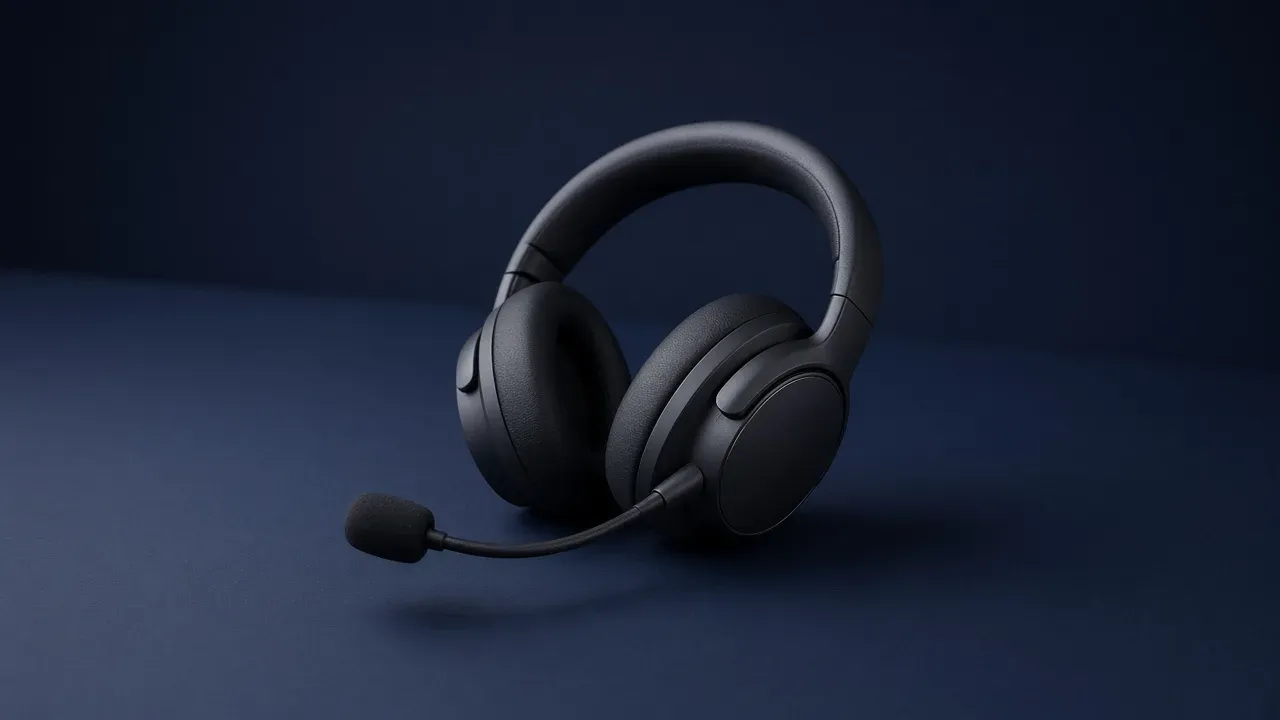
On this page
As an Amazon Associate I earn from qualifying purchases. I earn a small commission from Amazon links, at no cost to you. See disclosure.
Why do your teammates hear your keyboard more than your voice? A headset microphone picks up sound the same way any small microphone does. Air from your voice pushes a surface inside the capsule, and that movement becomes the signal the call hears. What changes on a headset is where the capsule sits. Close to the mouth, your voice is the loud thing in that air. Up in the earcup, the room is.
I use the boom mic on my Razer BlackShark V2 HyperSpeed for Overwatch and WoW comms. For full picks, see the best gaming headsets. A USB desk microphone is the other place to put one, farther from the mouth and more in the room. More headset guides.
Booms worth a look
- Detachable cardioid boom: Logitech G PRO X 2 LIGHTSPEED. Official US $229.99 on Logitech G. The shop page and the 2023 launch both print a cardioid microphone on a detachable boom. Logitech’s specification sheet: microphone type / pickup pattern unidirectional, frequency response 100 Hz to 10 kHz, sensitivity -39 dB, AI noise reduction listed as a separate line. The quick start: for optimal voice pickup, place the foam ball approximately two fingers’ width from the corner of your mouth. Blue VO!CE lives in G HUB after that aim. Amazon search for PRO X 2 LIGHTSPEED
- 10 mm unidirectional boom: HyperX Cloud III. Official US $99.99 on the HyperX Cloud III collection. HyperX’s launch sheet and the current product copy: 10 mm electret condenser, polar pattern uni-directional, noise-cancelling, microphone frequency response 50 Hz to 17 kHz, sensitivity -42 dBV (0 dB = 1 V/Pa at 1 kHz), internal metal mesh pop filter, LED mute. Amazon search for Cloud III
- Retractable bidirectional boom: SteelSeries Arctis Nova 7 Wireless Gen 2. Official $199.99. SteelSeries’ ClearCast page and the ClearCast explainer call that family bidirectional: front and back in a tight space, rejection from the sides. The Nova 7 Gen 2 information guide: slide the retractable ClearCast away from the headset until it is fully extended, then hold it close to the corner of your mouth with the front surface facing you. The same guide says the microphone should not be used when retracted. SteelSeries support adds that a retracted Nova 7 mic can still pick up sound, but needs to be extended and close to the mouth. Amazon search for Arctis Nova 7 Gen 2
The short version: keep the mic close to your mouth and pointed at it.
Where the capsule sits
A headset mic reports the air at the capsule. A boom puts that capsule by your mouth. A mic in the cup puts it by the room.
- What this means
- Point it at your mouth
The capsule has to sit in front of your mouth, not beside your ear. A loud room is then farther away than your voice. A boom aimed at the desk hears the desk.
The call hears whatever air is at the capsule. Your mouth is one source. The keyboard, the fan, and anyone else in the room are the others. Moving the capsule toward the mouth makes your voice a larger share of that air. No setting moves the capsule for you.
| Boom | Mic in the cup | USB desk mic | |
|---|---|---|---|
| Where it sits | In front of your mouth | In the earcup, beside your ear | On the stand or the arm |
| What is closer | Your voice | The room | The room, unless the arm is close |
| A loud room | The voice can still lead | The fan and the keys come along | The keys come along if the grille is on the desk |
| Official pattern examples | Cardioid on PRO X 2; uni-directional on Cloud III; bidirectional on ClearCast | Often unnamed, or omni on an earbud | Cardioid, omni, bidirectional, or stereo on the listing |
| Keep it when | You talk while other sounds are going | The room stays quiet and a recording agrees | You want the capsule off the cups, and the second clip is still the room on a boom |
What the capsule is doing
Sound in a room is a change in air pressure. Speak, and a small pulse leaves your mouth. The capsule is built so a thin piece, the diaphragm, moves when that pulse arrives. The movement is the signal. A gaming logo does not change the physics. The capsule does not know it is on a headset. It reports the air at its face.
Distance is why the boom exists. Corsair’s headset-versus-external page puts it simply: a headset mic’s biggest advantage is distance to the mouth. That close position does a lot of the noise-rejection work. An external mic sits farther away and depends more on its capsule type, polar pattern, and the room.
A pulse is stronger near the mouth and weaker after it has spread across the desk. A capsule a short way in front of your lips gets a strong pulse from you and a weaker one from a fan across the room. A capsule at the ear gets a weaker pulse from the mouth, because the mouth is now about a head’s width away, and a larger share from whatever sits beside the cup. That geometry is the pickup. A review that says clear is describing it, or missing it.
You can hear the difference without a chart. Record yourself talking at a normal volume. Record again while you type, with the fan as it actually runs. Play both on another device, not through the cups. If the keys are a roar on the second clip, the capsule was closer to the keys than the call can stand.
Official patterns, not adjectives
Shure’s polar-pattern basics and the directionality page are the official picture. A polar pattern is how sensitive the capsule is as you walk 360 degrees around it, with 0 degrees as the front.
Omnidirectional is equally sensitive from every angle. Shure: a full 360 degrees, a natural open sound, and more of the room. Shure’s headset-mic guide keeps omni for a controlled space and for a head that moves a lot. HyperX’s Cirro launch sheet, on the earbuds that share that press note with the Cloud III, prints an omnidirectional MEMS capsule. That is the cup-mic problem in a smaller product: the face sits by the ear.
Cardioid is the common unidirectional heart. Shure: most sensitive at 0 degrees, least at 180, and a cardioid picks up about one-third as much ambient sound as an omni. The PRO X 2 boom is a cardioid. It helps only if you point that 0-degree face at the mouth. Aimed at the desk, the rejection is aimed at the ceiling.
Bidirectional, or figure-of-eight, hears the front and the back and rejects the sides. Shure: full response at 0 and 180, least sensitive at the sides. SteelSeries chose that pattern for ClearCast and says, in the explainer, that a noise-cancelling microphone in most audio work is this acoustic rejection, not a battery circuit. The same explainer puts the useful pickup in a tight space near the mouth and says sounds farther away miss the proximity effect, the bass boost directional mics give a close source. The Nova 7 guide still says: extend it, face it, keep it by the corner of the mouth.
A listing that says noise-cancelling on the microphone is claiming that kind of favor, your voice over the room. Read that as a claim about the mic. HyperX prints it next to uni-directional on the Cloud III. Noise cancelling on the cups is a different circuit. It changes what you hear. It does not move the capsule, and it does not clean the call by itself.
The word does not aim itself. Point the working face. Software that promises a cleaner voice does not slide the arm.
Why the boom is the loud-room answer
Point the boom so the capsule faces your mouth, a short gap from the corner of it, not straight down at the desk and not folded against the cup. Logitech’s two-fingers line and SteelSeries’ corner-of-the-mouth line are the same aim in two manuals. Aimed at the desk, it hears the desk. Folded away, it is back at the distance of the cup. On a Nova 7, retracted is the parked position. Support says it can still pick up sound. The information guide says not to use it that way. Extend it.
A mute you can see belongs on that boom. HyperX: LED on is muted. Logitech: red visible is muted. A flip-up that parks the mic and kills the channel shows the signal stopped. A mute that is only a key you might have pressed does not. The people in the call hear the last state, not what you meant to press.
HyperX’s Cloud III Wireless quick start, on a sibling SKU, holds the mute button for three seconds to toggle mic monitoring. That playback is what you hear in the cups. It is not a second capsule. Turning it up can stop you shouting, because closed cups make you sound quiet to yourself. The other people still hear the capsule, wherever it sits.
Gaming earbuds put the capsule by the ear, in the same air as the keyboard and the fan. That is the cup mic’s problem in a smaller product. Use them when a headset is what hurts. Use a boom when you are the person talking and the room is not quiet.
I play left-handed on UHJK. The boom still has to reach the mouth from the cup that holds it. The arm is the adjustment.
Headset mic or USB mic?
A USB gaming microphone is a desk capsule whose body already holds the converter. You still hear the game in the headset. The call uses the desk only after you select that device as the input. Headset setup is that same Sound page.
Corsair’s comparison is the honest split. The boom is already by the mouth and needs no stand. A desk mic asks for placement, gain, and, if it is XLR, another box. Corsair also says a larger external capsule is built to capture more of a voice than a headset mic that only has to be clear enough for a call. That is their claim. I did not A/B those capsules
Rode’s gaming-and-streaming guide prints working distances: about 2 to 6 inches (5 to 15 cm) for a dynamic, about 4 to 8 inches (10 to 20 cm) for a condenser. Those spans are farther than Logitech’s two fingers. The keyboard is then closer to the grille than it is to a boom. A cardioid desk mic still helps when the face points at your mouth and the rear points at the keys. It does not erase a fan on the side.
A few desk mics from that page: Elgato Wave:3 MK.2 (cardioid condenser, official $169.99), Shure MV7+ (cardioid dynamic, USB-C and XLR), HyperX QuadCast 2 (cardioid / omni / bidirectional / stereo, official $149.99). Amazon search for QuadCast 2 Keep the boom when the second clip is already clean. Buy the desk capsule when you want it off your face, or when the headset mic lives in the cup and the room is what the call hears. An audio interface is the XLR path after that.
What does not pick up the voice
A control that plays your own voice back into the cups changes what you hear. It does not add your voice to the signal the call receives.
An equalizer changes the tone after the capsule has already done its job. It can dull a harsh voice. It cannot take a fan that was as close as your mouth and make that fan farther away. Set the game’s own mix before you blame the mic. A preset is not a substitute for the boom.
Blue VO!CE in G HUB, Sonar on a Nova 7, and NGENUITY on a Cloud III can run a denoiser after the pattern has already done its work. SteelSeries’ own explainer says the ClearCast does not need software to be a noise-cancelling microphone, and that Engine only further reduces steady noises the capsule still heard. A filter that clips the ends of words is too strong. Ease it until the words stay whole. The software does not move the grille.
The shell of the cup is not the mic. Open or closed decides what leaks into your ears. The capsule still sits where the arm, or the cup, put it. A sealed shell does not aim a microphone.
Impedance, and a box that drives the speakers, is about the cups. Those parts do not feed the capsule, and they do not make a distant mic closer. A clearer game in your ears is not a clearer voice in the call. A headset for FPS places the step in the mix. The boom does not place it.
What to check before you keep it
The mic has to travel on the connection you play on. A cable into a controller carries the voice on that plug. A PC with two holes can put the plug in the headphone-only one, and the call then has silence where your voice should be. A wireless set has to send the mic on the same radio the game is using. If you can hear the match and nobody can hear you, the voice took the wrong path. The capsule is not broken until that path is the right one. Microsoft’s test is still Settings, System, Sound, Input, Start test.
Then make the two clips, in the room as it is when you play. Listen on a phone or another machine. Ask one person in the chat app you already use. A boom that is clean in a silent room can fail beside a fan, and a cup mic that seemed fine at the shop can be the keyboard. Keep the headset whose capsule puts your mouth first. Change the position, not the slogan, when the second clip is the room.
Point the named pattern at your mouth. Keep the boom when that second clip is already clean. A USB desk mic is the farther capsule. More headset guides.
Common questions
Is a boom mic better than a built-in headset mic?
Yes, in most rooms. A boom mic sits closer to your mouth, so your voice is louder compared to keyboard noise and background sound.
How close should a headset mic be to my mouth?
About two fingers' width from the corner of your mouth. Too close sounds muffled and picks up breathing, too far picks up the room.
Why can I hear the game but nobody can hear me?
Your mic probably isn't selected as the input device. Check your sound settings in Windows and in Discord or the game, and make sure the mic isn't muted on the headset.
Should I use my headset mic or a USB microphone?
A good headset boom is fine for game chat. A USB desk mic is worth it if you stream or want clearer, fuller sound.
Keep reading
Hardware
What a gaming audio interface is
A gaming audio interface is the box that converts an XLR microphone into a computer input and plays the computer back through headphones.
October 20, 2026 · 10 min read
Hardware
What a headset for FPS games has to do
An FPS headset is the connection the machine accepts and cups you can wear. The game already places the step in stereo.
October 20, 2026 · 10 min read
Hardware
What an IEM for gaming has to do
Are in-ear monitors good for gaming? Here's when they beat a headset. The plug has to carry the mic if you talk.
October 20, 2026 · 11 min read
Hardware
What a noise cancelling gaming headset has to do
Is a noise cancelling gaming headset worth it? When ANC helps, when it adds hiss, and three good picks.
October 20, 2026 · 9 min read