
Hardware
Based on the makers’ specs and my own testing where I say so.
What a mechanical keyboard is
A mechanical keyboard has its own switch under every key. Cherry's MX definition is a stem, a spring, and two contacts that close before bottom-out.
Updated 10 min readYuval Eizik
- pc
- keyboard
This article has affiliate links. If you buy through them, I may earn a small commission at no cost to you. Prices move fast, so check the store for today's price before you buy.
Read the disclosure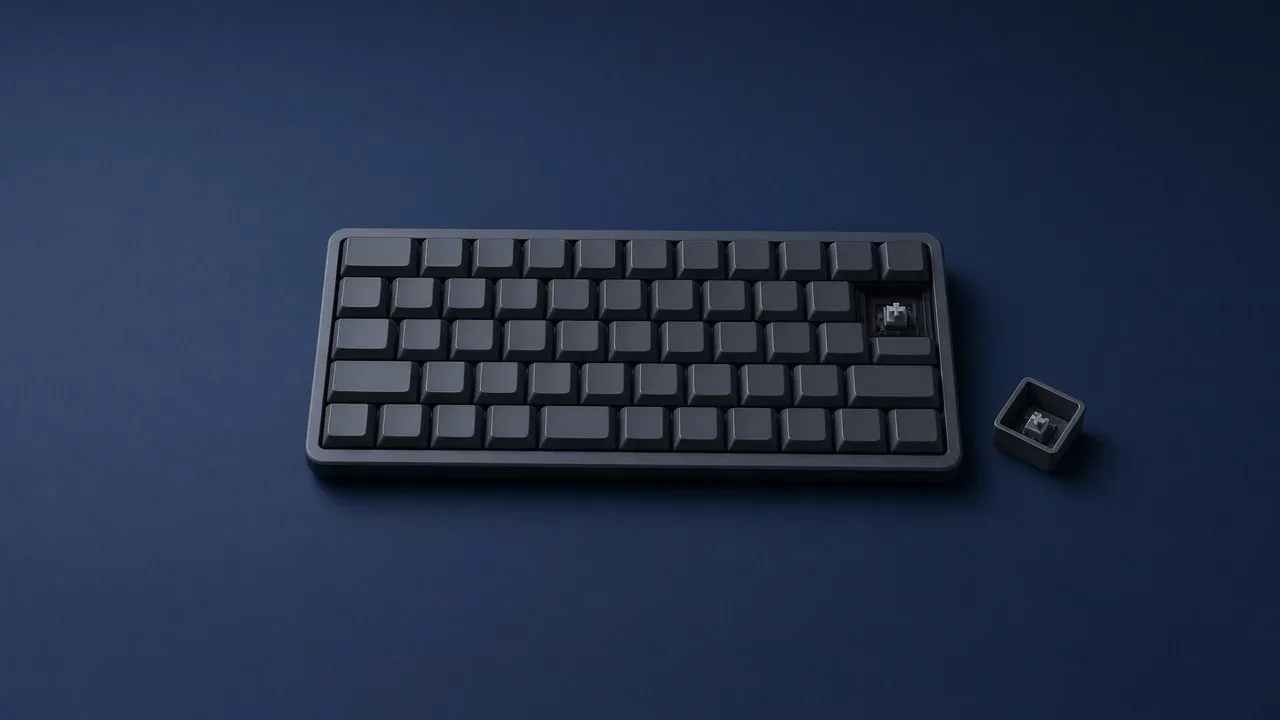
On this page
As an Amazon Associate I earn from qualifying purchases. I earn a small commission from Amazon links, at no cost to you. See disclosure.
What actually makes a keyboard “mechanical”? It has a separate switch under each key. Cherry’s mechanical-technology page explains it well: the keycap moves down with the switch, a stem and a spring travel, two contacts close a circuit on the board, and the key can count before it hits the bottom. A membrane keyboard does not work that way. The keys press a rubber or silicone sheet, the dome inverts, and that sheet is what completes the circuit.
The word gaming does not pick a side. A box can say gaming, show a row of lights, and still be a rubber sheet. It can also be a switch under every key. The listing has to say which. I play left-handed on UHJK. The best gaming keyboard is the layout your desk can hold and the feel your fingers accept. More keyboard guides.
The specs below come from manufacturer pages, so check the current listing before you buy.
Boards worth a look
- Fixed Cherry MX Red, full-size: Corsair K70 RGB PRO (CH-9109410-NA). Official US $169.99. Tech specs: CHERRY MX Red, full-size, 104 keys, Full Key (NKRO), report rate up to 8,000 Hz, 8 MB onboard memory, detachable USB-C, two-year warranty. Cherry’s MX Red page is the switch: linear, 45 cN, 2.0 mm pre-travel, 4.0 mm total travel, no click, over 100 million keystrokes. Corsair K70 RGB PRO. Amazon search for K70 RGB PRO MX Red
- Hot-swap GX, wireless TKL: Logitech G PRO X TKL LIGHTSPEED. Official US $189.99 (listed against $219.99). LIGHTSPEED 2.4 GHz, tenkeyless, GX mechanical switches. Logitech G’s product page says you choose tactile, clicky, or linear. Logitech G. Amazon search for PRO X TKL LIGHTSPEED
- A full-size board that names three maker feels: Razer BlackWidow V4 Pro. Official US from $229.99. Razer’s page: Green is clicky and tactile, Orange is quiet tactile, Yellow is smooth linear. Eight dedicated macro keys and buttons, Command Dial, N-key rollover. Razer US page. Amazon search for BlackWidow V4 Pro
The short version: mechanical is one switch per key. Gaming is a sticker. Cherry’s stem, spring, and two contacts are the definition I can cite.
Is this board mechanical?
Trust the keycap over the title. A rubber dome is a membrane board even if the banner says mechanical. A housing and a stem is a switch for that key even if the title only says gaming. If you have not looked, the spec list is the evidence, and the word gaming is not on that list.
| What you find | What the board is | Official example |
|---|---|---|
| The spec list says mechanical | A switch under each key | Corsair K70 RGB PRO: CHERRY MX Red |
| The spec list says membrane or rubber dome | A rubber sheet under the keys | Cherry's membrane page: the dome inverts |
| The spec list only says gaming | Not answered yet | Read the mechanism line again |
| A switch housing under a keycap | One switch per key | Cherry MX: stem, spring, two contacts |
| A rubber dome under a keycap | Membrane | Cherry rates that key up to 10 million operations |
| The page says Hall effect or magnetic | A magnet and a sensor, still one housing per key | A different socket from MX |
What Cherry says is under the key
Cherry’s mechanical-technology page walks the press. The keycap moves downward with the switch. The mechanism is a stem and a spring. The stem goes down, the spring compresses, and two contact points that sat apart meet. That close sends a signal through the board. The same page is explicit that the signal can fire during actuation, before the key is fully pressed — before bottom-out. Let go, and the spring returns the stem.
That is the official definition I will keep using. A mechanical switch is that housing. The keycap is a separate cap pushed onto the stem. You do not need the millimeter line to know the board is mechanical. You need to know there is a switch. How far it travels before it registers is the actuation point. Cherry’s MX Red page prints that pair for one switch: 2.0 mm pre-travel, 4.0 mm total travel.
On an ordinary MX switch those two contacts are metal. Cherry calls the contact system Gold Crosspoint: gold-coated contacts, self-cleaning, rated on the MX Red page for more than 100 million operations. Loud and quiet are the sound of the mechanism, not a second kind of keyboard. A silent MX switch still has that stem and those contacts. It adds a damper so the bottom and the return thud less.
Some boards break a light beam inside the housing instead of touching metal. The listing says optical. That is still one housing per key, not a rubber sheet shared by the whole board. A magnetic switch is also one per key, and it is a different product. The stem carries a magnet, and a sensor reads how far that magnet has moved. Listings call it Hall effect. Seeing a housing does not tell you the sensor is there. The page has to say Hall effect or magnetic. A normal mechanical board that says fast does not have that sensor.
A laptop key is usually neither. Cherry’s scissor / SX page describes a short scissor over a smaller rubber dome. Stop if the cap does not lift straight off.
What Cherry says a membrane key is
The rubber sheet is the other common desktop design. Cherry’s membrane-technology page, also called rubberdome: each key sits over a flexible rubber or silicone dome on one sheet. Press, the dome inverts, a conductive layer closes, and the key registers. Let go and the dome returns to shape. There is no housing to pull out and no spring to swap. The bump you feel is the rubber.
Cherry prints the trade on that same page. Membrane keystrokes produce minimal noise. The lifespan can reach up to 10 million operations per key. The boards are often cheaper, lighter, and quieter than mechanical ones, and they offer less tactile feedback. A worn patch can make a whole area feel worse, because the keys share the sheet.
A gaming keyboard under $100 can be either mechanism. The price does not add a switch. The spec list does.
How to tell without guessing
Read the spec list before the product title. Mechanical, or a switch described as linear, tactile, or clicky, means a switch per key. Cherry’s mechanical page uses the same three: clicky signals actuation with a click and a bump, tactile is only the bump, and linear provides neither. Membrane, rubber dome, or a line that says the caps only look mechanical means the sheet. Caps that look like a mechanical board are a shape. The mechanism underneath is still rubber if the spec list says so.
Gaming, RGB, a wrist rest, and a metal-looking plate are not mechanisms. Shops put them on both kinds. A small number of keys that can be held at once, printed as if it were a feature, is a ceiling. N-key rollover is how many of those presses the board reports together. Cherry’s mechanical page says individual switches let the board detect several keys at once, and names Full-Key Rollover or N-Key Rollover. That is Cherry’s claim for the construction. It is not automatic on every mechanical listing. The K70 RGB PRO and the BlackWidow V4 Pro print NKRO. Read the rollover line. Do not assume the word mechanical wrote it for you.
If you already own the board, pull one keycap from the middle of the letters. Pull straight up, with a light grip. A mechanical board shows a housing and a stem. A membrane board shows a rubber dome, or the cap was never meant to come off. If it resists, stop. A laptop scissor and a clipped cap both break when they are levered.
Do not decide from the sound in a video. A rubber dome can sound sharp on a microphone. A linear switch can sound like nothing. The housing under the cap, or the word on the spec list, is the evidence you can check twice.
What the word does not buy
Mechanical does not raise a score. The same match runs on a membrane board. Cherry says the early count, before bottom-out, can feel faster than a rubber dome. That is the press. It is not a rank. If you never notice that press, the word is not a reason to replace the keyboard you already use. I move on UHJK. A membrane board that already registers those four keys is not a defect.
It does not pick a layout. A full-size board and a small board both exist as mechanical and as membrane. I mouse on the left, so the keyboard sits to the right of the pad. UHJK already lives on that side of a standard ANSI board. A 60% still has those four keys. A 60% drops the F-row, which I care about more in WoW than in Overwatch. The Naga Left-Handed already holds consumables. TKL versus 60 versus full-size is the width page.
It also does not include a cable, a dongle, or lights. A wireless membrane board is still membrane. The PRO X TKL’s LIGHTSPEED radio is a radio. MX Red is a switch. Keyboard latency is how often the board reports. A mechanical switch does not raise that number by existing.
It does not mean you can change the switch later. Hot-swap means the switch pulls out of a socket. Cherry’s mechanical page says that on hot-swap boards, standard MX switches can be replaced without soldering. A switch that is soldered down is still a mechanical switch. The K70 RGB PRO MX Red listing I opened does not offer that menu. The PRO X TKL does: you swap GX. If the reason you are shopping is that you might change your mind about the feel, the listing has to say hot-swap. Otherwise you are buying the switch that is already installed, and a return window matters more than a socket you do not have.
It is not a brand. One company can sell a membrane board with bright lights, and another can sell a mechanical board whose switch you hate after an hour. A logo is a warranty and a piece of software, which is a useful thing, and it is not the housing under the keycap.
It is not optical, and it is not Hall effect, unless the page also says those words. Optical skips the metal leaf. Hall effect reads position. Both can still be one housing per key. Rapid trigger is a third line. A mechanical GX board lists none of those as a slider.
Official Cherry numbers I will actually cite
Cherry is the maker the other reviews keep using as the ruler, so I will use the one MX color I can point at.
MX Red. Linear. 45 cN. Pre-travel 2.0 mm. Total travel 4.0 mm. Initial force 30 cN, final force 100 cN. No click. Over 100 million keystrokes. That 2.0 mm is when the key counts. The second 2.0 mm is travel you can still do.
Cherry’s mechanical page also rates original MX Gold Crosspoint contacts up to 100 million keypresses. The MX Blue page prints over 50 million. The number belongs to the switch on that page. Cherry’s membrane page prints up to 10 million operations per rubber-dome key. The scissor / SX summary prints up to 20 million. cN is centinewton. People say grams. Cherry prints cN.
When it is worth buying
Buy a mechanical board when you want the switch. You care how the key feels, you want the press to register before the bottom, or one key has failed and the board lets you replace that switch. Then choose the layout the desk can hold, and a feel you can stand in the room where you play. Linear, tactile, and clicky are that feel. Try them, or buy from a shop that takes a return, because a paragraph cannot press the key for you.
Keep the board you have when it already feels fine and every key registers. A membrane keyboard you type well on is not a defect. Cherry itself sells both, and says rubber-dome boards stay common because they are quiet, cheap, and light. Replace it when a key fails, when you have tried a switch and you want that press at home, or when you can point at the spec line that says mechanical and you already know which feel you are picking. The lights can wait. They ship on the boards that have switches and on the boards that do not.
I would not buy a clicky full-size as the only WoW board in a shared room. UHJK still fits.
Buy the board when the spec list says mechanical and you already know the feel. Otherwise keep the keys that already register. More keyboard guides.
Common questions
What is a mechanical keyboard?
A keyboard with an individual switch under every key, each with its own spring and stem. They feel more consistent and last longer than rubber-dome membrane keyboards.
Does a mechanical keyboard make you better at games?
Not by itself. It can feel more precise and consistent, but your skill and settings matter far more.
How long do mechanical keyboard switches last?
A very long time. Switches like Cherry MX Red are rated for over 100 million keystrokes, compared with around 10 million for typical membrane keyboards.
Can I swap the switches on any mechanical keyboard?
Only on hot-swap keyboards. Otherwise the switches are soldered in and need desoldering to replace.
Keep reading
Hardware
What a 75 percent gaming keyboard is
Is a 75% keyboard right for gaming? What you keep, what you lose, and three boards worth buying.
October 20, 2026 · 10 min read
Hardware
What an FPS keyboard actually has to do
The best keyboards for FPS games in 2026: rapid trigger, size, and which features are actually worth paying for.
October 20, 2026 · 8 min read
Hardware
What an MMO keyboard is for
An MMO keyboard holds the spells that do not fit around movement keys: modifiers, number pad, a macro column, and the mouse thumb.
October 20, 2026 · 10 min read
Hardware
What a low profile gaming keyboard changes
A low profile gaming keyboard uses a shorter switch, so the keys and the case sit lower. The layout is still a separate choice.
October 20, 2026 · 9 min read