
Hardware
Based on the makers’ specs and my own testing where I say so.
TKL vs 60% vs full-size
Full-size, TKL or 60%? Which keyboard size is best for gaming, and what you give up with each.
Updated 9 min readYuval Eizik
- pc
- keyboard
This article has affiliate links. If you buy through them, I may earn a small commission at no cost to you. Prices move fast, so check the store for today's price before you buy.
Read the disclosure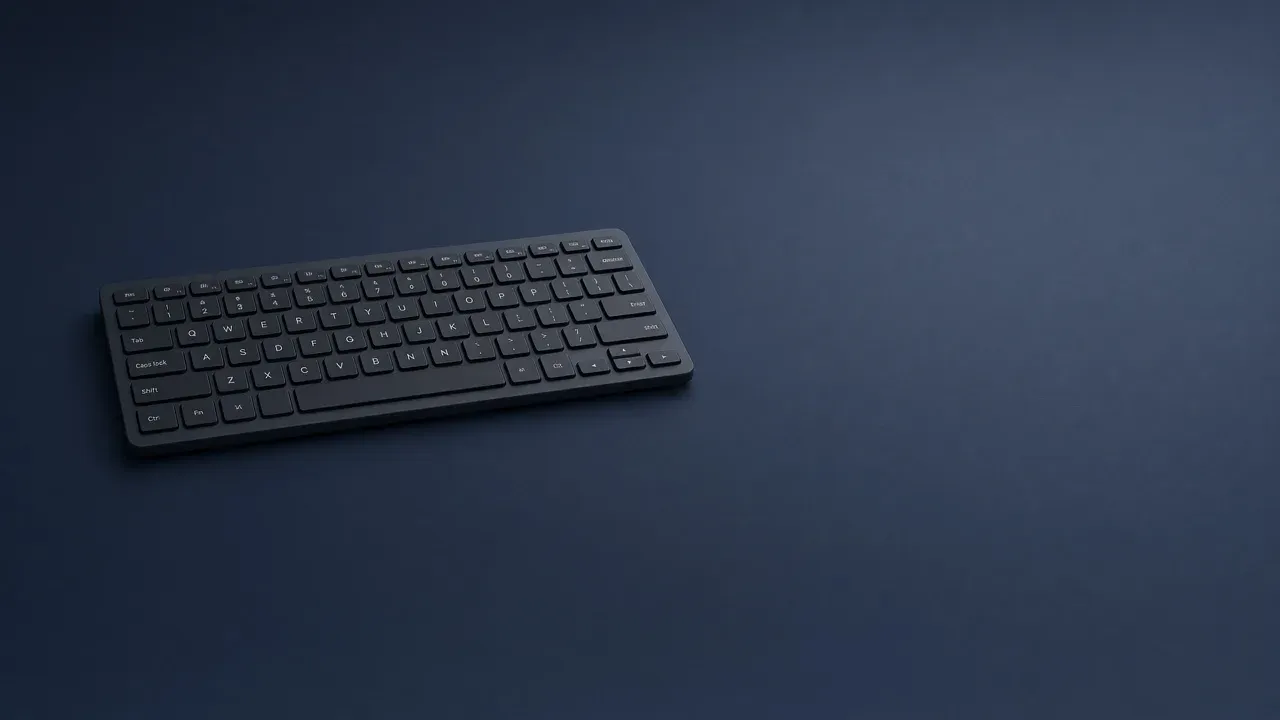
On this page
As an Amazon Associate I earn from qualifying purchases. I earn a small commission from Amazon links, at no cost to you. See disclosure.
Full-size, TKL, and 60% are three answers to one question: which keys still get their own cap. Full-size keeps the number pad. TKL deletes that pad and keeps the function row and the arrow keys. A 60% board also deletes the function row and the arrows, and you reach them by holding Fn. A shorter board doesn’t have better switches. It just takes up less desk.
I play left-handed on UHJK. Buffs and consumables already sit on a Razer Naga Left-Handed 12-button grid. Trinket and interrupt sit on the scroll wheel. The F-row matters more in WoW — Devastation Evoker, Tingyoudied, EU-Ravencrest — than it does on Zarya. For full picks, see the best gaming keyboards. More keyboard guides.
Boards worth a look
- Full-size, wired: Razer BlackWidow V4 Pro. Razer’s support sheet: Layout: Full-size. Official US shop starts at $229.99. Eight dedicated macros, Command Dial, NKRO, 466 × 152.5 × 43.9 mm. Razer US page. Razer spec. Amazon search for BlackWidow V4 Pro
- Tenkeyless, Hall effect: Corsair K70 PRO TKL. Corsair’s size guide names this as its TKL example. Official US $169.99. Official: TKL (Tenkeyless), 87 keys, Rapid Trigger as a separate setting. Corsair K70 PRO TKL. Amazon search for K70 PRO TKL
- 60% form factor: Razer Huntsman Mini. Razer’s page: 60% form factor — no function row, home cluster, or numpad as their own caps. Official launch linear MSRP $129.99. The US shop listed $109.99. Razer Huntsman Mini. Amazon search for Huntsman Mini
A second official TKL: Logitech G PRO X TKL LIGHTSPEED, $189.99, tenkeyless, LIGHTSPEED. Logitech G. Logitech spec.
The short version: the percent is which groups stay printed. Confirm those groups on the photo. The size is not a switch.
Which keys you still need
Full-size keeps the number pad. Tenkeyless deletes that pad and keeps the arrow keys. A 60% board also deletes the arrows and the function row. The keys you still press decide the width.
- Layout
- Tenkeyless
The number pad is the wide part, and you do not use it. Tenkeyless keeps the function row and the arrow keys. That gives the mouse more room.
The number pad is the wide block on the right. Games rarely use it. Spreadsheets and a few MMO binds do. If those binds are every day, the width is doing a job. If they are not, the pad is empty desk that a right-hand mouse needed. Arrow keys are the next cut. Some people never look at them. Some people steer with them. A function row is volume, brightness, and the occasional game bind. Holding Fn for a key you press once an hour is fine. Holding Fn for a key you press during a fight is the wrong trade.
| Layout | Official name on maker guides | What stays as its own key | Example |
|---|---|---|---|
| Full-size / 100% | Keychron: Full Sized, 104 keys. Corsair: Full-size. HyperX: 100% | Number pad, F-row, arrows, nav island | BlackWidow V4 Pro |
| Tenkeyless / TKL / 80% | Keychron: 87 keys. Corsair and HyperX: TKL / 80% | F-row and arrows, no pad | K70 PRO TKL; PRO X TKL LIGHTSPEED |
| 75% | Keychron: Compact Tenkeyless, 84 keys | F-row and arrows, gaps squeezed, no pad | See the 75% page |
| 65% | Keychron: Compact, 68 keys. F-keys as combinations | Arrows often stay. F-row often a layer | Keychron K6 HE |
| 60% / mini | Keychron: Mini, 61 keys. Razer: 60% form factor | Letters and a Fn layer | Huntsman Mini |
Official size names, then the photo
The names here are the ones the maker guides print. Keychron’s size guide from 28 January 2021: 100% / Full Sized / 104 keys, 80% / Tenkeyless / 87 keys, 75% / Compact Tenkeyless / 84 keys, 65% / Compact / 68 keys, 60% / Mini / 61 keys. Corsair’s size guide, last updated 6 August 2026, uses Full-size / 100%, TKL (Tenkeyless), 75%, 65%, and 60%. HyperX’s layout note uses the same three headlines — Full-size (100%), TKL (80%), 60% — and points at 75% and 65% as the next cousins.
A listing that prints a number a few keys off those figures is still this shape if the photo shows those groups. A rim, a knob, or a macro column can add keys without changing the cut. Country layouts add or drop a key around Enter. Trust which groups are drawn on the photo, not a single number in the title. If the photo shows a pad, it is full-size no matter what the title says. If the photo shows arrows and no pad, it is not a 60%.
What each size actually removes
A full-size board is the one people picture. Letters, a function row, a navigation cluster, arrow keys, and a number pad. Keychron splits that into four parts. HyperX prints 104 to 108 keys depending on the region. The BlackWidow V4 Pro is that cut, plus a left macro column that is not part of the size name. The cost is width.
Tenkeyless means the number pad is gone. HyperX’s note: “tenkeyless” is the missing ten-key adding machine, not “ten fewer keys.” Function keys stay in their own row. Arrow keys stay in their own cluster. Keychron puts the usual count at 87. Corsair prints 87 keys on the K70 PRO TKL. This is the usual cut when the game never asks for the pad and you still want the board to feel like the one you already type on.
A 60% board keeps the letter block and the number row. Keychron’s missing-key list is the pad, the navigation keys, the function keys, and the arrows. Corsair says you will find alphanumeric keys and modifiers. The rest is a layer. Razer’s Huntsman Mini FAQ is the map I can cite: FN + 1 is F1. Where the arrows went is not the same on every board. The legend is the map. If a game binds an arrow or an F-key, you will be holding Fn, or you will rebind. That is a fine trade on letters. It is a bad trade when an Evoker bar still lives on F1–F12.
75% and 65%, because listings use both
A 75% board sits between TKL and 60%. Keychron calls it a compact tenkeyless. The pad is gone, the gaps shrink, and the arrows and F-keys stay real. Corsair says Print Screen, Scroll Lock, Pause, Insert, and End are often absent, and that the right-edge keys differ by brand. Choose it when TKL is still too wide and you will not give up those two rows. Named official 75% boards live on that sibling page.
A 65% board is the next smaller cousin. Arrows often stay. The F-row often does not. Keychron treats those F-keys as combinations. Corsair says a 65% keeps arrows, Delete, Page Up, and Page Down, and that the right-hand set is less standardized than TKL. A named official 65%: Keychron K6 HE, official shop $139.99, layout 65%. Keychron K6 HE. If a board sold as 75% has no arrow caps and no F-row, the name is wrong.
Compact full-size, when you still want the pad
Both maker guides also name a squeezed full-size. Keychron calls it 96% / Compact Full Sized / 100 keys: the pad stays, Print Screen, Scroll Lock, and Pause go, and the gaps shrink. Corsair’s 2026 guide uses 96% and 99% for the same idea. Take 96% only when the pad is daily and a 104-key case does not fit.
What the size does not change
The country layout is a different cut. A tall Enter key and a short left Shift are one arrangement. A wide Enter is another. Both exist as full-size, as tenkeyless, and as 60%. Buying a shorter board does not convert one into the other. Match the Enter key you already use, then match the width.
The switch is a different cut again. Linear, tactile, and clicky describe the press. The Huntsman Mini is optical. The K70 PRO TKL is Hall effect. The BlackWidow V4 Pro is Razer mechanical. sentence. Rapid trigger still needs those words on the listing. Actuation is a distance. The percent is a shape. A wireless dongle and a polling headline are separate lines.
A percent is also not a millimeter. Cases add a bezel, a knob, or a rest. The BlackWidow V4 Pro is 466 mm long. Two tenkeyless boards can differ by a rim. They will not differ by a whole number pad.
Left hand, UHJK, and which row I would keep
Most size photos assume WASD on the left and a mouse on the right. My desk is the other way. Movement is UHJK. The mouse is on the left. The keyboard sits to the right of that pad. The number pad, when a board still has one, sits on the far right — away from the mouse. The usual TKL pitch, the one Corsair and HyperX both write, is extra mouse space for a right-hand, low-DPI sweep. That pitch is true for that desk. It is not why I would shorten this one. Full-size is a reach and a clutter problem for me, not a mouse-lane problem. WASD on the far left would be the stretch. UHJK is already on the right side of a normal ANSI board.
The Naga already took the consumable grid off the keyboard. How a left hand remaps an MMO is why UHJK sits where WASD usually does. How to keybind an MMO is still the menu. That’s why I won’t trade the F-row away for a 60% board. Overwatch on Zarya can live without an F-row. Evoker PvP cannot treat that row as a layer I hold during a kick. I would not buy a 60% as the only WoW board.
Keyboard for FPS is the other size question: leave a lane, then pick a switch. Corsair’s guide puts competitive FPS on TKL, 75%, 65%, or 60%, and MMOs on full-size, 99%, or 96%. I already put the extra spells on the Naga. The leftover question for this desk is whether F1–F12 stay printed.
How to decide
Use the pad every day: stay full-size. A 96% board is the squeezed version if the listing still shows a pad.
You never touch the pad, and you want arrows and F-keys without Fn: tenkeyless. Corsair calls that the best of both worlds between full-size and 60%.
You want those keys printed and the desk is still tight: 75%. Confirm the arrows and F-keys on the photo. Name Home, End, Page Up, Page Down, Delete, and Insert while you are there.
You want arrows and you can live without a physical F-row: 65%. I would not take that cut as the only Evoker board.
You can play and type with Fn for arrows and F-keys: 60%. Learn the legend once, on a board you can return. Razer’s FAQ is the reminder: the functions are still there. They are not their own caps.
If the mouse already hits the keyboard you own, do not replace it with another board of the same width. The feel can wait until the lane exists.
Name the pad, the F-row, the arrows, and the surviving nav keys on the photo before the price. Then read the switch.
Pick the smallest board that still prints the keys you press without Fn. For this desk that is not 60%, because WoW still wants the F-row and the Naga already did the compact job on the mouse. More keyboard guides.
Common questions
What is the difference between TKL, 60% and full-size keyboards?
Full-size keyboards have a number pad, function row and arrow keys. TKL (tenkeyless) drops the number pad, and 60% also drops the function row and arrows, which you reach by holding Fn.
What keyboard size is best for gaming?
TKL, 75% or 65% is the sweet spot for most gamers, since you get more mouse space and keep the keys you use. Go full-size if you play games with lots of keybinds, like MMOs.
What does TKL mean on a keyboard?
TKL stands for tenkeyless, a keyboard without the number pad. It keeps the function row and arrow keys and is sometimes called 80% or 87-key.
Is a 60% keyboard missing keys?
Not exactly. The arrow keys and F1 to F12 are on a second layer you reach by holding Fn, which is fine unless you use those keys mid-fight.
What is a 75% keyboard?
A 75% keyboard sits between TKL and 60%. It drops the number pad but keeps the arrow keys and function row in a tighter layout, usually with about 84 keys.
What is a 65% keyboard?
A 65% keyboard is slightly smaller than 75%. It usually keeps dedicated arrow keys but removes the function row, which you access with Fn.
Does keyboard size affect the switches?
No. Full-size, TKL and 60% keyboards can all have linear, tactile or clicky switches; size only decides which keys are on the board.
Is TKL better than full-size for FPS games?
Usually yes. TKL gives your mouse more room for big swipes while keeping real arrow and F-keys. A 60% saves even more space if you don't need those keys.
Do I need a number pad on my keyboard?
Only if you type numbers every day. If you rarely use it, a TKL or smaller board gives you more desk space, and you can add a separate numpad later.
Keep reading
Hardware
What a 75 percent gaming keyboard is
Is a 75% keyboard right for gaming? What you keep, what you lose, and three boards worth buying.
October 20, 2026 · 10 min read
Hardware
What an FPS keyboard actually has to do
The best keyboards for FPS games in 2026: rapid trigger, size, and which features are actually worth paying for.
October 20, 2026 · 8 min read
Hardware
What an MMO keyboard is for
An MMO keyboard holds the spells that do not fit around movement keys: modifiers, number pad, a macro column, and the mouse thumb.
October 20, 2026 · 10 min read
Hardware
What a low profile gaming keyboard changes
A low profile gaming keyboard uses a shorter switch, so the keys and the case sit lower. The layout is still a separate choice.
October 20, 2026 · 9 min read