
Hardware
Based on the makers’ specs and my own testing where I say so.
What a low profile gaming keyboard changes
A low profile gaming keyboard uses a shorter switch, so the keys and the case sit lower. The layout is still a separate choice.
Updated 9 min readYuval Eizik
- pc
- keyboard
This article has affiliate links. If you buy through them, I may earn a small commission at no cost to you. Prices move fast, so check the store for today's price before you buy.
Read the disclosure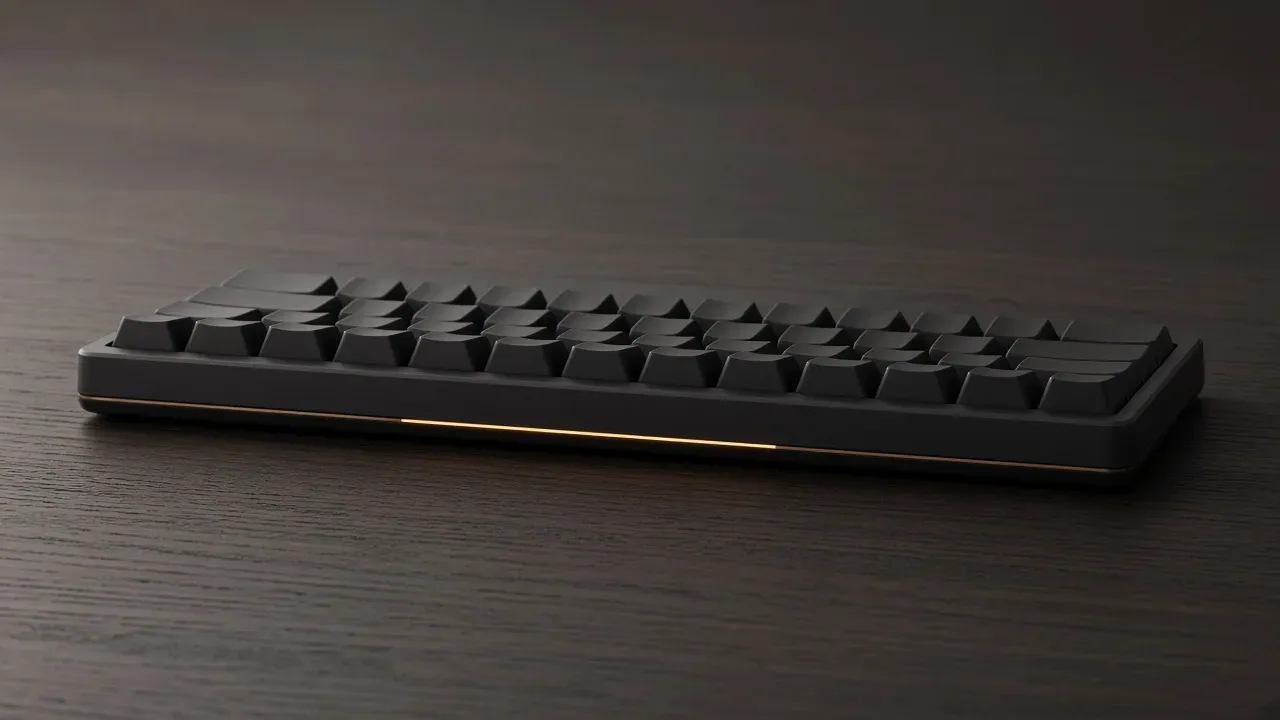
On this page
As an Amazon Associate I earn from qualifying purchases. I earn a small commission from Amazon links, at no cost to you. See disclosure.
A low profile gaming keyboard is a mechanical board with a shorter switch. The keycap is thinner, and the case usually sits closer to the desk, because the stack under the finger is shorter. The letters stay where the layout put them. I’m left-handed, and UHJK still works fine.
Pick the layout first (see the best gaming keyboards); a low-profile mechanical keyboard still has one switch under each key, just a shorter one. More keyboard guides.
Boards worth a look
- Full-size wireless, 23 mm case: Logitech G G915 X LIGHTSPEED. Official: low-profile GL mechanical switches with a 1.3 mm actuation point, 9 G-keys, KEYCONTROL, tri-mode LIGHTSPEED / Bluetooth / USB-C, height 23 mm (1.30 in). Official US $259.99 on Logitech G. Logitech G US page. Amazon search for G915 X LIGHTSPEED
- Tenkeyless wireless, 22 mm case: Logitech G G515 LIGHTSPEED TKL. Official: low-profile GL switches, 1.3 mm actuation, tactile or linear, tri-mode LIGHTSPEED / Bluetooth / wired, height 22 mm, double-shot PBT, KEYCONTROL in G HUB. Official US $109.99 (listed against $159.99 on Logitech G). Logitech G US page. Amazon search for G515 LIGHTSPEED TKL
- 75% wireless, Keychron’s own short switch: Keychron K3 Pro. Official: ultra-slim 75% layout, QMK / VIA via Keychron Launcher, Bluetooth 5.1 to three devices or USB-C at 1000 Hz, hot-swap on the RGB backlight hot-swappable version only, LSA low-profile keycaps. Keychron prints the low-profile Gateron switch as 31% slimmer than a conventional normal-profile switch. Official from $67.99 on Keychron. Keychron K3 Pro. Amazon search for Keychron K3 Pro
The short version: the listing is shortening the switch. Confirm the travel on that page, and confirm the caps fit that stem. The width is still a separate choice.
What the listing is shortening
The listing is shortening the switch height.
Low profile is about height. Read the travel and which keycaps fit. Layout size (TKL, 60%) is a separate choice.
A missing number pad is the width, and a shorter layout can still use a full-height switch. A quiet switch is the sound, and a short switch can still click. A key that resets on the way up is rapid trigger, which needs a magnet and those words. Slim, compact, and speed have not said which of the four you are buying.
The G915 X TKL is the classic low-profile pick: shorter caps, flatter case, media keys, wireless. They still need the millimeter line.
| Switch, official page | Pre-travel / actuation | Total travel | Operating force |
|---|---|---|---|
| Cherry MX Red (full-height) | 2.0 mm | 4.0 mm | 45 cN |
| Cherry MX Low Profile Red | 1.2 mm | 3.2 mm | 45 cN |
| Cherry MX Low Profile Speed | 1.0 mm | 3.2 mm | 45 cN |
| Logitech G GL (G915 X / G515) | 1.3 mm | Not printed by Logitech | Not printed by Logitech |
Cherry’s Low Profile pages also print the family as 35 percent lower than a standard MX switch. Cherry’s own switch blog puts that short housing at 11.9 mm. The 35 percent cut, the 11.9 mm housing, and the travel pair above are the official comparison.
How much shorter the press is
Picture the key’s whole trip the same way the actuation point page does. The top is where your finger meets it. The bottom is where the key cannot go any farther. The printed pre-travel is how far you go before the key counts. The printed total travel is the whole trip.
On Cherry’s full-height MX Red, that pair is 2.0 mm and 4.0 mm, at 45 cN, linear, no click. Halfway down, the key is already on. The second half is travel you can still do. On Cherry’s MX Low Profile Red, the pair is 1.2 mm and 3.2 mm, still 45 cN, still linear. The force did not change. The trip got shorter.
Cherry’s MX Low Profile Speed keeps the same 45 cN and the same 3.2 mm total travel, and moves pre-travel to 1.0 mm. That is a fixed point closer to the top. It is not rapid trigger. Pressing harder does not move it.
Logitech G prints one number for the GL family on both the G915 X and the G515: 1.3 mm actuation. The G515 wired page adds “at half the height” next to that point. Logitech does not print a total-travel figure on those two shop pages. 1.3 mm is later than Cherry’s Low Profile Red. It is still earlier than MX Red’s 2.0 mm.
Keychron’s own low-profile Red, on Keychron’s switch page, prints 1.3 ± 0.3 mm pre-travel and 3.1 ± 0.2 mm total travel at 45 ± 8 gf. That’s Keychron’s own switch, so it isn’t directly comparable to Cherry MX.
A short travel can put the bottom of the press close to the moment the key fires. 1.2 mm of pre-travel inside 3.2 mm of total travel leaves 2.0 mm of overtravel. MX Red leaves 2.0 mm of overtravel too (4.0 minus 2.0). The absolute trip is shorter. A heavy finger still bottoms out.
The keycaps do not all share a stem
A short switch often refuses the caps from a normal board. Keychron says it outright: a low-profile Gateron mechanical board is not compatible with any conventional MX-style mechanical switch. The RGB K3 Pro that is hot-swappable still only hot-swaps Gateron low-profile parts. The soldered white-backlight K3 Pro needs an iron. The replacement has to be on that list.
Logitech G’s G915 X and G515 pages sell the board with low-profile double-shot PBT already on the stems. They do not invite a full-height sculpted set. Tall caps hit a short housing even when the stem looks like a cross. The set has to name the family: Cherry MX Low Profile, Logitech GL, Keychron or Gateron low-profile, or the brand’s own short switch.
Hot-swap follows the same split. The K3 Pro hot-swap version is the one Keychron marks. The two Logitech boards I named don’t advertise a socket. A soldered GL switch is still a short mechanical switch.
Other short families exist. If the listing names Choc, Ultra Low Profile, or a brand word that is not on Cherry’s Low Profile page, read that page for the stem. Cherry’s MX Ultra Low Profile line is a different, even shorter family. Corsair’s K100 AIR uses Cherry MX Ultra Low Profile Tactile and prints 0.8 mm actuation on the Corsair shop page. That is official, and it is not the 1.2 / 3.2 mm Low Profile Red pair. Do not mix the two families because both say low.
The case, the wrist, and the room inside
The case follows the switch down. Logitech prints 23 mm for the G915 X and 22 mm for the G515 TKL. That flatter angle is the main reason the G915 X TKL is the classic low-profile pick, though in use it doesn’t feel quite as low as the number suggests.
A lower stack keeps the wrist lower. A wrist rest becomes optional for some hands and stays mandatory for others. Keychron sells a wooden palm rest sized for the K3 / K3 Pro line. That rest is a separate SKU. If your wrist wants a rest anyway, buy the rest.
The shorter board has less room for a top case, gaskets, and foam. The G515 page prints “sound dampening layered construction.” That is Logitech’s wording for that board, not a promise that a short switch is quiet. A short clicky switch still clicks. A voice channel still hears it.
Keychron points the slim board at a bag as well as a desk: Bluetooth to three devices, USB-C when you want 1000 Hz, Mac and Windows legends in the box. A board that stays on the desk can still be short, when that press is the one your fingers accept. Portability is a reason to care about the millimeters. It is not a reason the letters moved.
What the height leaves alone
The percent is the width. Full-size, tenkeyless, 75 percent, and 60 percent all exist as short switches and as tall ones. The G915 X I named is full-size. The G515 is tenkeyless. The K3 Pro is 75 percent. Choose the keys the photo still shows, then choose the height. Layout size is a separate choice: see TKL, 60%, or full-size and 75 percent boards.
UHJK does not care. U still sits above H J K. A short stem does not relocate the cluster. A 60% short board still has those four letters and still layers the F-row. For WoW I’d miss that row on any 60%, tall or short. More on keyboards for MMOs and keyboards for FPS games.
Linear, tactile, and clicky still exist inside the short families. Cherry’s Low Profile Red is linear. Cherry’s Low Profile Speed is linear. Logitech G sells GL as tactile, linear, or — on the G915 X line — clicky. Keychron’s K3 Pro switch list is Red, Blue, Brown, plus hot-swap versions of those. Blue, on a Keychron page, is the clicky one. A return window matters, because a short switch you hate is still the wrong press.
A magnet is a different product. Hall effect and TMR read position. Rapid trigger follows the finger back up, and the listing has to say so. The 1.0 mm point on Cherry’s Low Profile Speed stays a fixed point. The 1.3 mm point on Logitech GL stays a fixed point. You can have both on one board. You can have either alone. The words on the page have to say both if it has both.
Optical is a light beam. The beam can sit in a short switch, and the beam is the sensor. It does not, by itself, give you a slider. Polling stays the rate on the link you play. A thousand reports a second on a cable or a 2.4 GHz dongle is the ordinary match. The K3 Pro prints that 1000 Hz on the wire. Bluetooth is for typing. Wireless keyboard latency is the dongle page.
How to choose, and the usual mistakes
Look at the board from the side before the price. The caps should look short, and the spec line should say low profile or name the family. Then name the travel that page prints. Cherry’s 2.0 / 4.0 mm MX Red pair is the ruler. Cherry’s 1.2 / 3.2 mm Low Profile Red pair is the short version. Logitech’s 1.3 mm GL point is the other official gaming number I will use.
Then name the layout. Do not let “slim” hide a missing pad or a missing F-row. I mouse on the left, so a full-size G915 X does not steal pad from the mouse the way it does on a right-handed WASD desk. It is still the widest object. The G515 TKL is the Logitech cut that gives the lane back. The K3 Pro is the 75% cut that keeps arrows and a squeezed F-row.
Then name the caps. If you already own a sculpted MX set you like, this is the wrong board unless the maker says those caps fit that short stem. They usually do not.
Do not treat low-profile as quieter, or as faster in the game. An earlier printed point can feel earlier because the finger moves less. It can also fire while you rest. That is the same fact as a shallow actuation on a tall switch. Do not treat it as rapid trigger. Do not treat a laptop scissor as this product.
Buy the short switch when the lower stack is the press your fingers accept, and the photo still shows the keys you press without Fn. Leave the rest of the height on a tall board you already like. More keyboard guides.
Common questions
What is a low profile gaming keyboard?
It's a mechanical keyboard with shorter switches, thinner keycaps and usually a slimmer case. It still has a real switch under every key, just a shorter one. Low profile is about height, not layout size like 60% or TKL.
How much shorter are low profile switches?
About a third shorter. A Cherry MX Low Profile Red actuates at 1.2 mm with 3.2 mm total travel, compared with 2.0 mm and 4.0 mm on a regular MX Red. Logitech's GL switches actuate at 1.3 mm.
Do normal keycaps fit low profile keyboards?
Usually not. Low profile switches often use different stems, and tall keycaps can hit the short housing even when the stem fits. Buy keycaps made specifically for your switch type.
Do low profile keyboards have rapid trigger?
Not automatically. Rapid trigger needs Hall-effect or magnetic switches, and short height alone doesn't provide it. Check that the listing explicitly says rapid trigger.
Do I need a wrist rest with a low profile keyboard?
Often not, since the lower height keeps your wrists flatter. If you still want extra support, a wrist rest is a separate purchase, and some brands like Keychron sell ones sized for their low profile boards.
Are low profile keyboards good for gaming?
Yes, if you like the feel. Keys travel less before they register, which can feel snappy, but it won't magically raise your rank. Pick the one you enjoy typing and playing on.
Can you use WASD on a low profile keyboard?
Yes. The layout is the same, only the height changes, so WASD and every other key cluster are right where you expect them.
Are low profile keyboards the same as laptop keyboards?
No. Laptop keys usually use scissor switches over rubber domes, while low profile gaming keyboards use real mechanical switches. They feel much more like a regular mechanical board, just shorter.
Keep reading
Hardware
What a 75 percent gaming keyboard is
Is a 75% keyboard right for gaming? What you keep, what you lose, and three boards worth buying.
October 20, 2026 · 10 min read
Hardware
What an FPS keyboard actually has to do
The best keyboards for FPS games in 2026: rapid trigger, size, and which features are actually worth paying for.
October 20, 2026 · 8 min read
Hardware
What an MMO keyboard is for
An MMO keyboard holds the spells that do not fit around movement keys: modifiers, number pad, a macro column, and the mouse thumb.
October 20, 2026 · 10 min read
Hardware
What a mechanical keyboard switch is
A mechanical keyboard switch is the housing under one key. Cherry's MX family is the ruler for feel, spring weight, travel, and socket fit.
October 20, 2026 · 10 min read