Hardware
What a gaming keyboard under $100 should include
Choose a gaming keyboard under $100 by layout and switch, not by a logo. See when a keyboard and mouse combo is the wrong box.
Updated 5 min readYuval Eizik
- pc
- keyboard
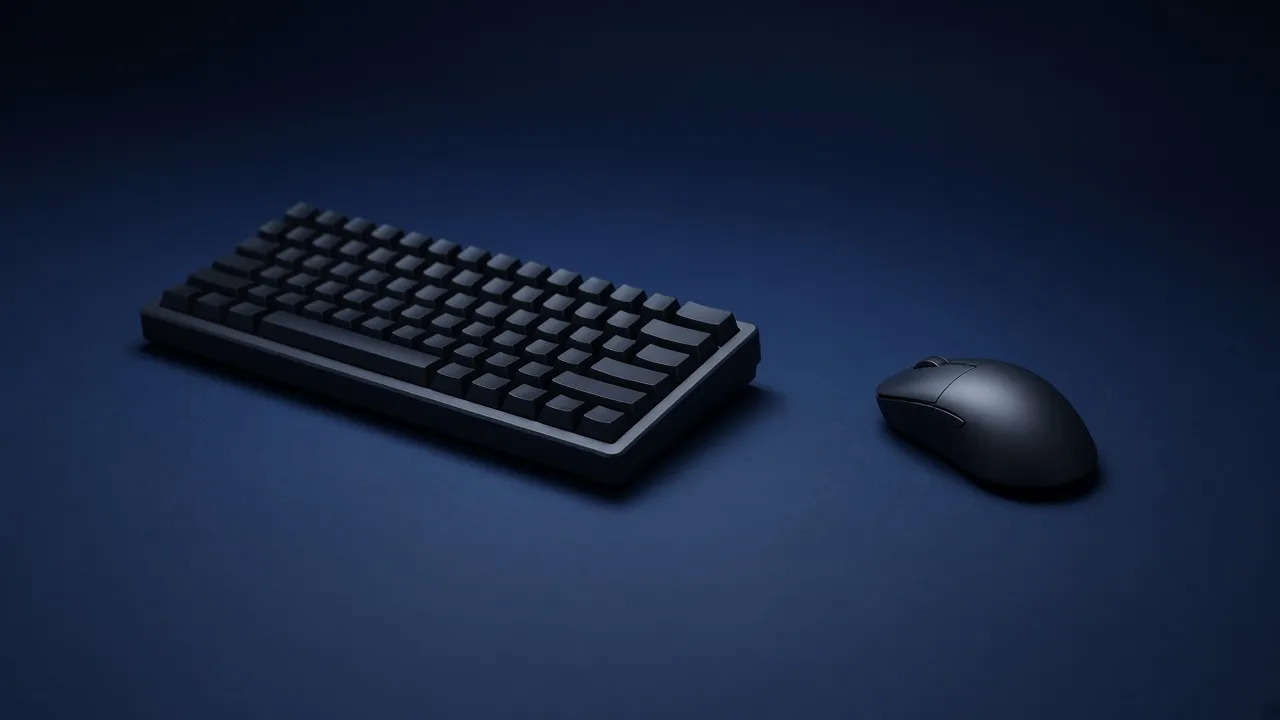
A gaming keyboard under $100 is a normal product now, not a compromise you have to apologize for. The listings still waste the search. One page crowns a full-size board, the next crowns a tiny wireless one, and both prices will be different by the time you open the shop. There is no single best board to copy from a chart. There is a short list of things the $100 has to buy, and a few things it should not.
Layout decides the desk
The number pad is the widest part of a keyboard, and most games never use it. A full-size board keeps it. A tenkeyless board deletes it and keeps the function row and the arrow keys. A 75% board deletes the pad and tightens the gaps, so the arrows and the function keys stay without a full-size footprint. A 60% board also deletes the function row and the arrows. You get them back by holding Fn.
| Layout | What you keep | When it is the right cut |
|---|---|---|
| Full-size | Number pad, function row, arrows | You actually type numbers |
| Tenkeyless | Function row and arrows, no pad | The simplest way to free mouse space |
| 75% | Arrows and function keys, tighter gaps | You want those keys and still need room |
| 60% | Letters, numbers, and a Fn layer | The mouse matters more than the function row |
If your mouse already bumps the keyboard, do not buy another full-size board because a review called it complete. Complete means wide. The mouse needs a clear rectangle more than the keyboard needs a pad you do not press. The desk layout is the same problem from the other side: the board has to sit where your shoulders stay down, and the mouse has to move.
The switch is the part you touch
Mechanical means each key has its own switch. Membrane means a rubber sheet under the keys. Under $100, both exist. Mechanical is the one worth filtering for, because the key feels the same on day one and month six, and a hot-swap board lets you change the switch later without a soldering iron.
Three words cover the feel:
- Linear goes straight down. Quiet. The usual pick for games.
- Tactile bumps on the way down, without a click. Easier to notice for typing.
- Clicky clicks out loud. Fine alone. Harsh in a shared room.
Red, brown, and blue are the old names for those three feels. Other brands use their own names for the same ideas. Read the word linear, tactile, or clicky on the listing. “Gaming switch” is not a feel.
If you have never tried one, the return window matters more than the review score. A switch you hate is not fixed by RGB.
Hot-swap is the extra to take when two boards are close in price. You are not locked to the switch that came installed. Skip the argument about lubing and filming. That is a hobby on top of a board you already like.
A combo is usually the wrong box
“Keyboard and mouse combo” sounds like one decision. Under $100 it is often a membrane keyboard, a basic mouse, and a single plug. The convenience is real. The mouse is the part that fails first, and shape is the part a bundle cannot know. A right-handed hump in that box is also the wrong tool for a left hand.
Buy the keyboard this page describes. Put the rest of the budget into a separate mouse, from a shop that takes a return. A combo is the right buy only when you already know both pieces and the bundle is cheaper than those two listings today. Check that addition. The bundle price is often just the two prices added together, plus a worse mouse. If the budget is not stuck at $100, split the keyboard and the mouse on purpose.
One more spec on the combo mouse: the DPI number on the box is not a reason to take the bundle. What that number changes is speed, not quality.
What the listing has to say
Ignore the adjective gaming until the page states these:
- The layout, in those words or as a key count you understand.
- Linear, tactile, or clicky.
- Mechanical, and hot-swap if you want the option later.
- How it connects. A wire is a feature under $100, not a downgrade.
- Polling rate on the connection you will use. 1000 Hz means the board reports 1000 times a second. A higher headline is optional. A Bluetooth mode that does not list a rate is the one to leave for typing, not for a match.
- The price today. A board that was $89 in a roundup can be $120 this week. If it crossed $100, it left this search.
N-key rollover means several keys can be down at once and all of them register. A current mechanical board has this. A cheap membrane combo that says “26-key anti-ghosting” can still drop a key in a messy fight. If the page brags about a small number of keys at once, that is a limit, not a feature.
Rapid trigger and magnetic switches are a different product. They let you set how far a key must travel, which some shooter players want. They show up under $100 more often than they used to. Buy one only when the listing says Hall effect or magnetic, and names rapid trigger. A normal mechanical board that says “fast” is not that feature.
Pick the board from the way you play
Width is the first cut. A shorter board gives the mouse more of the desk. The bars are relative, not a measurement of one model.
The result is a filter for the shop page, not a model name. Prices and stock move. The layout and the switch do not.
What $100 does not need to buy
A metal case, a volume wheel, and software that syncs the lights are nice. They are not why a key feels wrong. Wrist rests in the box are often a thin plastic bar. Use it if it puts your wrist where you already wanted it. Do not keep a board you dislike because the rest was included.
You also do not need a new board to find out the current one is in the wrong place. Sit back, drop your shoulders, and see if your hands still land. If they do not, move the board before you spend the $100.
If the budget is not the limit, what the best keyboard means is still this layout and this switch. The extra money only helps when you can name the feature it buys.
Common questions
What is the best gaming keyboard under $100?
The one that matches how you play. Keep a full-size board if you use the number pad. Otherwise a tenkeyless or 75% board gives the mouse more room. Then pick linear, tactile, or clicky switches, and confirm the price is still under $100 on the day you buy. Street prices move, so a named winner from last month may not be the board in stock today.
Is a mechanical keyboard worth it under $100?
Yes, if the listing is actually mechanical. Under $100 you can get real switches, and often a hot-swap board so you can change them later. A membrane board in the same budget spends the money on lighting instead of the key.
What is the best gaming keyboard and mouse combo?
Separate purchases. A boxed combo under $100 is usually a membrane keyboard and a basic mouse on one cable or one receiver. Buy the keyboard that fits your layout, and spend what is left on a mouse you can return if the shape is wrong.
Do I need a number pad on a gaming keyboard?
Only if you use it. Games rarely need it. A number pad makes the board wider and steals space from the mouse. Drop it unless you type numbers often.
Should I get linear, tactile, or clicky switches?
Linear is quiet and smooth. Tactile has a bump and stays quieter than a click. Clicky is loud. If you have not tried them, buy from a shop that accepts a return.
Is a wireless gaming keyboard fine?
Fine if it also plugs in. Use the cable when you play. Bluetooth on a cheap board often reports slower than a wire. Check that the connection you will use is listed at 1000 Hz.
Keep reading
Hardware
When a 4K gaming monitor is worth it
A 4K gaming monitor is worth it when the PC already holds its refresh rate and the desk fits about 32 inches. Competitive games usually belong at 1440p.
October 19, 2026 · 5 min read
Hardware
Where a budget gaming PC should spend its money
A budget gaming PC should spend most of its money on a named graphics card for the resolution you play. A glass case and a huge processor do not add frames.
October 19, 2026 · 4 min read
Hardware
What the best gaming keyboard actually is
The best gaming keyboard is the layout your desk can hold and the switch your fingers accept. A 2026 chart names whatever is in stock. Extra money buys one feature you can point to.
October 19, 2026 · 4 min read