
Hardware
I own this gear and use it every day.
Best left-handed gaming mouse: the two I actually use
A left-handed player's picks, tested in my own hand. Logitech PRO 2 LIGHTSPEED for aiming, Razer Naga Left-Handed for MMOs, plus honest alternatives.
Updated 7 min readYuval Eizik
- pc
- mouse
- left-handed
This article has affiliate links. If you buy through them, I may earn a small commission at no cost to you. Prices move fast, so check the store for today's price before you buy.
Read the disclosure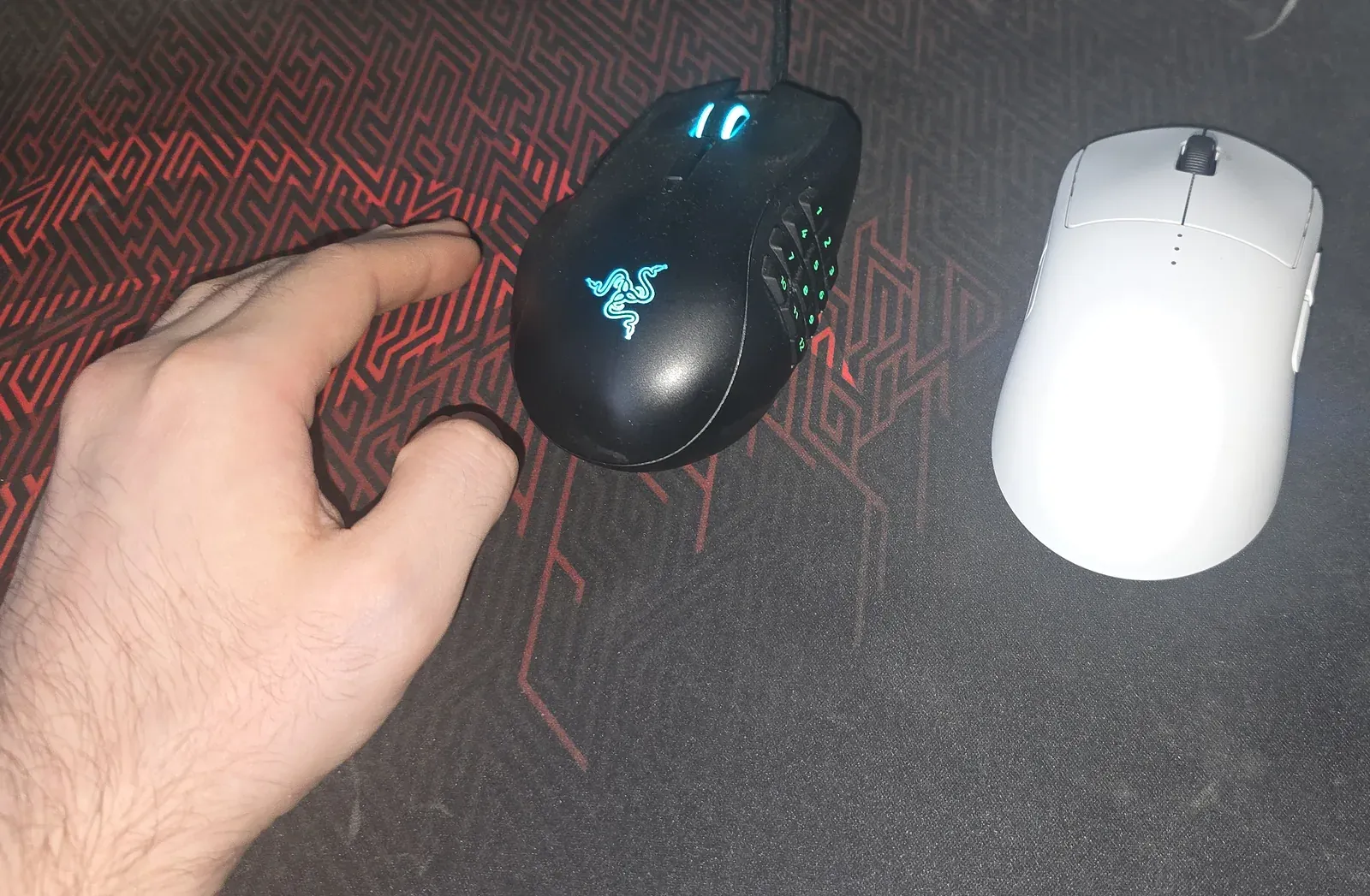
On this page
As an Amazon Associate I earn from qualifying purchases. I earn a small commission from Amazon links, at no cost to you. See disclosure.
I’m left-handed, and I’ve spent years in games built for right hands. I play Zarya in Overwatch (peak Master 1) and rated WoW PvP (2849 in Blitz). Two mice live on my desk. The Logitech PRO 2 LIGHTSPEED is the one I aim with. The Razer Naga Left-Handed Edition is the one I play MMOs with. One is perfect for aiming, the other for MMOs. That’s the short version.
The quick answer
- For FPS and aiming: Logitech PRO 2 LIGHTSPEED. Symmetrical, 80 g, wireless, side buttons you can move to the left-thumb side. Check the price on Amazon
- For MMOs (WoW, FFXIV, anything with a hotbar): Razer Naga Left-Handed Edition. A real mirrored shape with a 12-button thumb grid. Check the price on Amazon
Note: Amazon’s listing is the older Naga Left-Handed; the current Left-Handed Edition I use is sold on Razer’s site.
Comparison table
| Logitech PRO 2 LIGHTSPEED | Razer Naga Left-Handed Edition | |
|---|---|---|
| Shape | Symmetrical (ambidextrous) | True left-handed ergonomic |
| Best for | FPS, aiming | MMOs, many binds |
| Weight | 80 g | 109 g |
| Sensor | HERO 2 | Razer Focus+ optical |
| Max DPI | 44,000 | 20,000 |
| Polling rate | 1,000 Hz with the included receiver; up to 8 kHz with the PRO LIGHTSPEED receiver (sold separately) | 1,000 Hz |
| Connection | LIGHTSPEED 2.4 GHz wireless, USB-C charging | Wired (Speedflex cable) |
| Battery | Up to 95 h (lighting off), 60 h (default lighting) | N/A |
| Buttons | 4–8 depending on side-button setup; up to 4 magnetic, swappable side buttons | 19+1 programmable, incl. 12-button thumb grid |
| Size (L × W × H) | 125 × 63.5 × 40 mm | 119 × 75 × 43 mm |
| Official US price (checked Oct 20, 2026) | $149.99 at Logitech G | From $99.99 at Razer |
| Buy | Amazon | Amazon |
Logitech PRO 2 LIGHTSPEED: my aiming mouse
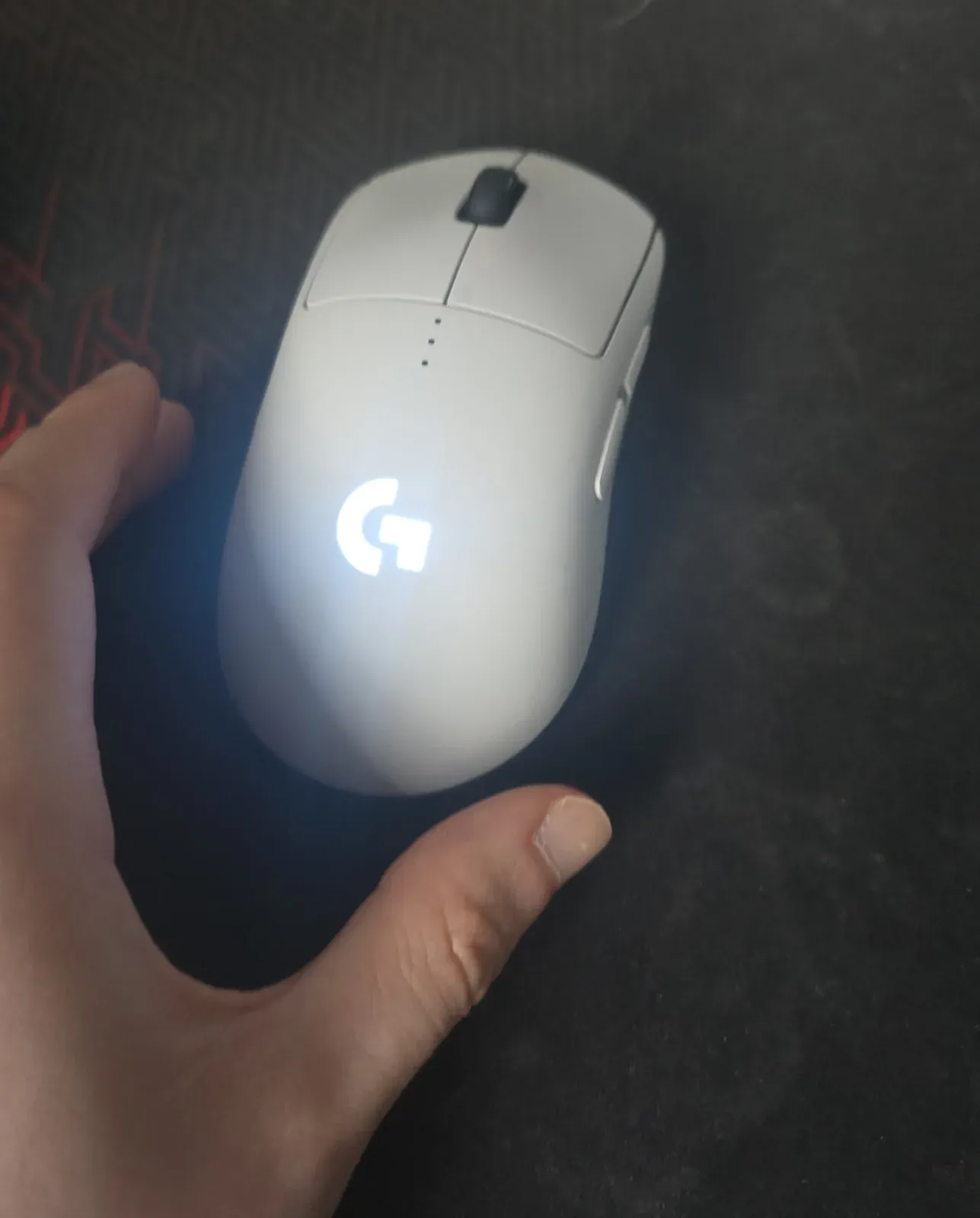
The PRO 2 is a symmetrical shell, so the hump runs down the middle and doesn’t fight a left palm. What makes it a left-handed mouse rather than just a symmetrical one is the side buttons. They are magnetic, and the box includes extra buttons and blank covers for both sides. I put working buttons on the right edge, where my thumb is, and covered the left edge so my ring finger and pinky can’t misclick.
It’s just the right weight for me. It’s very responsive, I like the white design, and for what it does it’s not too expensive.
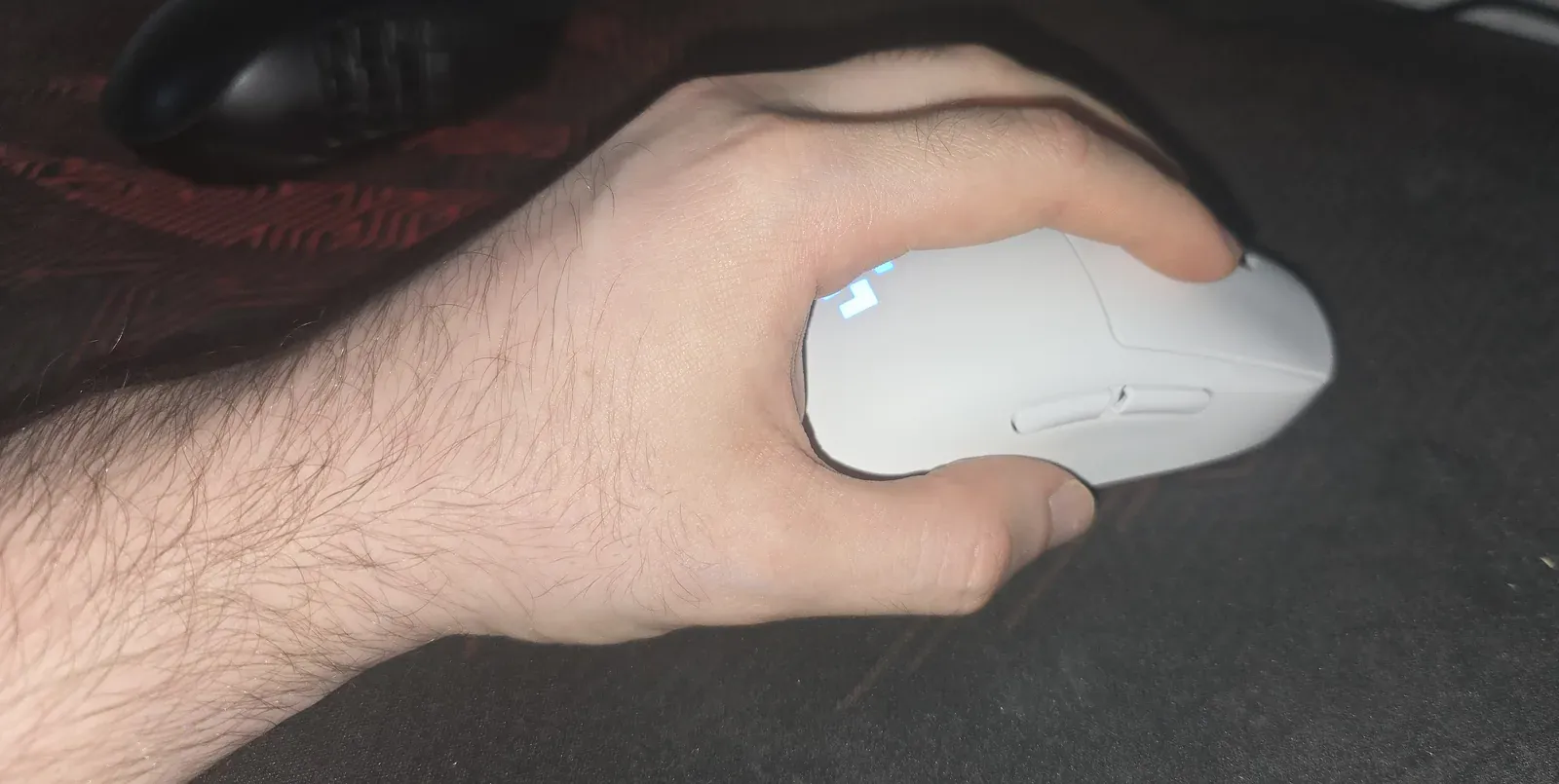
I took the PRO 2 to Master 1 on Zarya, with weapon accuracy sitting at roughly 50–60%. I can’t give a mouse credit for a rank, but it never got in the way. It went where I wanted it to.
My settings: 1200 DPI, and how I picked it
The usual advice is 800 or 1600 DPI. I run 1200, and the reason is my desk: two big monitors. I picked DPI by how the cursor feels on the desktop first and then tuned the game around it. The method:
- Pick DPI on the desktop. Turn off Windows “Enhance pointer precision” and leave the pointer speed at the default. Try a few DPI steps in G HUB until crossing both screens feels comfortable without swiping the whole pad.
- Choose your target cm/360. That’s how many centimeters of mouse movement turn you a full circle in game. Start from what you use now if you don’t have a number.
- Measure it. In a practice range, put a ruler or tape on the pad, line your crosshair up on an edge, and move the mouse until you’ve turned exactly 360°. Note the distance.
- Adjust in-game sensitivity only. Too short, lower the sensitivity. Too long, raise it. Repeat until you hit the target. Leave the DPI alone from here.
- Copy it across games. Once one game is set, a sensitivity converter (or measuring again) gets the same cm/360 in every shooter.
The result is a cursor that feels right outside the game and aim that feels right inside it. I didn’t have to compromise either one.
The downside: the shell is smooth all over. There’s no rough, anti-sweat texture anywhere, and that’s the main thing I’d change. The usual fix is aftermarket grip tape, thin textured sheets you cut or buy pre-cut and stick to the sides and buttons. It’s cheap and comes off if you don’t like it.
Razer Naga Left-Handed Edition: my MMO mouse
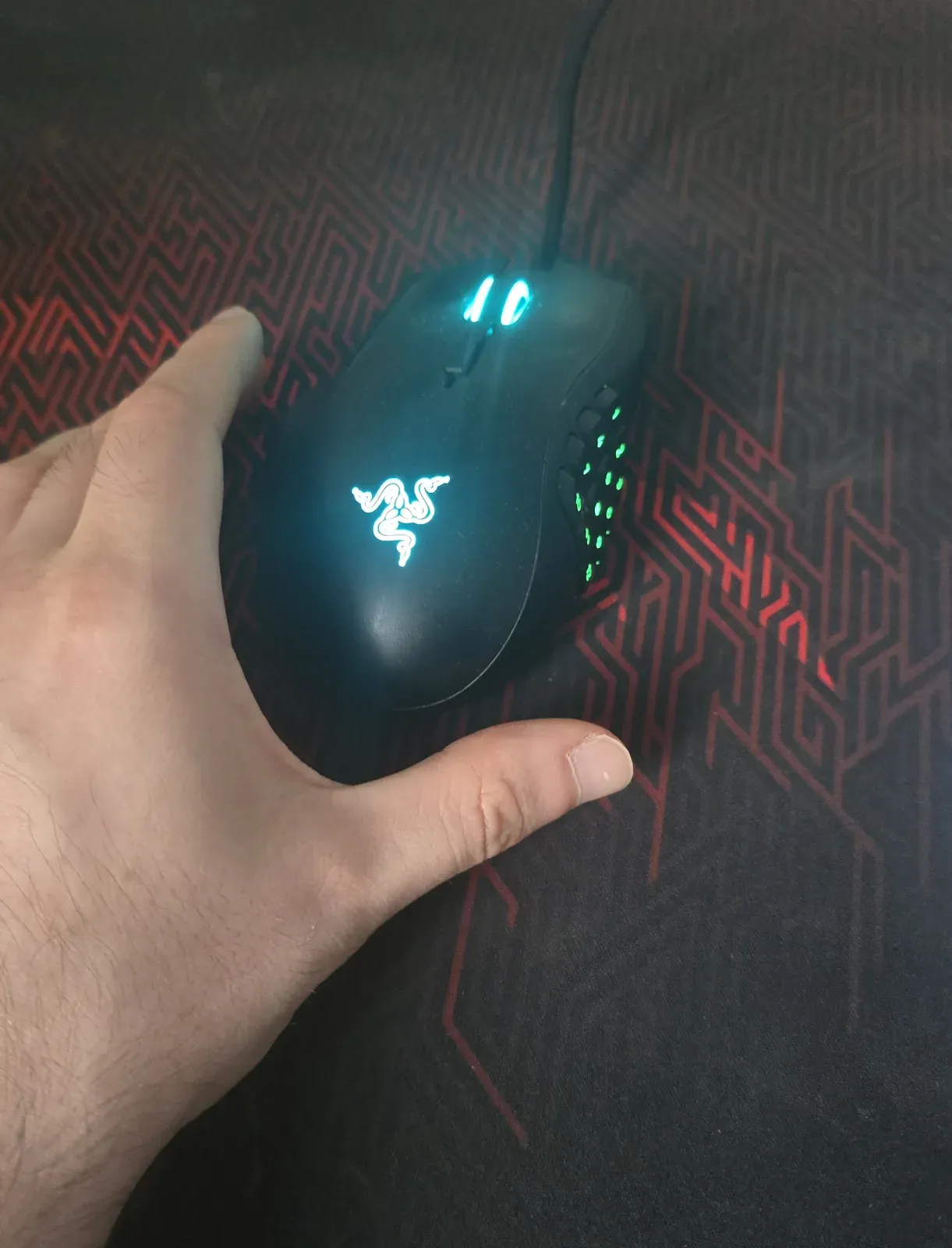
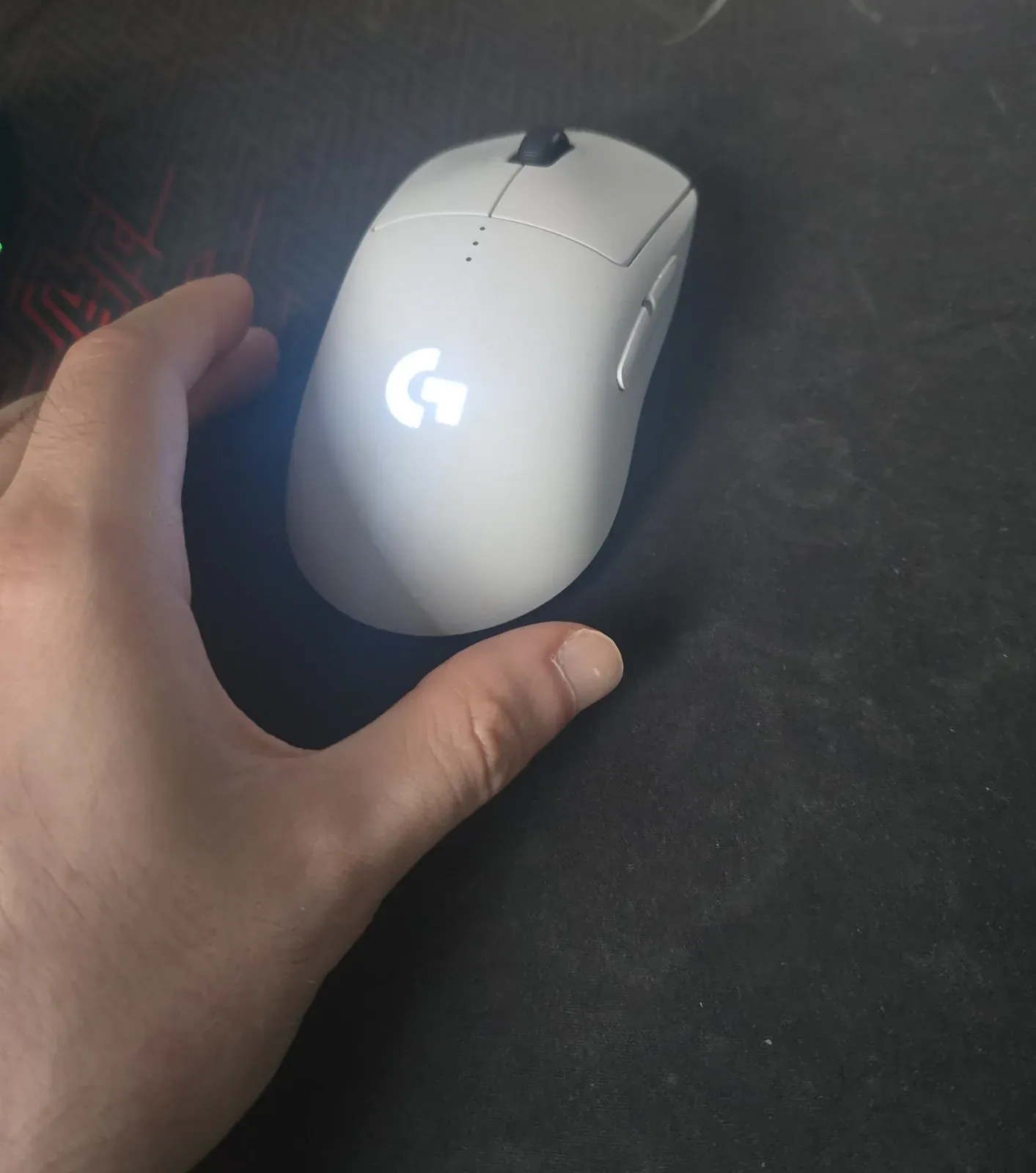
The Naga Left-Handed is a true mirror of the Naga shape, so the curve is built for a left palm. The thing I love is the buttons. The thumb grid alone has 12, and Razer lists 19+1 programmable in total. There’s also a bump on the side that holds up my ring finger and pinky. Because of it I don’t have to curl my hand into a tight arc to hold the mouse, and over a long session that means less muscle fatigue.
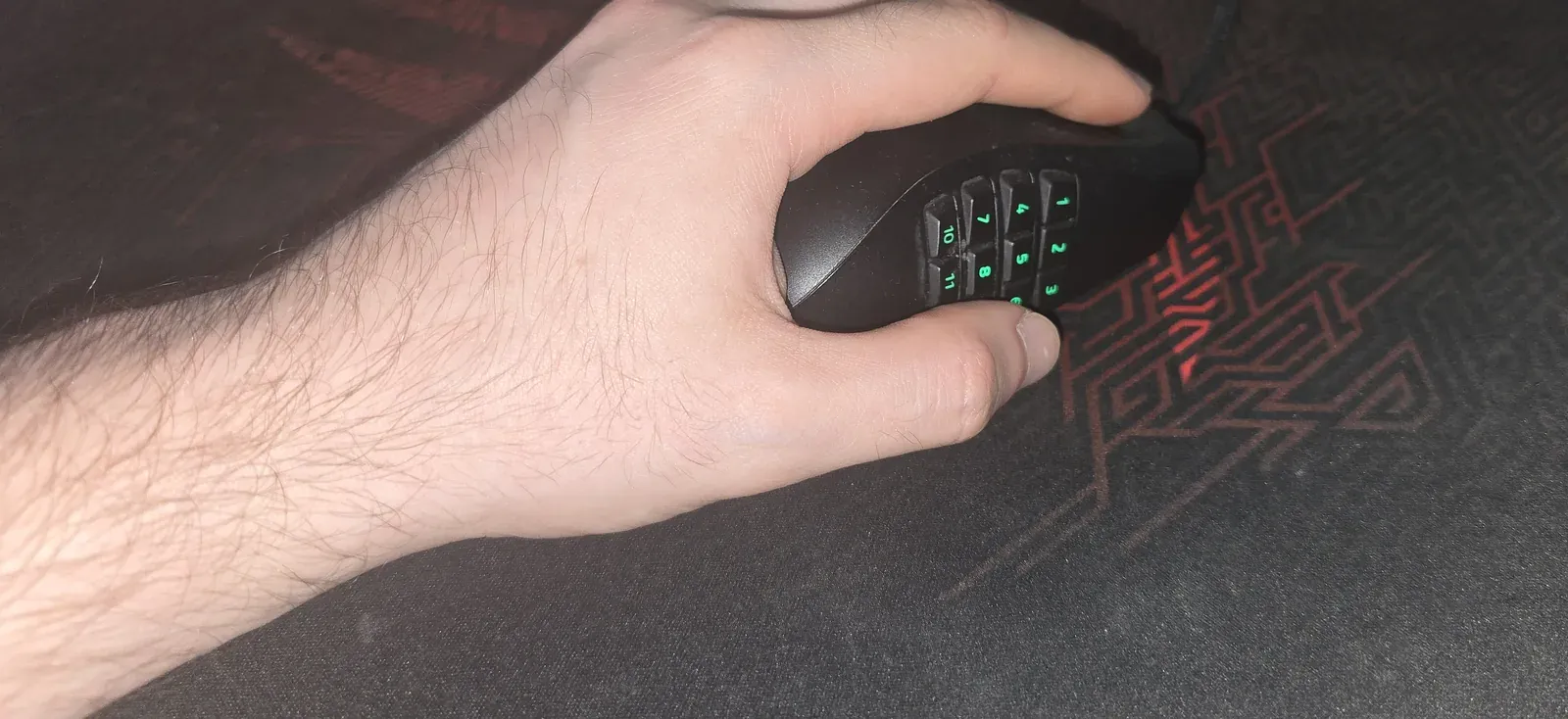
It’s wired only, and at 109 g it’s much heavier than the PRO 2. That’s fine for an MMO, and it’s the reason I don’t aim with it in shooters.
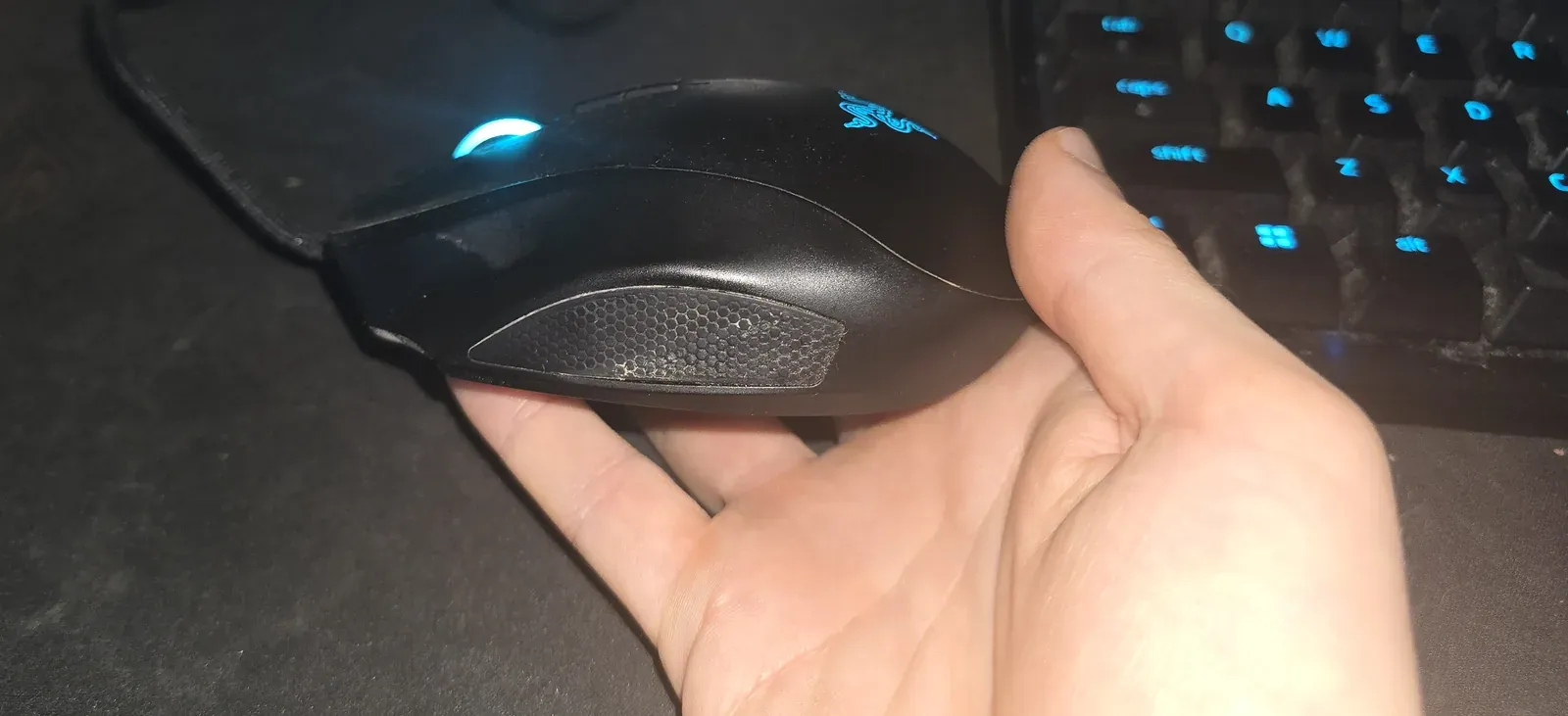
The downside: same story as the PRO 2. The shell is mostly smooth, with no rough anti-sweat texture. The Naga does have a textured honeycomb grip patch, but only in one place: the left side, under the ring finger and pinky. Grip tape on the thumb side is the common fix if your hand slips.
Mapping WoW abilities to the 12-button grid
My setup isn’t what you might expect. The 12-button grid holds my buffs and consumables, the things I need on hand but don’t press in a panic. The things I spam, trinket and interrupt, go on the scroll wheel (tilt and click). That lets me hit them fast and repeatedly without writing a single macro.
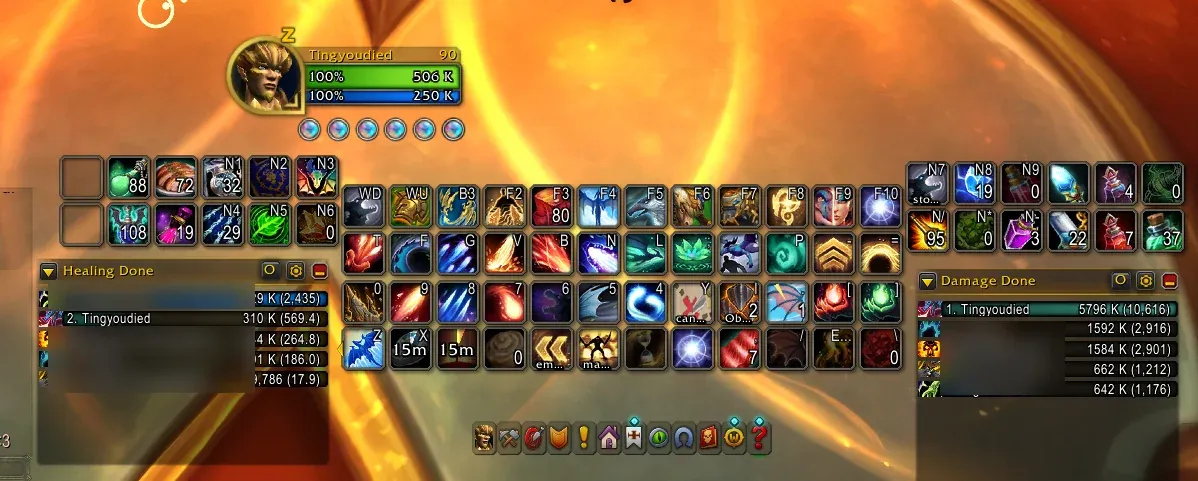
To build your own:
- In Razer Synapse, bind each grid button to a key your keyboard hand never uses.
- Put those binds on one action bar and fill it with buffs, consumables and other out-of-rotation buttons.
- Map the wheel (tilt left, tilt right, click) to the two or three abilities you mash under pressure.
- Play a few skirmishes before you rearrange anything. Muscle memory needs a week, not a game.
Other left-handed and ambidextrous mice worth knowing
These I haven’t tested. The specs come from each maker’s page.
- Corsair M75 WIRELESS. Symmetrical, 89 g, Marksman 26K sensor, SLIPSTREAM 2.4 GHz plus Bluetooth. It has side buttons on both edges with magnetic swappable caps, and a left-handed mode in iCUE that turns off the left-side buttons. It’s a direct rival to the PRO 2. The wired M75 is 74 g with 8,000 Hz polling.
- Razer DeathAdder Left-Hand Edition. A true mirrored DeathAdder, but an old one: 3,500 DPI sensor, 148 g, wired. It’s the shape palm-grip lefties ask for, but the internals are dated, and the current DeathAdder V3 is right-handed only. Buy it for the shape, not the specs.
Before you buy
- Look at the right edge of the mouse in the listing. That’s where your left thumb goes. If the buttons are only on the left edge, it’s a right-handed layout on a symmetrical shell.
- If you palm-grip and play long MMO sessions, a mirrored shape like the Naga is worth it. If you claw or fingertip-grip for aiming, a light symmetrical mouse like the PRO 2 is usually the better fit.
- Buy from a shop with returns. A week in your main game tells you more than any spec table.
This article has affiliate links. If you buy through them I may earn a commission at no extra cost to you. As an Amazon Associate I earn from qualifying purchases. See disclosure.
Related: mouse guides, Best gaming mouse (2026), What to look for in a gaming mouse for FPS, What DPI means on a mouse, What wireless mouse latency actually is, aim tools, how to find your sensitivity.
Common questions
What is the best left-handed gaming mouse for FPS games?
For aiming I use the Logitech PRO 2 LIGHTSPEED. It is symmetrical, weighs 80 g, and its magnetic side buttons can be moved to the right edge, under a left thumb.
What is the best left-handed mouse for MMOs like WoW?
The Razer Naga Left-Handed Edition. It is a true mirrored shape with a 12-button thumb grid and 19+1 programmable buttons, which is the only reason I keep a second mouse.
Is the Razer Naga Left-Handed wireless?
No. Razer lists it as wired only, with a Speedflex cable.
Does the Logitech PRO 2 LIGHTSPEED really work left-handed?
Yes. Logitech sells it as ambidextrous, with up to four magnetic side buttons and covers in the box, so you can put working buttons on the right side and blank the left.
Do I need a true left-handed mouse, or is ambidextrous enough?
For FPS, a symmetrical mouse with buttons you can move is enough for most hands. A mirrored shape matters more for palm grip and long MMO sessions.
Keep reading
Hardware
Best gaming mouse (2026): the buyer's guide I actually use
A 2026 gaming-mouse guide with quick picks, a spec table, and a left-handed section. I main the Logitech PRO 2 LIGHTSPEED at 1200 DPI.
October 20, 2026 · 8 min read
Hardware
What to look for in a gaming mouse for FPS
What actually matters in an FPS mouse, from someone who plays Zarya at Master on a PRO 2 LIGHTSPEED.
October 20, 2026 · 10 min read
Hardware
What gaming mouse skates are
Mouse feeling scratchy? When to replace your skates, PTFE vs glass, and how to fit them.
October 20, 2026 · 9 min read
Hardware
What a mouse for large hands has to be
A mouse for large hands has room for the palm, or it is shorter on purpose if only the fingers hold it. Official millimetres decide the shell.
October 20, 2026 · 10 min read