
Hardware
Based on the makers’ specs and my own testing where I say so.
What mouse grip tape is for
Does mouse grip tape help? When to add it, which surfaces suit which grip, and how to apply it cleanly so it stays put.
Updated 11 min readYuval Eizik
- pc
- mouse
This article has affiliate links. If you buy through them, I may earn a small commission at no cost to you. Prices move fast, so check the store for today's price before you buy.
Read the disclosure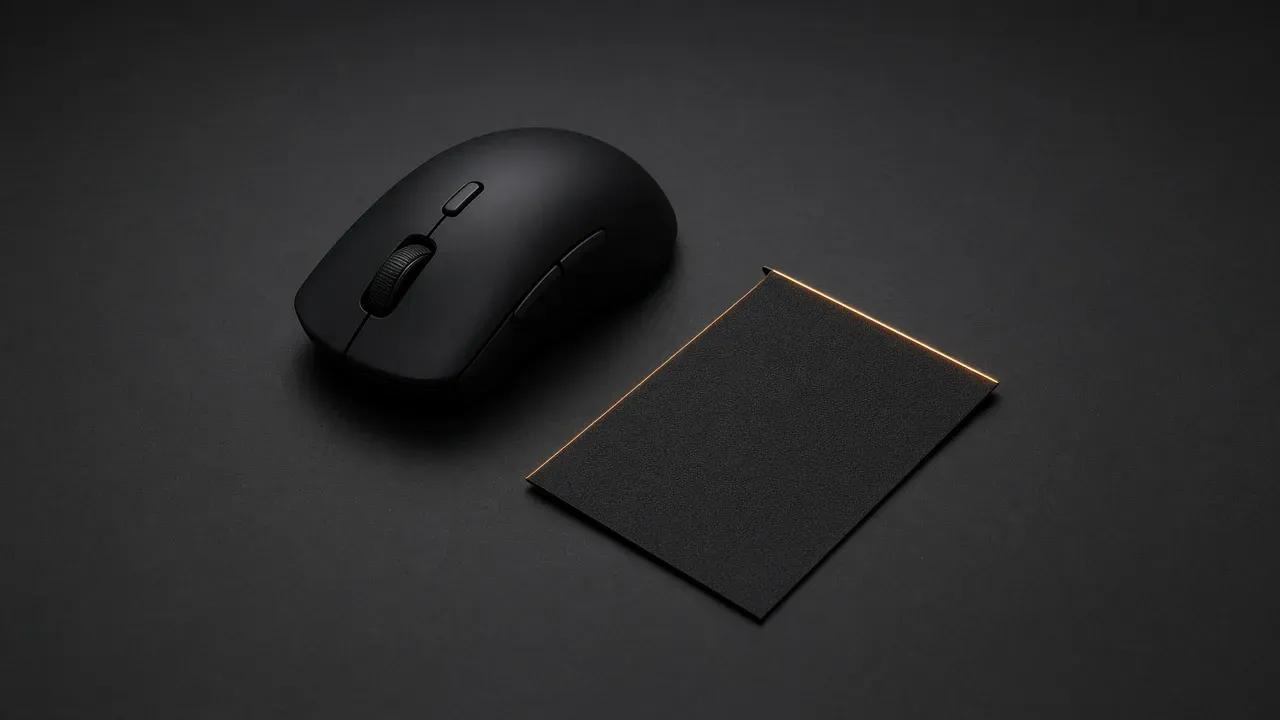
On this page
As an Amazon Associate I earn from qualifying purchases. I earn a small commission from Amazon links, at no cost to you. See disclosure.
Mouse slipping out of a sweaty hand? Mouse grip tape is a thin sticker on the shell, so the hand slips less when the coating is slick or the palm is wet. The buying order still starts with the shape. Tape is the week after the hand has agreed to stay on that shell.
I am left-handed. I aim Overwatch on a Logitech PRO 2 LIGHTSPEED at 1200 DPI. WoW is a Razer Naga Left-Handed Edition. There’s no pre-cut kit for the PRO 2 or Naga, so use universal tape. Below is what those official kits actually are. More mouse guides.
What is slipping?
Tape the side you squeeze. Leave the clicks and the wheel bare until that piece has had a week on the sensitivity you already use.
Official grip tape kits
- Model-cut Razer polyurethane, Viper family: Razer Mouse Grip Tape. Official: 0.5 mm thin, self-adhesive, anti-slip polyurethane. Support models printed on that SKU: Viper V2 Pro, Viper Ultimate, Viper 8KHz. The US hub lists those Viper shells among the five pre-cut sets. Razer Mouse Grip Tape guides. Amazon search for RC30-02550200
- Model-cut Razer polyurethane, DeathAdder V2 Mini: Razer Mouse Grip Tape, SKU RC30-03340200-R3M1. Official: 0.5 mm, self-adhesive, anti-slip polyurethane. Support model printed on that SKU: DeathAdder V2 Mini. Razer DeathAdder V2 Mini set. The US accessories shop lists the same named set. Amazon search for DeathAdder V2 Mini grip tape
- Universal Razer pieces when the mouse missed the list: Razer Universal Grip Tape. Official: anti-slip polyurethane, 3M adhesive, 0.5 mm, four pre-cut shapes. Razer’s US FAQ sends any Razer mouse that is not on the model list, including a Naga, here. Razer Mouse Grip Tape guides. Razer support 3666. Amazon search for RC21-01670100
- Glorious V1-only pre-cut: Glorious Mouse Grip Tape. Official shop: $9.99, 0.5 mm, 3M adhesive, grease- and water-resistant, shapes for wired and wireless V1 mice, not compatible with any V2. Apply-guide SKUs include GLO-ACC-GRP-O (Model O), GLO-ACC-GRP-D (Model D), GLO-ACC-GRP-OM (Model O Minus), GLO-ACC-GRP-DM (Model D Minus). A full set adds 4 g. Glorious product. Apply guide. Amazon search for GLO-ACC-GRP-O
The short version: tape is a texture on a shell you already keep. Buy the SKU that names your mouse.
| Kit | Official SKU | Thickness | What it fits |
|---|---|---|---|
| Razer Mouse Grip Tape, Viper set | RC30-02550200-R3M1 | 0.5 mm | Viper V2 Pro, Viper Ultimate, Viper 8KHz |
| Razer Mouse Grip Tape, DeathAdder V2 Mini | RC30-03340200-R3M1 | 0.5 mm | DeathAdder V2 Mini only on that SKU |
| Razer Universal Grip Tape | RC21-01670100-R3M1 | 0.5 mm | Any peripheral the FAQ sends here, including a mouse with no model set |
| Glorious Mouse Grip Tape | GLO-ACC-GRP-O / D / OM / DM | 0.5 mm, +4 g full set | Glorious V1 mice only. Not V2 |
| PRO 2 LIGHTSPEED / Naga Left-Handed | No pre-cut kit; use universal tape | — | I own these two. |
What the sticker is
Razer describes its tape as polyurethane, the sort of material used on a racket handle, with a grippy surface that takes up sweat. The US product page says that hold is meant to work whether you use a palm, claw, or fingertip grip. Razer support article 3666 calls the pieces pre-cut, self-adhesive tapes that help you gain a better grip, especially if you have sweaty hands. Glorious’s apply guide says the same job in different words: keep movements precise when the palms are sweaty in a match.
Both are selling a texture. Half a millimetre is the number both makers print. Glorious lists the weight of a full set: 4 grams. That is a few paper clips on a mouse you already chose. It is not a size.
A dry hand on a very smooth shell can have the same slide. A coating that was fine in the first week and went slick later is the other ordinary case. Some shells ship with rubber sides that polish smooth or turn sticky. A pre-cut set made for that model is a way to cover the worn rubber. It is still a sticker on the same hump. If you hated the shape before the rubber died, new tape will not move it.
Holes in a light shell are a feel choice, not a repair. Covering them with tape does not fix a sensor, and it does not replace a closed shell if the holes themselves bother you. Tape over the holes is for the hand, if the hand wants a continuous surface. Leave the lens under the mouse bare either way.
When the sticker is the wrong tool
A small hand that has to stretch for the click is on a long mouse. A large palm sitting on the desk is on a short one. Half a millimetre of tape will not close either gap. A few grams and a fraction of a millimetre are a texture. They are not a length.
A pinch because the shell is wide is the same kind of miss. The thumb and the ring finger are working to hold the sides apart. Tape can make that squeeze less slippery. It can also make you squeeze a wide mouse harder, because the surface bites. If the hand was already cramped, try a narrower shell before you stick anything down.
I aim on a symmetrical 80 g PRO 2 because the magnetic side buttons move under a left thumb. WoW stays on the 109 g Naga because of the 12-button grid. Those are shape decisions. Tape would not have turned a right-handed hump into either of those mice. A left-handed shape is still the first page if the thumb has nowhere to sit.
A very tacky piece on the main buttons locks the finger where it lands. That is what you want if the finger flies off the click. It is a problem if you roll the finger across the button to reset, or if you slide it to find the edge of the switch. Razer’s four-piece sets include left and right button covers. Leave those clicks bare until you know you want them stuck. The widget above is the same split: tape the side you squeeze first.
The wheel, the feet, and the lens under the mouse stay clear. Tape on the feet changes the glide on the pad, which is a different product and a different week. Mouse skates are the feet. A mouse pad is the surface. Tape over the sensor is how a perfectly good camera goes blind.
Pre-cut, universal, or a sheet you cut
Three kinds show up, and they solve three different fitting problems.
A pre-cut set is shaped for one mouse. Razer’s US page says the tape comes in 4 pieces that cover the left and right mouse buttons as well as palm or side grips, and that the shape and selection are specific to each supported model. Their FAQ says you may choose from 5 different sets: all DeathAdder variants, DeathAdder V2 Mini, all Viper variants, Viper Mini, and the named Basilisk list (V3 Pro, Ultimate, V3, V2, X HyperSpeed). A mouse that is not on that list does not get that set. The Naga Left-Handed is not on it. Glorious is just as narrow: the shapes fit wired and wireless V1 mice, and they do not fit V2. Buy the set that names your mouse. A “universal” guess that almost matches will wrinkle at the button gap.
A universal pre-cut is a handful of shapes you place yourself. Razer sells RC21-01670100-R3M1 for a mouse that missed the model list, and says the pieces can also go on a keyboard or another accessory. You choose the spot. The piece will not follow a hump the way a model set does. It will cover the patch you actually touch. That is the official door for a Naga: a universal kit, not a Naga-shaped one.
A sheet you cut is for a shape that has no kit. A cut sheet is not an official Logitech or Razer SKU. Cutting is slower. It is the option when the pre-cut aisle does not have your mouse. Keep the cut off the wheel and off the edge of a button that still has to travel. Keep it off the skates and off the sensor ring.
Logitech’s PRO 2 support sheet lists the mouse, the C-U0008 receiver, PTFE feet, and G HUB. It does not list grip tape. The PRO X SUPERLIGHT 2 setup guide does print optional grip tape in that box, with a surface-preparation cloth. That is a different SKU.
How the makers say to stick it
Glorious, on the apply guide: wipe the shell with a microfiber cloth, match each piece to its area, press it down. Their warranty note is a 1-year limited manufacturer warranty.
Clean the shell, peel one piece, line it up with the diagram, press, and repeat. The US product FAQ says you may make quick adjustments the first time you lay it down. The stick fades if you peel the same piece off and put it back many times. Nudge it once, while it is fresh. After that, treat a lift as a reason for a new piece, not a weekly reposition.
The same Razer article asks where the tape should go, and answers with diagrams per family: Viper / Viper Ultimate, Viper Mini, Basilisk V2 / Ultimate / X HyperSpeed, DeathAdder variants except V2 Mini, and DeathAdder V2 Mini on its own. Use the picture that names your mouse. A DeathAdder V2 Mini piece on a full-size DeathAdder is the wrong SKU. RC30-03340200-R3M1 is the Mini. RC30-02550200-R3M1 is the Viper family on that listing.
A speck of dust under the tape is a bump you will feel on every flick. That is the whole reason to clean first and to let the shell dry. Do not stretch a piece to make it fit a curve it was not cut for. The first nudge is the one Razer still allows. After that, a peel is how the 3M adhesive they name stops being 3M adhesive.
One change, then replace it when it dies
Put the tape on the mouse you already aim with. Leave the DPI and the in-game sensitivity where they are. I sit at 1200 on the PRO 2, in-game 3.5, FOV 103. A new texture and a new speed in the same week hide which one you hate. Play it for a week. If the hand stops sliding and the stops still land, the tape earned its place. If the mouse feels nervous, or the fingers feel glued, peel it and go back to the bare shell before you touch a slider. Match games on /tools after the texture has had that week, not the night you stuck it down.
Every brand’s tape wears. Razer’s own note is narrower and more useful: the piece loses stick if you reuse it. When the edge peels, or the surface has gone smooth, put on a spare from the pack. A pack sold with extra pieces is the practical one, because the first piece is not the last. The Universal set’s 46 pieces are that kind of spare drawer. A four-piece model set is not.
Do not stack a new piece on a dead one. A stack is extra thickness the listing did not print, and the edge will lift. Peel the old tape, clean the glue, let the plastic dry, and press the new set into the same spots. That is the same order you would use for worn skates. The feet and the sides are two different stickers. Change one of them this week.
Enhance pointer precision is still a Windows checkbox. Tape does not clear it. Polling rate is still how often the mouse reports. Tape does not raise it. The PRO 2 stays on LIGHTSPEED at the included 1000 Hz whether the shell is bare or not. Wireless latency is the radio page. Grip tape is just about the hand.
How to choose, and the usual mistakes
Choose the shell first. If the listing for that shell has a model-cut SKU, buy that SKU. If it does not, the official door on Razer’s page is the Universal set, not a DeathAdder kit stretched over a Naga. If you own a Glorious V1, the Glorious set that names that V1 is the one. A V2 in the same family needs a different answer. I would not tape a mouse I already planned to return.
The two mice on my setup are the examples I can check. The PRO 2 has no official Logitech grip-tape SKU I can cite. The Naga Left-Handed is absent from Razer’s model list. If either shell started to slip, the next sentence is “there is no official cut for this mouse,” not a diary of a third-party pack I did not buy. Logitech’s shelf is still a shape page. Tape is not a reason to keep a Superlight whose side buttons stay on the wrong edge.
Mistakes I keep seeing on listings, not on a wrap I applied:
- Buying tape to fix a stretch or a palm on the desk. Half a millimetre is not a size.
- Sticking the button pieces on because the pack included them, then wondering why the finger cannot roll.
- Using a Viper set on a Basilisk, or a V1 Glorious set on a V2. The SKU is the check.
- Covering the wheel, the feet, or the sensor because leftover pieces looked useful.
- Changing DPI the same night, then blaming the tape.
- Peeling and resticking the same piece every session. Razer already told you the stick dies.
Cover the spot that slides. Leave the sensitivity alone for a week. Buy the SKU that names the mouse, or the Universal set when the maker says that is the fallback. Send the mouse back when the shape is the thing you hate.
Decision rule: tape is for a shell you already keep, on the patch that actually slips, in the SKU that names that shell. Back to mouse guides.
Common questions
What is mouse grip tape?
Mouse grip tape is a thin, textured sticker you put on your mouse so your hand slips less. Most brands, like Razer and Glorious, make it about 0.5 mm thick.
Where should I put grip tape on my mouse?
Put it wherever your hand slips, usually the sides you squeeze and sometimes the main buttons. Keep it off the scroll wheel, feet and sensor.
Does grip tape make a mouse bigger or heavier?
Barely. It adds about 0.5 mm of thickness and up to around 4 grams for a full set, so it won't change how the mouse fits your hand.
How do I apply grip tape to a mouse?
Clean and dry the mouse, line up each piece with the diagram, then press from the middle outward and seal the edges. You can adjust a piece once, but repeated peeling weakens the adhesive.
Will grip tape fix a mouse that doesn't fit my hand?
No. Grip tape helps a mouse that fits but slips; if the shape is wrong, a different mouse is the real fix.
Is there grip tape for the Logitech PRO 2 LIGHTSPEED?
Logitech doesn't sell official grip tape for it. Universal grip tape sheets that you cut to size work well instead.
Does Razer make grip tape for the Naga Left-Handed?
No. Razer's model-specific tape covers the DeathAdder, Viper and Basilisk, so use Razer's Universal Grip Tape and cut it to fit the Naga Left-Handed.
Can I reuse mouse grip tape?
Not really. You can reposition it once when you first apply it, but removing and reapplying it several times makes it lose stickiness.
Does grip tape help with sweaty hands?
Yes, that's what it's made for. The textured surface keeps your grip steady even when your palms get sweaty in long matches.
Keep reading
Hardware
Best gaming mouse (2026): the buyer's guide I actually use
A 2026 gaming-mouse guide with quick picks, a spec table, and a left-handed section. I main the Logitech PRO 2 LIGHTSPEED at 1200 DPI.
October 20, 2026 · 8 min read
Hardware
What to look for in a gaming mouse for FPS
What actually matters in an FPS mouse, from someone who plays Zarya at Master on a PRO 2 LIGHTSPEED.
October 20, 2026 · 10 min read
Hardware
What gaming mouse skates are
Mouse feeling scratchy? When to replace your skates, PTFE vs glass, and how to fit them.
October 20, 2026 · 9 min read
Hardware
Best left-handed gaming mouse: the two I actually use
A left-handed player's picks, tested in my own hand. Logitech PRO 2 LIGHTSPEED for aiming, Razer Naga Left-Handed for MMOs, plus honest alternatives.
October 20, 2026 · 7 min read