Hardware
Which Logitech gaming mouse shape to buy
Logitech gaming mice are a few shapes with many names. Match the Pro, the G502, or the G305 to your hand, then ignore the biggest DPI number.
Updated 4 min readYuval Eizik
- pc
- mouse
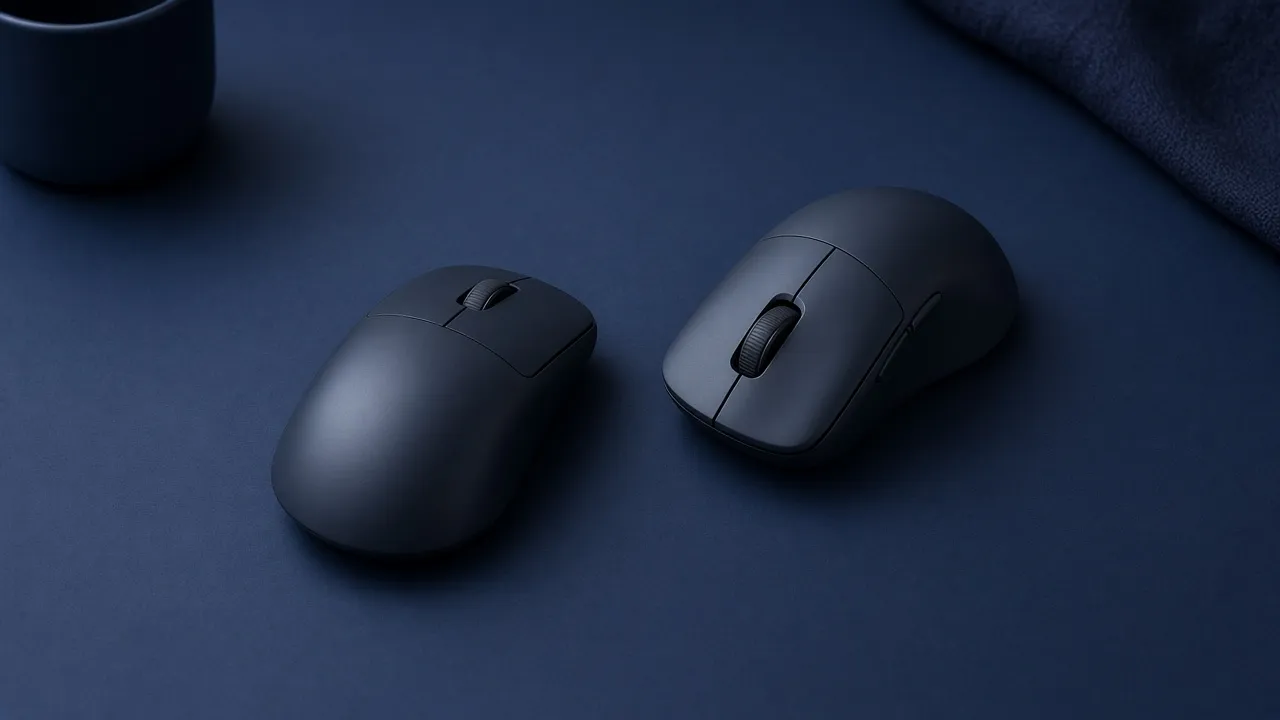
A search for a Logitech gaming mouse turns up a long shop page and a short truth. The company keeps a few shells and renames them. Pro, Superlight, Superstrike, G502, and G305 are not five answers. They are three shapes, plus a click feature and a battery feature you may not need.
The way to choose any mouse still starts with the hand. That order is in how to choose the best gaming mouse. This page only sorts Logitech’s shelf.
Three shapes, then the suffixes
| Shape | What it is | Buy it when |
|---|---|---|
| Pro Superlight | Low, symmetrical, two side buttons | You want a light mouse for a shooter |
| G502 X | Right-handed hump, several thumb buttons | Your thumb actually uses those buttons |
| G305 | Small LIGHTSPEED mouse at the cheap end | The shape can be simple and the price has to stay low |
Logitech describes the Pro X Superlight 2 as a 60 gram mouse. That is the point of the line: little shell, little button count. A “2c” in the name is the smaller of that shape. DEX is the right-handed hump in the same weight class. Look at the side photo before you trust the suffix. A name is not a measurement of your hand.
Superstrike is not a fourth shape. It is a Pro shell whose click can be adjusted. Logitech’s shop listed a Pro X2 Superstrike and a Pro X3 Superstrike above the Superlight models. Pay that only if the adjustable click is the feature you came for. It does not make the sensor more accurate, and it does not fix a shell that is too long for your fingers.
The G502 is the other famous shell. It fills a right palm and gives the thumb a sniper button, extra keys, and a wheel that does more than scroll. Logitech lists the wired G502 X at 89 grams. The Lightspeed version drops the cable. The Plus version adds the lights. The hump does not change. If you hated a G502 in your hand five years ago, a new letter on the box will not move that hump.
The G305, and the newer G305 X beside it on the shop page, is the small wireless mouse for people who do not want a flagship price. Read that exact listing for the battery. Some of these take a replaceable cell and some charge. The shape is the compact one either way.
On Logitech’s own shop in October 2026, a G305 X was listed near $50 and a Pro X3 Superstrike near $200. Those are shelf prices from that week. Check the number on the day you buy. A sale can make a Superlight cheaper than a loaded G502, which does not make it the same mouse.
What the brand does not decide
The side buttons sit for a right thumb. A left hand can hold a symmetrical Pro or G305 and rebind or ignore those buttons. It cannot hold a G502 as if the hump were mirrored. A left-handed shape is a different shelf. Logitech’s gaming page is not that shelf.
LIGHTSPEED is the dongle, and it is the connection for a match. A cable is the right choice when you do not want a battery in the middle of a queue. Bluetooth, on the models that include it, is for a laptop and a desk. Do not play on it and then blame the sensor.
DPI is the same trap as on any other box. The Pro X Superlight 2’s sensor is advertised up to 44,000 DPI. That number is a speed setting, and almost nobody should play on it. Open G HUB, set 800 or 1600, delete the extra steps on the DPI button, and stop. The software does not need to stay open for the mouse to remember that.
The pad under it is still a separate object. A light Logitech mouse on a tiny pad runs out of room and feels slow. The pad has to fit one turn. The logo on the mouse does not change that.
Pick the shell, then the suffix
Logitech sells a few shapes under many names. Pick the shape. The suffix on the box is a feature, not a better mouse.
If two listings share a shape, take the one with the connection you will use and the price you will actually pay. Lights, a smaller shell, and an adjustable click are optional. The hump is not.
When it arrives, use it for an hour in the game you already know. Logitech’s shop takes returns inside a window, and so do most other sellers. A G502 that cramps your hand is not something you adapt to. Send it back and change shape, not brand.
Common questions
What is the best Logitech gaming mouse?
The shape that fits. The Pro Superlight is the low symmetrical mouse for a shooter. The G502 X is the right-handed hump with extra thumb buttons. The G305 is the small cheaper LIGHTSPEED mouse. A newer suffix is a feature on that shape, not a better sensor.
Is the Logitech G502 still a good gaming mouse?
Yes, if you want that right-handed shape and the extra buttons. Logitech lists the wired G502 X at 89 grams, which is heavier than a Superlight because of those buttons. It is the wrong mouse if you wanted the lightest shell, and the wrong mouse for a left hand.
What is the difference between a Superlight and a Superstrike?
Superlight is the light symmetrical shape. Superstrike keeps a Pro shape and adds an adjustable click. Buy the Superstrike only if you want that click. It does not replace the need to like the shell.
Is a Logitech gaming mouse good for a left hand?
The side buttons are placed for a right thumb. A symmetrical Pro or G305 can be held in the left hand if you rebind or ignore those buttons. The G502 hump will not. Logitech does not sell a true left-handed G502.
Do I need Logitech G HUB?
Use it once to set DPI and the buttons, then you can leave it. Start at 800 or 1600 DPI. The 25,000 or 44,000 number on the box is not the setting you should play on.
Wired or LIGHTSPEED?
LIGHTSPEED is Logitech's dongle, and it is the connection to use in a match. A cable is fine if you do not want to charge the mouse. Bluetooth, on models that have it, is the slower option.
Keep reading
Hardware
When a 4K gaming monitor is worth it
A 4K gaming monitor is worth it when the PC already holds its refresh rate and the desk fits about 32 inches. Competitive games usually belong at 1440p.
October 19, 2026 · 5 min read
Hardware
Where a budget gaming PC should spend its money
A budget gaming PC should spend most of its money on a named graphics card for the resolution you play. A glass case and a huge processor do not add frames.
October 19, 2026 · 4 min read
Hardware
What the best gaming keyboard actually is
The best gaming keyboard is the layout your desk can hold and the switch your fingers accept. A 2026 chart names whatever is in stock. Extra money buys one feature you can point to.
October 19, 2026 · 4 min read