
Hardware
Based on the makers’ specs and my own testing where I say so.
What a mouse sensor is
A mouse sensor is a camera that watches the pad and counts how far you moved. The DPI on the box is a setting for that camera, not a grade.
Updated 10 min readYuval Eizik
- pc
- mouse
This article has affiliate links. If you buy through them, I may earn a small commission at no cost to you. Prices move fast, so check the store for today's price before you buy.
Read the disclosure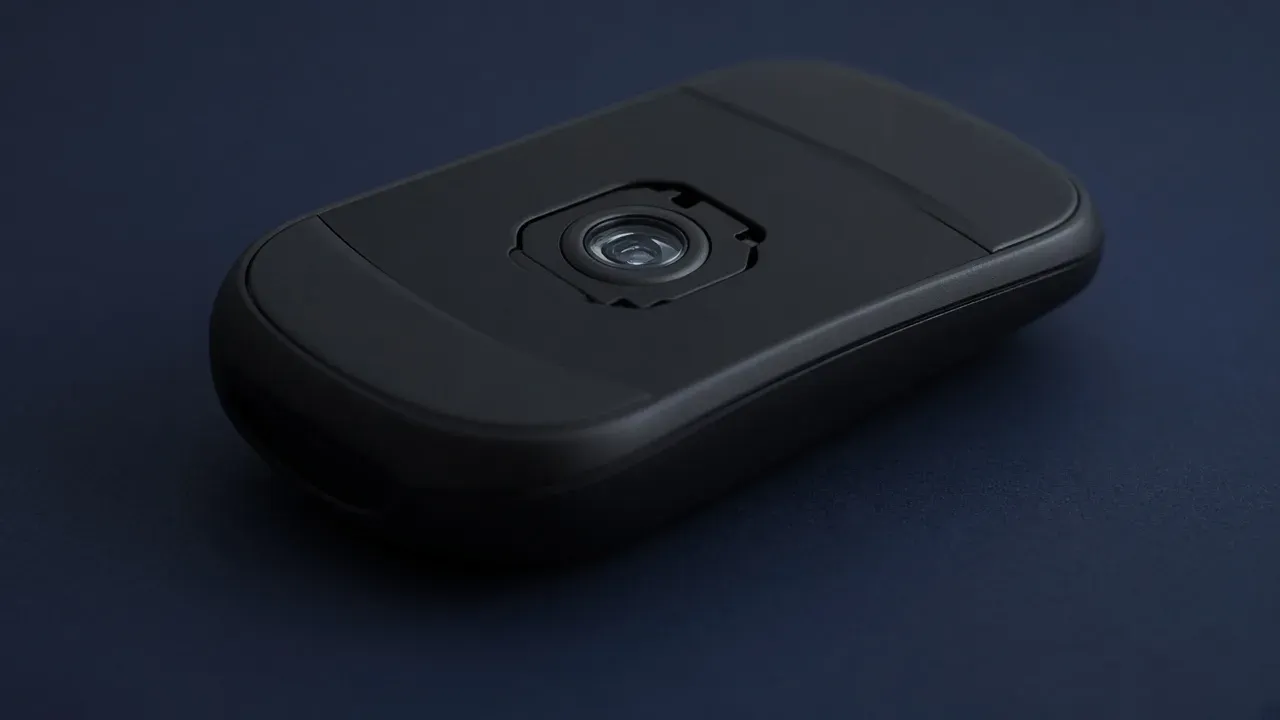
On this page
As an Amazon Associate I earn from qualifying purchases. I earn a small commission from Amazon links, at no cost to you. See disclosure.
A mouse sensor is a camera under the shell, aimed at the desk, with a small light beside the lens. It takes picture after picture of the surface. When the pictures shift, the mouse has moved. The sensor turns that shift into counts and hands them to the computer. A cursor that travels an inch did not travel because the sensor is “good.” It traveled because the camera counted about that far, and then Windows or the game multiplied the count.
I aim with the Logitech PRO 2 LIGHTSPEED at 1200 DPI , which uses the HERO 2 sensor. I play Overwatch as Zarya, left-handed, at in-game sens 3.5. My WoW mouse, a Razer Naga Left-Handed Edition (RZ01-0341), uses Focus+ with a listed 20,000 DPI ceiling, but I still sit at 1200 on both. For full picks, see the best gaming mice. More mouse guides.
Sensors worth a look
- The sensor I aim with: HERO 2 in the PRO 2 LIGHTSPEED. Logitech’s HERO 2 page lists 44,000 DPI, 888 IPS, 88 G, and wireless 8 kHz polling as a family figure. The PRO 2 support sheet still prints 100–32,000 DPI, >40 G, >500 IPS, sensor type optical, visible light no, and zero smoothing / acceleration / filtering. 80 g. LIGHTSPEED. I leave it at 1200 DPI and the included 1000 Hz receiver. PRO 2 on Amazon · Logitech G shop
- The sensor I play WoW with: Razer Focus+ in the Naga Left-Handed Edition, RZ01-0341. Official: 20,000 DPI, wired Speedflex, 109 g, 12-button thumb grid. From $99.99 at Razer. I do not shop this mouse for the sensor name. I shop it for the grid. Amazon search for RZ01-0341
- A Focus Pro Worth a look: Razer Focus Pro 50K Optical Sensor Gen-3, the part Razer puts in the Viper V4 Pro. Razer’s Focus Pro page: 50,000 DPI, 930 IPS, 90 G, 99.8% resolution accuracy, 1 DPI steps, Frame Sync, Smart Tracking, 26-step asymmetric cut-off, and tracking on clear glass at least 4 mm thick. Amazon search for Viper V4 Pro
The short version: the camera counts the pad. A bigger ceiling is not a better camera. Set a modest DPI and judge whether the cursor goes where the hand went.
Is the sensor the problem
Rule out the easy causes before you shop for a sensor name. A fast cursor is a setting. A flick that breaks on glass or on a bare desk is the surface, and the pad is the usual fix. A jump that remains on a cloth pad, at the DPI you actually play, is the camera losing the picture. That is a return. So is a cursor that creeps while the mouse is sitting still, after the lens is clean.
On a gaming mouse sold today, two current optical sensors are close enough at 800, 1200, or 1600 DPI that the shell is the difference you feel.
| Line | What it counts | What it is not | Named official figure |
|---|---|---|---|
| Max DPI | The highest speed setting the camera will offer | A quality score | HERO 2: 44,000. Focus Pro 50K Gen-3: 50,000. I use 1200 |
| IPS | How fast a swipe can move, in inches per second, before the picture breaks | Your in-game sensitivity | HERO 2: 888. Focus Pro 50K Gen-3: 930 |
| Acceleration, in G | How sharply that speed can change before the count is lost | The Windows pointer setting | HERO 2: 88 G. Focus Pro 50K Gen-3: 90 G |
| Polling | How often the mouse delivers the counts | A sharper picture of the pad | PRO 2: 1000 Hz included |
What the camera is doing
Each picture is a small patch of the pad. The sensor compares the new patch with the one before it and decides which way the weave moved, and by how much. DPI is how finely that distance is counted. At 800 DPI, one inch of pad is about 800 counts. At 1200 DPI, the same inch is about 1200 counts. At 1600 DPI, it is about 1600. The camera did not get sharper because you picked the higher step. It sliced the same trip into smaller pieces, so the cursor goes farther unless you lower the in-game sensitivity to match.
Some spec sheets say CPI, counts per inch, instead of DPI, dots per inch. Dots per inch is printer language. A mouse does not place dots. It counts. The number is the same one. Use whichever word the software shows.
Polling rate is the other knob people mix in. The sensor produces the counts. Polling is how often the mouse delivers them. 1000 times a second is the ordinary rate, and that is what I leave on. Raising it does not give the camera a better view of the pad. If a flick spins out, you did not fix it by going from 1000 Hz to 8000 Hz. The PRO 2 needs a separate receiver for 8 kHz.
The light is part of the sensor. An optical sensor, which is what a current gaming mouse uses, lights the pad with an LED and photographs the result. Logitech’s PRO 2 sheet says optical, visible light no, which is the infrared LED version of that camera. A laser sensor is an older design that lights the surface differently. It is not the premium version of the same part.
The lens has to see texture. Dust on the lens, a shiny spot worn into the pad, or a desk with no grain can all look like a bad sensor. Wipe the lens. Move to a fresh part of the cloth. Repeat the same motion. If the cursor behaves there, the camera was fine and the surface was not.
Optical or laser
Logitech’s gaming mouse guide is the maker page that still prints both words. Gaming mice use optical or laser sensors. Optical mice use LEDs and image sensors. Competitive players, Logitech says, prefer optical because it is more accurate. The downside they print is that optical cannot be used on many transparent, glossy, and less reflective surfaces. Laser, on that same page, is more versatile — you can use it on just about any surface — and more susceptible to jitters and acceleration, which makes it slightly less accurate.
That is Logitech’s comparison, not a lab I ran. Ignore a listing that treats “laser” as a rank. A current gaming mouse is optical unless the page says otherwise. HERO 2 and Focus Pro are both printed as optical.
What the numbers on the sheet mean
A spec sheet prints three lines next to the sensor, and none of them is a grade you can sort mice by.
Max DPI is the headline. A figure past 10,000 is a step you should not play on. Current gaming sensors track a cloth pad at 800, 1200, and 1600. You learn nothing about the camera by selecting the biggest step, except that the cursor becomes hard to stop. I leave the PRO 2 at 1200 and match games with the sensitivity converter. Razer’s Focus Pro page even uses 800 DPI as the FPS example, then offers a software curve that can jump to 1200 on a fast swipe. That curve is Dynamic Sensitivity. It is not a better camera. It is closer to mouse acceleration than to a tracking spec.
IPS is a speed limit for the hand, not a setting you change. A very fast flick can outrun the pictures, and the cursor jumps. You do not need a chart of IPS numbers to see it. One flick you actually use in a match, on a cloth pad, at a DPI you know, is the test. If that flick is clean, a higher IPS on another box is a label. HERO 2’s 888 and Focus Pro 50K’s 930 are both far above a swipe I make at 1200 DPI.
The acceleration line is also a limit, in G, on how quickly the swipe can speed up or stop. It is not mouse acceleration in Windows. Windows can speed the pointer up as your hand moves faster. That is a software multiplier on the counts. The G number is the camera losing the count when the motion changes too hard. Leave the Windows switch for its own check. Do not turn it off, or on, in the same session you are judging the sensor, or you will not know which one you felt.
A sensor model name on the listing is the same kind of label. Makers revise the part, and roundups declare a new winner. At the DPI you play, the practical question is whether the cursor goes where the hand went. A name you cannot feel is not a feature.
Lift-off, sync, snapping, and smoothing
Those four words sit next to the camera on competitor pages. The official versions are short.
How high you can lift the mouse before the camera stops counting is a separate setting. It matters when you reset your hand and the cursor still moves in the air. It is not the reason a flick breaks while the mouse is flat on the pad. Logitech’s HERO 2 page says G HUB can set lift-off tolerance and independent X/Y DPI. Razer’s Focus Pro page calls the height control Asymmetric Cut-off, with 26 steps, and Smart Tracking to keep lift-off consistent across surfaces. Corsair’s sensor note, last updated 6 January 2026, prefers a low lift-off for FPS resets and prints a typical 1–2 mm range.
Motion Sync, on that same Corsair page, lines the sensor’s reports up with the PC’s polling schedule. It does not raise raw speed. It is a timing feature. Razer prints Frame Sync on Focus Pro 50K Gen-3 — every sensor frame aligned with scanning and USB polling — and Motion Sync on the older Focus Pro 30K / 35K / 45K rows, not on the 50K Gen-3 row. Those are Razer’s names.
Angle snapping, which Corsair also calls angle correction or straighten correction, averages your direction toward a cleaner straight line. Corsair says most esports and FPS players turn it off because they want raw input. The PRO 2 support sheet prints zero smoothing / acceleration / filtering. That is the official line I will stay on.
Ripple control, on Corsair’s page, is a filter that reduces jitter at very high DPI. The trade they print is that smoothing can delay or soften input. High-DPI jitter is one more reason not to play on the box ceiling. I play at 1200.
Glass, cloth, and a dirty lens
The camera reads texture. Logitech’s guide already said optical struggles on transparent, glossy, and less reflective surfaces. Razer’s Focus Pro page claims the opposite exception: it tracks on clear glass at least 4 mm thick. That is a maker claim for that sensor family. It is not a reason to skip a pad on a HERO 2, and it is not a test I ran on a desk.
A cloth pad is the usual surface. If the cursor wanders on a glass table, put cloth under the mouse before you shop for a sensor that prints “glass.” If the cursor wanders on cloth, wipe the lens and try a fresh patch of weave. A worn shiny spot can look like a broken camera.
When a new sensor is the fix
Replace the mouse for the sensor in two cases. A flick you use in a real match throws the cursor on a clean cloth pad at the DPI you actually play. Or the cursor creeps while the mouse sits still, the lens is clean, and a different spot on the pad does the same thing. Send it back. The next one is a shape you can stay on, not a hunt for a larger number beside the word sensor.
Do not replace it because the box DPI is lower than another box, because a review named a newer part, or because the cursor feels quick. Lower the in-game sensitivity, or lower DPI, and play the same scene. Do not replace it because glass or a bare desk confused the camera. Put a cloth pad under it. Do not replace it because another listing prints Motion Sync, Frame Sync, or a higher IPS. Those are labels until a flick you already make fails.
On the listing, confirm a normal gaming sensor only in this sense: the mouse is sold for games, the DPI steps include something near 800, 1200, or 1600, and the connection you will use is a dongle or a cable. Then judge the shell. If the hand fights the shape, the camera never gets a vote.
I kept the PRO 2 because it is symmetrical and the side buttons move under a left thumb, not because HERO 2 prints 44,000. I kept the Naga because the 12-grid holds buffs and consumables, not because Focus+ prints 20,000. The left-handed mouse page is that split. A right-handed player should still buy the shape first.
The camera that counts a clean swipe on cloth, at the DPI you will leave on, is finished. A bigger integer on the next box is not a reason to start over. More mouse guides.
Common questions
What is a mouse sensor?
It's a tiny camera with its own light under your mouse. It takes thousands of pictures of the surface every second and compares them to work out how far and fast you moved.
Is higher DPI better on a gaming mouse?
No. Max DPI like 44,000 or 50,000 is just a ceiling, and almost nobody plays that high. Most players use 400 to 1600 DPI. I use 1200 on my Logitech PRO 2 LIGHTSPEED.
What does IPS mean on a mouse sensor?
Inches per second, the fastest you can move the mouse before the sensor loses tracking. Modern sensors handle 650 to 930 IPS, far faster than anyone actually swipes, so it's rarely a reason to choose one mouse over another.
What does the G rating on a mouse sensor mean?
It's the acceleration the sensor can handle, meaning how quickly you can change speed before it loses tracking. Top sensors like HERO 2 (88 G) and Focus Pro 50K (90 G) are far beyond what human hands can do.
Are gaming mice optical or laser?
Optical. Almost every modern gaming mouse uses an optical sensor because it's more accurate. Laser sensors work on more surfaces but are more prone to jitter.
When should I return a mouse because of the sensor?
If the cursor jumps during normal flicks on a clean cloth pad, or drifts while the mouse sits still after you've cleaned the lens. Those are real sensor problems. A cursor that just feels too fast is a sensitivity issue.
Is CPI the same as DPI?
Yes. CPI (counts per inch) and DPI (dots per inch) mean the same thing for mice. Use whichever term your mouse software shows.
Do mouse sensors work on glass?
Some do. Razer's Focus Pro sensors can track on glass at least 4 mm thick, but many optical sensors struggle on transparent or glossy surfaces. A cloth mouse pad is the easy fix.
What is motion sync on a gaming mouse?
It's a feature that aligns the sensor's reports with your PC's polling schedule for more consistent tracking. It can add a tiny bit of delay, so many players test it on and off. It's not a reason to replace a mouse that already works well.
Keep reading
Hardware
Best gaming mouse (2026): the buyer's guide I actually use
A 2026 gaming-mouse guide with quick picks, a spec table, and a left-handed section. I main the Logitech PRO 2 LIGHTSPEED at 1200 DPI.
October 20, 2026 · 8 min read
Hardware
What to look for in a gaming mouse for FPS
What actually matters in an FPS mouse, from someone who plays Zarya at Master on a PRO 2 LIGHTSPEED.
October 20, 2026 · 10 min read
Hardware
What gaming mouse skates are
Mouse feeling scratchy? When to replace your skates, PTFE vs glass, and how to fit them.
October 20, 2026 · 9 min read
Hardware
Best left-handed gaming mouse: the two I actually use
A left-handed player's picks, tested in my own hand. Logitech PRO 2 LIGHTSPEED for aiming, Razer Naga Left-Handed for MMOs, plus honest alternatives.
October 20, 2026 · 7 min read