
Hardware
Based on the makers’ specs and my own testing where I say so.
What gaming PC cooling has to move
Gaming PC cooling is the path heat takes off the chip, off the card, and out of the case. A hot chip that slows down is a slower computer.
Updated 11 min readYuval Eizik
- pc
- cooling
This article has affiliate links. If you buy through them, I may earn a small commission at no cost to you. Prices move fast, so check the store for today's price before you buy.
Read the disclosure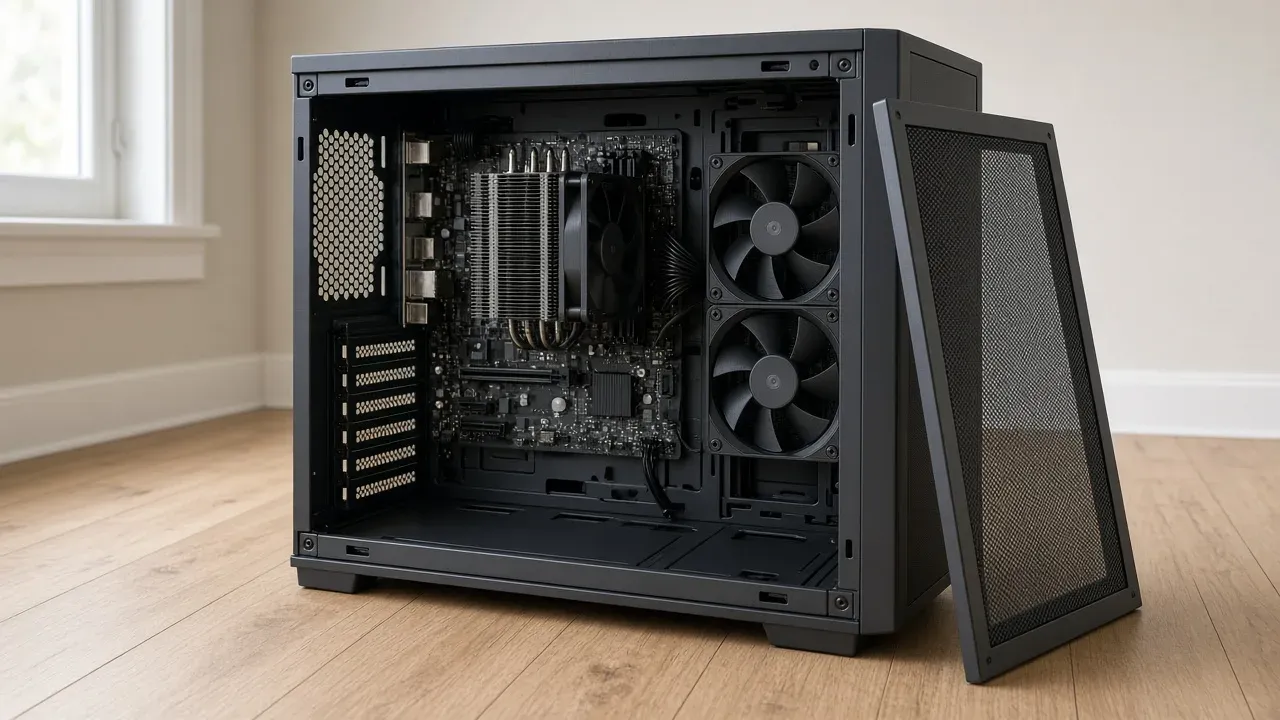
On this page
As an Amazon Associate I earn from qualifying purchases. I earn a small commission from Amazon links, at no cost to you. See disclosure.
A gaming PC makes heat because the card and the chip are doing the work. If the chip gets hot enough, it slows itself down, and a slower chip is a slower computer. Cooling is the path that heat takes off those parts and out of the case. The card still draws the frames. The cooling only has to be enough that the card can keep drawing them.
I play on a desktop RTX 5080 next to an AMD Ryzen 9 9950X3D2. NVIDIA’s RTX 5080 page prints 360 W total graphics power, 88°C maximum GPU temperature, 304 mm Founders length, and 850 W recommended system power. AMD’s 9950X3D2 Dual Edition page prints 200 W default TDP, 95°C Tjmax, no cooler in the box, and a liquid cooler for optimal performance. Both run hot, so airflow matters more than looks. More PC build guides.
Where the heat is stuck
What looks wrong?
Air has to reach the chip and the card, and the warm air has to leave. A blocked front or a cable in that path is the first thing to clear.
The three stops are the path, the chip, and the dust. Start with the one that matches what you can see. A new cooler does not clear a front panel that cannot breathe.
The short version: keep the cooler you have if the panel closes and the clocks hold. Finish the path before you shop.
Parts worth a look
- Mesh mid-tower: NZXT H5 Flow. Official US shop $94.99. GPU 410 mm, cooler 170 mm, front 360 mm radiator, two 120 mm fans, mesh in front of the intakes. NZXT H5 Flow. Amazon search for H5 Flow
- Dual-tower air, AM5: Noctua NH-D15 G2. Official: 168 mm tall with fans, two NF-A14x25r G2 PWM fans, 6-year warranty. Noctua does not print a TDP rating. Noctua NH-D15 G2. Amazon search for NH-D15 G2
- 360 mm AIO: ARCTIC Liquid Freezer III Pro 360. Official: radiator 398 × 120 × 38 mm, 450 mm tubes, AM5, 63 mm block clearance, 6-year warranty. ARCTIC Liquid Freezer III Pro 360. Amazon search for Liquid Freezer III Pro 360
: Lian Li Lancool 216 (GPU 392 mm, cooler 180.5 mm) and Fractal Pop Air (GPU 405 mm, cooler 170 mm). Lancool 216. Pop Air. Partner 5080s are often longer than 304 mm. Case airflow is the clearance table.
| Stop | What has to happen | Example |
|---|---|---|
| Chip | A cooler the maker says is enough, seated flat, paste as the bridge | 9950X3D2: 200 W, no cooler in the box, liquid recommended |
| Card | Leave the cooler it shipped with. Give it case air | RTX 5080 FE: 360 W, 88°C max, 304 mm |
| Case path | Cool air in the front or floor, warm air out the back or top | H5 Flow: mesh front, 410 mm GPU, 170 mm cooler |
| Air tower | Height the panel can close over, plus memory clearance | NH-D15 G2: 168 mm with fans |
| Sealed AIO | A radiator mount the case lists, tubes not kinked, pump below the air pocket | Liquid Freezer III Pro 360: 38 mm radiator, 450 mm tubes |
The four moves the heat has to make
[ Demanding work makes heat. Too much heat slows the machine.
The heat leaves the surface of the chip or the card. The cooler base takes it to the fins or the radiator. The air takes it off those fins. The case carries that air outside. Lights do not do any of those moves.
Intel’s air-versus-liquid page names the first hand-off. Heat reaches the metal lid of the chip, the integrated heat spreader. Paste carries it into the cooler’s base. An air cooler sends it up heatpipes into fins, and a fan blows it off. A liquid cooler sends it through coolant and tubes to a radiator. The page quotes Mark Gallina, a thermal architect at Intel: if an efficient path does not exist the CPU exceeds its safe temperature.
From the outside of the case the path is . Cool air comes in the front, the side, or the bottom. It passes the hot parts. It leaves warmer, out the back or the top. Noctua’s setup guide calls front-to-back the default. Warm air rises, which is why the top of the case is an exit, and why a solid lid over a hot card keeps the heat in the box. A path that only stirs the air already in the case is not that path. A fan that is quiet because it is not moving air has not finished it.
The cooler on the chip
Intel’s cooling page quotes Gallina again: Intel CPUs adjust their operating frequencies to reduce power when the cooling is not enough. That protection is the slowdown. The better result is a cooler that keeps the chip from needing it. The page tells you to look up Tjunction on that chip’s own specification, rather than borrow a number from a different processor. AMD prints Tjmax instead. On the 9950X3D2 that number is 95°C.
The cooler has to be one the chip’s maker says is enough, or the one in the box. On the 9950X3D2 the box is empty. It is a seating problem before it is a shopping problem. The plastic film on the base has to be gone. The paste is the bridge between the chip and the plate. Intel calls correctly applied paste a key part of any solution. The screws come down evenly. A loose cooler is a hot chip.
Air and liquid are both on these pages. Gallina’s line for liquid is that it “efficiently distributes heat over more convection surface area (radiator) than pure conduction, allowing for reduced fan speeds (better acoustics) or higher total power.” An air cooler still dumps that heat into the case air. A radiator set as exhaust can send more of it out. More on air versus liquid coolers.
The case has to close. The G2 is 168 mm with its fans. If the case prints 160 mm, that tower is not the part. Tall memory under a cooler that overhangs the slots is a fit the listing has to show. AMD’s “liquid recommended” line is the optimal note, not a ban on a tower that already holds the clocks. X3D chips and which CPU to buy are the shopping pages.
The cooler on the card
Intel’s page says the graphics card ships with its own cooling, usually fans in a shroud, and that taking the card apart for a custom block is a job for someone who means to do that work. The card in a gaming PC already has a cooler. Leave it on. The air the card needs is the air the case can give it. A card that sits against a solid panel, or under a nest of cables, is a card whose own cooler cannot finish its job.
NVIDIA’s 5080 user guide asks for space for a 304 × 137 × 61 mm card and recommends one extra slot of clearance in front of the fans. A partner card can be longer. H5 Flow prints 410 mm. Lancool 216 prints 392 mm. Pop Air prints 405 mm. A listing that hides the millimeters is unfinished.
An open-air card dumps much of its heat into the case, so the exhaust has to take that heat out. If the chip and the card both climb together, the path is the shared problem. If only the chip climbs, the mount is the problem. Change one thing, then look again. A blower-style card sends more of its heat out the back on its own. An open cooler shares the case with the chip.
What the fan count is not
Noctua writes that there is no one-size-fits-all layout, then prints the start that keeps showing up: two intake fans at the front, one exhaust at the back. Filling every mount isn’t the goal. Add a fan when the chip or the card is still slowing down after the path is clear.
Noctua’s same guide treats a side intake, on a case such as the Lian Li O11 Dynamic or the NZXT H6 Flow, as a front intake that moved. NZXT’s H6 Series FAQ wants no top fans over a tower, because extra top fans reduced airflow to the cooler, and a top 360 as exhaust when the cooler is liquid.
The direction is the part people install backwards. Intel says a case fan pulls air past the motor, so the struts and the sticker are usually on the side the air leaves. Intake at the front, the side, or the bottom; exhaust at the back or the top. Two fans aimed at each other make noise and keep the heat. Turn one around before you buy a third.
Intel describes what happens when more air comes in than leaves. The extra air leaves through the gaps, and the dust arrives at the filters instead of through every crack. That is positive pressure. Negative pressure is the opposite: more air leaving, so dust arrives through every crack. Noctua lists the same trade. Intel’s ideal is a balance with a slight lean toward more air in. Too much of that imbalance makes the fans work against each other in a small case. A path with no filter stores the room’s dust on the fins.
Intel also splits the fans by job. A static-pressure fan pushes a smaller amount of air a short way, through a heatsink or a radiator. A high-airflow fan moves volume through an open grill. The sizes on these pages are 120 mm and 140 mm. If the fans stay slow while the chip is slowing down, the curve is the first change. If the fans are already fast, the path or the cooler is next.
How an AIO has to sit
A sealed liquid cooler is still the path. It is not a different law of heat. Corsair’s AIO mount page wants two things: the radiator higher than the pump, so air collects at the top of the loop and not in the pump, and the tube side of the radiator not at the top, so that pocket of air is not sucked into the tubes. Front with tubes down is one good mount. Top with tubes down is the other. Front with tubes up is the last resort, and only if the pump still sits below the top of the radiator.
Corsair’s fan-side page ships Titan 240 fans already in push. On a top mount that push exhausts the chip’s heat out of the case. On a front mount it needs other intakes. Noctua makes the same split: front or side radiator as intake is the cooler CPU; top radiator as exhaust is the cooler GPU. The 5080 is a 360 W open-air card, so a top exhaust that also carries the chip’s heat is the layout I’d want.
Arctic’s Pro 360 radiator is 38 mm thick before the fans. Tubes are 450 mm. The block wants 63 mm of clearance. A 360 in a box that only lists a 240 is not a 360. A custom loop is a different build.
Dust, cables, and the room
Dust on a filter or on the fins is a blockage. Intel says to open the case every few months, use compressed air, and hold the fan blades so they do not spin. The motors are not built to be spun by the air can. Consult the docs before you open a sealed unit.
Cables in the intake are the same kind of blockage. Intel says a small case feels this first, and that a modular supply leaves fewer spare cables in the path. The room is part of the path too. A hotter room arrives as hotter intake air. A PC in a closed cupboard pulls its own exhaust back in. An M.2 drive sitting under a GPU is sitting in the card’s exhaust.
A laptop is a different computer. Intel says its cooling is built for that chassis and is not the part you swap.
When it is already hot
Read the temperatures at idle and in the game before you buy a part. High at idle points at a mount, a stopped fan, or a curve that never rises. Normal at idle and high in the game points at a cooler that is too small, a case that is not exhausting, or a board that has removed the chip’s power limit. Watch the chip’s speed in the same scene, panel closed. If the speed falls as the temperature rises, the cooler is the limit. If the speed holds, a colder number is not more frames. If the chip falls and the card holds, seat the cooler and clear the path. If both fall, clear the case exit. NVIDIA’s 5080 max is 88°C. AMD’s 9950X3D2 max is 95°C.
The free frame-rate work still comes first. A cap, a driver, and a lower setting are not a new cooler. How to increase FPS is that order. Buy the cooler when the chip is the part that is slowing down and the path is already clear. A hotter chip is not a reason to buy the next chip up.
A prebuilt has to name the cooler, the fan direction, and a mesh or a vent. NZXT’s Player Three, on the 5080 PC page, ships a Kraken Elite 360 in an H6 Flow. A glass photo with none of those is an unfinished line. A custom build is the same list without the configurator.
What the listing has to show
Ignore the word best until the page states these:
- The cooler model, and that the chip’s maker says it is enough. On the 9950X3D2 the box is empty.
- The height, and that the case closes over it. Memory clearance, if the fins overhang the slots.
- For a liquid unit: radiator size, thickness with fans, a mount the case lists, and tubes that keep the radiator above the pump.
- Fan direction: air in from the front, the side, or the bottom; air out the back or the top. A filter on the intakes.
- The card’s own cooler left in place. GPU length longer than the card. Founders 5080 is 304 mm.
- Space around the case on the desk. A sealed shelf is a closed intake.
The heat has to leave the chip, leave the card, and leave the case. When the chip holds its speed in the game you play, the cooling has done the job it was bought for.
The decision
If the panel closes and the clocks hold, keep the cooler. If a chip is still slowing down after the path is clear, fit the cooler the maker already said was enough. The PC build guides is the rest of the box.
Common questions
How does gaming PC cooling work?
Heat moves from the CPU and GPU into their coolers, then case fans pull cool air in and push the warm air out. Good cooling needs a capable CPU cooler and a clear airflow path through the case.
Does better cooling increase FPS?
Only if your CPU or GPU is overheating and throttling. If they already hold their full clock speeds, lower temperatures won't add frames.
How many case fans does a gaming PC need?
Three is a good start: two intake fans at the front and one exhaust at the back. Add more only if your temperatures stay high in the games you play.
Should I replace the cooler on my graphics card?
No. Keep the cooler your card came with, give it plenty of fresh air from the case fans, and keep cables out of its way. Custom water blocks are an enthusiast project.
How do I clean dust out of my gaming PC?
Use compressed air every few months. Hold the fan blades still while you blow them out, and clean the dust filters whenever you see buildup.
What is positive air pressure in a PC case?
It means more air comes in than goes out, so the extra air escapes through gaps and dust only enters through the filters. A slight positive pressure is a good default.
How should I mount an AIO radiator?
Mount it higher than the pump so air bubbles collect in the radiator, not the pump. Top-mounted or front-mounted with the tubes at the bottom are the best options.
Do I need a liquid cooler for a Ryzen X3D CPU?
Not necessarily. AMD recommends liquid cooling for the high-end 9950X3D2, but a strong air cooler can be enough if it fits your case and keeps the chip at full speed.
Why does my PC overheat in a cabinet?
A closed cabinet traps hot exhaust air, so your PC keeps breathing its own heat. Leave open space around the intake and exhaust fans so fresh air can reach them.
Keep reading
Hardware
Air cooler vs liquid cooler
An air cooler and a sealed liquid cooler both take heat off the CPU. Buy liquid when the tower will not fit, or the chip is still slowing down.
October 20, 2026 · 11 min read
Hardware
AMD X3D gaming CPU (2026): which chip, and when the cache is the buy
A 2026 guide to AMD Ryzen X3D CPUs. Official specs for the 9800X3D, 7800X3D, and 9950X3D, plus when 3D V-Cache actually adds frames next to an RTX 5080.
October 20, 2026 · 7 min read
Hardware
Airflow PC case (2026): mesh first, then GPU length — H5 Flow, Lancool 216, Pop Air
The best airflow PC cases in 2026, and how to pick one that keeps your GPU cool and quiet.
October 20, 2026 · 4 min read
Hardware
What a gaming laptop's cooling can do
Gaming laptop overheating? The fixes that actually lower temps, no teardown needed.
October 20, 2026 · 9 min read