Hardware
How to choose the best wireless gaming headset
The best wireless gaming headset is the radio that matches your machine. Use a 2.4 GHz dongle for games, Bluetooth for a phone, and skip a box that does not name your console.
Updated 5 min readYuval Eizik
- pc
- headset
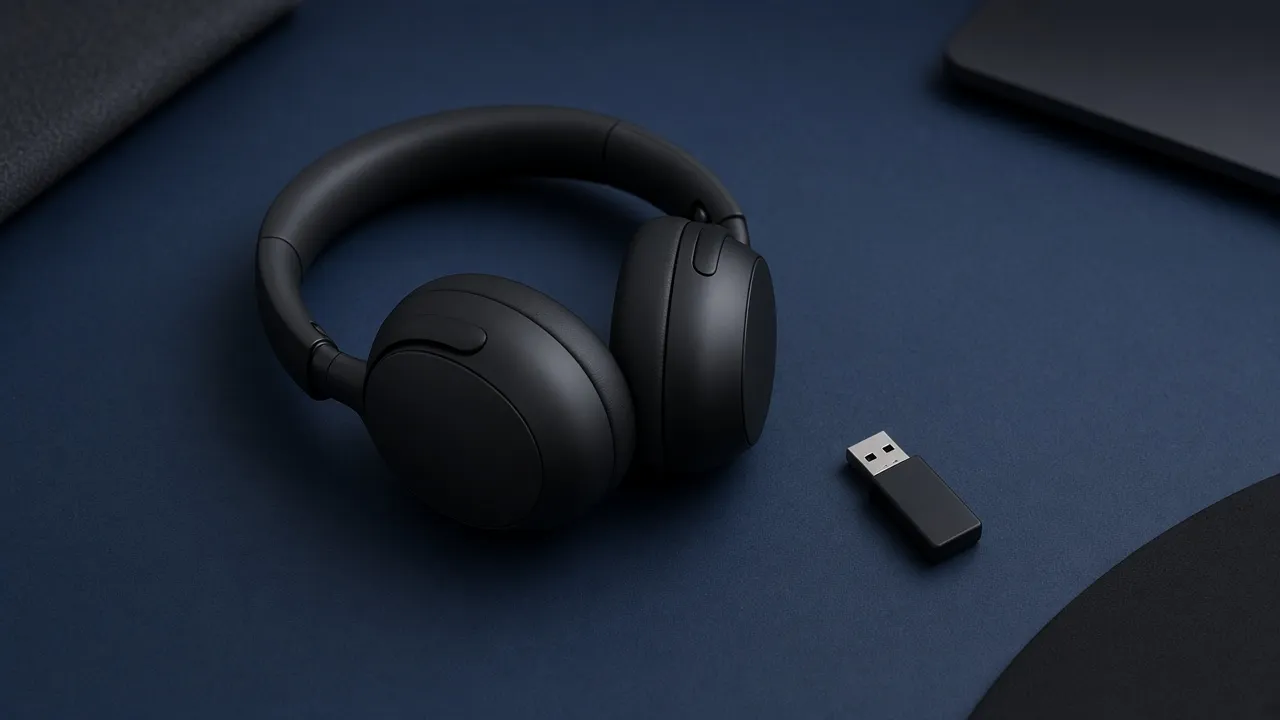
A wireless gaming headset is a headphone with a radio and, usually, a microphone. The best one is not the set with the most surround logos. It is the set whose connection your machine actually accepts, and whose cups you can wear for a whole session.
Shops put a dongle, a phone, and a console in one picture. Those are three different links. This page is how to tell them apart before you pay. Earbuds are a different product: no boom, and less between you and the room. A wire is still a valid headset. It has no battery and no radio to get wrong.
The connection is the whole wireless choice
For a match, the link you want is a 2.4 GHz USB dongle. That is the low-delay radio these headsets are built around. Bluetooth is the other radio. It pairs with a phone, and it is the slower one. A listing that only says wireless is often Bluetooth wearing a gaming word.
Use the dongle while you play. Use Bluetooth when the headset leaves the desk for a call or a song. A set that has both is the useful one if you actually do both. Most of those switch with a button, one source at a time. Simultaneous means the game and the phone call play together. Buy that only when you need both in the same minute, and only when the listing says they can run at once. “Bluetooth and 2.4 GHz” is not the same sentence as “at the same time.”
A cable still wins on delay, and it still works when the battery is dead. If you never stand up, a wire into the PC, or into the controller, is not a downgrade. Wireless is for the person who will notice the cable.
Pick the headset from the machine you play on
The listing has to match the machine and the radio. This filter says which lines to read. It does not name a model.
- Connection
- 2.4 GHz USB dongle
- Cups
- Closed back
- Sound
- Stereo, virtual surround off
Play on the dongle. If the listing only says wireless, it is often Bluetooth, and that is the slower link.
The result is a filter for the shop page, not a model name. Prices and stock move. The radio on the box does not.
On a PC, plug the dongle into USB and select that device, not the Bluetooth device that shows up beside it. If both appear, the Bluetooth one is the phone link. Playing on it by accident is how a good headset feels late.
On a PlayStation or an Xbox, the box has to name that console. A dongle that works on a PC is not automatically theirs. Xbox also has its own radio, the same family as the controller, on headsets the box says are for Xbox. As of 2026, neither console takes a normal Bluetooth headset as the game connection. Read the current listing anyway. A firmware note is how that sentence would go stale. A 3.5 mm plug into the controller is the connection that does not depend on a radio. If you also want the headset on a phone, Bluetooth is that second job, not the way the console hears the match.
On a phone, or a handheld that only has Bluetooth, buy Bluetooth. A dongle headset with no Bluetooth mode will not pair. The extra delay matters less in a story than in a shooter. If the phone is where you play games that hang on a footstep, you are asking the slower radio to do the match.
Closed back, stereo, and your own voice
Closed back means the cups are sealed. The room hears less of the match, and you hear less of the room. Open back means the cups are vented. Sound leaks out, and the room leaks in. Open-back headphones are mostly a wired habit. A wireless gaming headset is almost always closed, and that is the right default in a shared room. If you are alone and you want open cups, the listing has to show the vents. Do not pay a wireless price for an open-back that is not on the page.
Stereo is two channels. Games already place a footstep in those two channels. Virtual surround, 7.1, and a spatial logo remix that stereo so it sounds wider. In a shooter the remix can smear the cue you were using. Leave it off until you have played without it. Turn it on only if you prefer it in that game. On a console, the system’s own spatial switch is the same kind of option. Try the game’s audio first.
Sidetone, sometimes called mic monitoring, is your own voice played back into the cups. Without it, closed cups make you sound quiet to yourself, so you talk louder than the room wants. Turn it up until a normal voice is loud enough to you. It does not make the microphone better. It stops you shouting into one.
The microphone that works in a call is a boom you can point at your mouth, with a mute you can check without taking the headset off. A light on the boom, or a flip-up that mutes, is that check. A mic hidden in the ear cup sits farther from your mouth and closer to the room. It is fine in a quiet apartment and a poor fit over a fan or a keyboard. Recording wants a desk microphone. A headset mic is for the people already in the call.
What the listing has to say
Ignore the word gaming until the page states these:
- The radio you will use in a match. 2.4 GHz, a USB dongle, Xbox wireless, Bluetooth, or a wire.
- The machines, by name. A picture of a PC, a console, and a phone is not a compatibility list.
- Closed or open. If it does not say, assume closed and look at the cup.
- Whether the phone link is a switch or truly simultaneous.
- Battery hours as the maker’s claim, and whether it plays while it charges. A swappable battery matters when one charge is shorter than the session. The hour number was measured at a volume and a connection the maker chose.
- A mute you can confirm by looking.
- The return window. Clamp, pad depth, and glasses show up in the first hour. A review score cannot feel the pinch.
Weight is comfort, not a rank. A light headset that clamps hard still hurts. The desk is a separate problem. A new headset does not fix a screen that is too low.
Impedance and an external DAC are wired-headphone questions. A wireless headset brings its own amplifier. Do not add a DAC to improve a dongle.
What you can skip
RGB on the cup does not change the radio. A surround logo does not place a footstep. An EQ preset that claims to boost steps can also boost hiss. Set the game’s own mix first, music down and effects where you can hear them, before you pay for software to fix a mix you have not touched.
Matching the headset to the mouse brand does not help either one. Buy the radio and the cups. If the headset you already own fits and the cable does not bother you, keep it.
Common questions
What is the best wireless gaming headset?
The one whose radio the machine accepts. On a PC that is a 2.4 GHz USB dongle for the match. Bluetooth is the phone link. A PlayStation or an Xbox needs the console named on the box. There is no single model that fits every machine.
Do wireless gaming headsets use Bluetooth?
Many do, as a second radio for a phone. The game connection is usually a USB dongle. A listing that only says wireless is often Bluetooth, which is the slower link.
Is a dongle better than Bluetooth for games?
For a match, yes. The dongle is the low-delay link. Bluetooth is the right link for a phone, for music, and for story games where a little delay does not matter.
Should a gaming headset be open back or closed back?
Closed back. Sealed cups keep the match in the headset and the room out. Open-back cups leak both ways and are rarely wireless. Buy open cups only when the listing shows them and you are alone.
Should I turn on virtual surround?
Leave it off in a shooter until you have heard the game in stereo. Games already place footsteps in two channels. A surround mode remixes that cue. It is optional, not a reason to buy.
What is sidetone on a headset?
Sidetone, or mic monitoring, is your own voice played back into the cups. Closed cups make you sound quiet to yourself, so you talk too loud. Turn sidetone up until a normal voice is enough. It does not make the microphone better.
Keep reading
Hardware
When a 4K gaming monitor is worth it
A 4K gaming monitor is worth it when the PC already holds its refresh rate and the desk fits about 32 inches. Competitive games usually belong at 1440p.
October 19, 2026 · 5 min read
Hardware
Where a budget gaming PC should spend its money
A budget gaming PC should spend most of its money on a named graphics card for the resolution you play. A glass case and a huge processor do not add frames.
October 19, 2026 · 4 min read
Hardware
What the best gaming keyboard actually is
The best gaming keyboard is the layout your desk can hold and the switch your fingers accept. A 2026 chart names whatever is in stock. Extra money buys one feature you can point to.
October 19, 2026 · 4 min read